

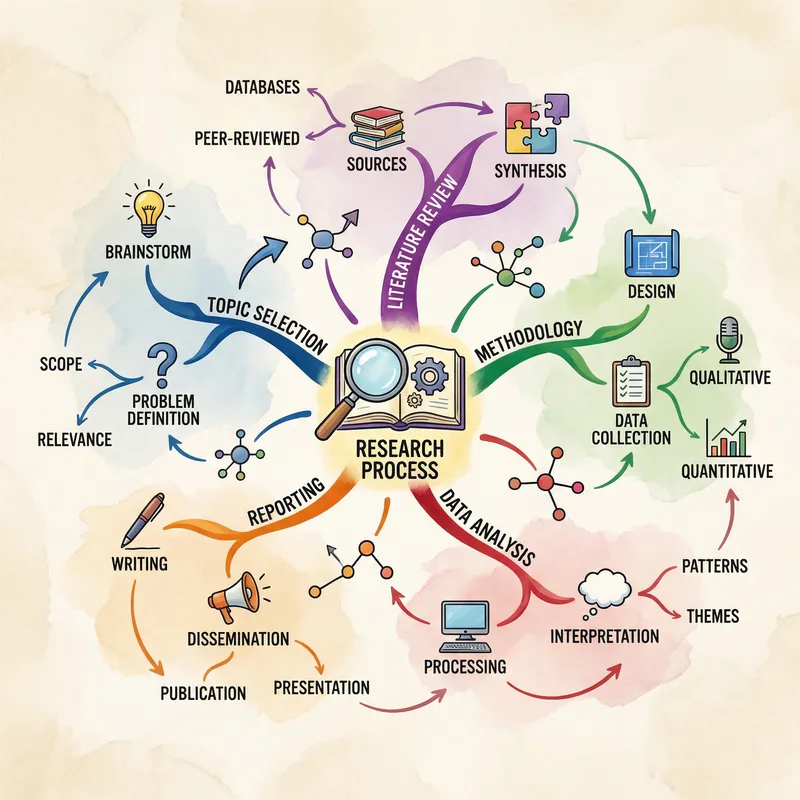


NotebookLM for Researchers:
A Deep Dive Into the Most Underused AI Tool
It’s sitting in hundreds of thousands of browser tabs, half-understood and underexploited. Here’s what NotebookLM actually does — and what a serious academic workflow with it really looks like.
There’s a version of NotebookLM that most researchers use, and then there’s a version that actually changes how they work. The gap between those two is enormous. Most people upload a few PDFs, get summaries, and feel vaguely satisfied. Then they close the tab and go back to their usual chaos of highlights, Zotero folders, and half-written notes. That’s a shame, because the tool has grown considerably more capable than the internet gives it credit for — and quite quietly, too.
This isn’t a product overview designed to dazzle you with feature lists. It’s an attempt to explain, honestly and in detail, what NotebookLM can do for researchers who work seriously with primary literature, large document corpora, or messy, evolving knowledge bases. I’ll also tell you where it genuinely falls short — because pretending those gaps don’t exist would waste your time.
1. What NotebookLM Actually Is (and Isn’t)
Google launched NotebookLM in late 2023 under the internal codename “Project Tailwind.” The core idea was straightforward but genuinely different from other AI tools at the time: instead of a general-purpose chatbot that could hallucinate freely from its training data, NotebookLM would be strictly grounded in whatever you uploaded. No wandering off into the model’s imagination. No invented citations. Every answer would come with a traceable link back to your sources.
That architectural choice — what Google calls “source grounding” — is still the defining feature. It means NotebookLM isn’t a replacement for ChatGPT or Claude if you want open-ended creative reasoning. It’s closer to a private research analyst who has read everything in your filing cabinet and can only speak from what’s in there.
When you upload documents to NotebookLM, they form a private knowledge base. The underlying Gemini model can only generate responses using that corpus. Every answer comes with inline citations linking back to the exact passage in your source — click the citation and you land on the paragraph. This is what keeps hallucination risk low. It also means the tool is only as good as what you put in.
By mid-2025, the tool had evolved well beyond its original form. TechCrunch reported in November 2025 that Google had added Deep Research capability, effectively turning NotebookLM from a passive document reader into an active research agent that can browse the web, assemble sources, and compile cited reports — all in the background while you continue working.
The underlying model also changed. By December 2025, the core reasoning engine upgraded to Gemini 3 Flash, improving its ability to connect ideas across complex or contradictory documents. The context window now sits at 1 million tokens — which, practically speaking, means you can load in hundreds of dense academic papers and the model keeps track of all of them simultaneously.
2. Plans and Limits: What You Actually Get
NotebookLM’s free tier is unusually generous for a tool of this quality. You get 100 notebooks, 50 sources per notebook (each source up to 500,000 words or 200 MB), 50 chat queries per day, and 3 Audio Overviews per day. For a solo researcher with focused projects, that’s often enough to get meaningful work done.
Late 2025 brought a significant restructuring into four tiers. Here’s how they actually stack up:
| Plan | Price | Sources / Notebook | Daily Queries | Audio Overviews/day | Best For |
|---|---|---|---|---|---|
| Free | $0 | 50 | 50 | 3 | Solo exploratory research |
| Plus (Workspace) | From ~$14/user/mo | 100 | Increased | 20 | Regular professional use |
| Pro (AI Pro bundle) | $19.99/mo ($9.99 for students 18+, first year) | 300 | 500 | 5× free limits | Heavy daily research, large literature reviews |
| Ultra | $249.99/mo | 600 | Highest | 50× free limits | Organizations, enterprise teams |
A few things worth noting. First, the per-source word limit (500,000 words) stays constant across all plans — more sources doesn’t mean larger individual files. Second, Google’s own FAQ confirms that your data is never used to train their models. Third, the Pro plan is bundled with Google AI Pro, which also includes Gemini Advanced and 2TB of storage — so you’re not just paying for NotebookLM.
The 50-source free cap hits researchers fast. A serious literature review on any active topic will exceed it. If you’re working across 80+ papers, you need Pro. The workaround some researchers use — splitting topics across multiple notebooks — creates its own headache: notebooks don’t share context with each other.
3. The Features That Actually Matter for Research
Source Grounding and Citations
This remains the foundational differentiator. Unlike ChatGPT or Claude in open-ended mode, NotebookLM doesn’t generate claims from thin air. When you ask “what did Source 7 say about cortisol response under sleep deprivation?”, you get a precise answer with an inline citation you can click to verify. This matters enormously for academic contexts where every claim needs to trace back to an actual document.
The hallucination story is more nuanced than some coverage suggests. One independent analysis noted a roughly 13% hallucination rate — much lower than the ~40% observed in general ChatGPT usage — but not zero, particularly in audio-generated content where context can be truncated for very long documents. You should still spot-check outputs against your originals. That’s not a criticism; it’s just a reality of working with any AI model on dense scientific material.
Audio Overviews: More Useful Than They Sound
The Audio Overview feature gets dismissed as a novelty. Two AI hosts discuss your documents in a conversational podcast format, bantering and summarizing. It sounds like a gimmick, and for outputting precise academic content, it sometimes is — the discussions can gloss over nuance and occasionally drift toward the general when you need the specific.
But for initial orientation in an unfamiliar field? It’s genuinely valuable. Uploading ten papers on a topic you’ve never studied and listening to a 15-minute discussion of their core arguments while commuting is a legitimate cognitive tool. Several researchers I’m aware of use it specifically for this: getting a “feel” for a field before diving into the papers themselves. The Effortless Academic’s review of the feature puts it well — treat audio overviews as orientation, not as synthesis you’d cite.
By March 2025, Google added granular customization controls: voice tone, length preferences, topic emphasis. And as of March 2026, Cinematic Video Overviews (powered by Veo 3, available to Ultra subscribers) can convert your document collections into visual presentations with generated imagery — a genuinely new capability for researchers doing science communication work.
“NotebookLM doesn’t eliminate rigor. It eliminates busywork. And that distinction matters enormously when you’re three years into a PhD and cognitively running on fumes.”
— Research practitioner observation, The Science Talk, Sept. 2025Deep Research: The November 2025 Turning Point
Deep Research launched on November 13, 2025 and arguably changed what NotebookLM is as a product. Before this update, it was a closed system: you uploaded everything manually, and it reasoned only within those bounds. Deep Research opened the walls.
Here’s how it actually works. You type a query. The system breaks it down into sub-questions, browses hundreds of websites in parallel, filters for credible sources, and assembles a cited report — running in the background while you continue adding your own sources. The report and its web sources can then be imported directly into your notebook, creating a combined knowledge base of your private documents plus fresh external research.
Start with your private corpus
Upload your core papers, drafts, notes, or data. These become the primary anchor for all reasoning — the model will always prefer your sources when answering.
Trigger Deep Research on gaps
In the source panel, select “Web” → “Deep Research.” Type a specific question about something you know your sources don’t fully cover. Wait 3–5 minutes for the report.
Import selectively
Review the sources Deep Research found. Add only those you judge credible and relevant. Garbage in, garbage out — the AI doesn’t filter for quality as rigorously as a trained researcher would.
Cross-query the full corpus
Now ask synthesis questions across your private documents and the newly added web sources simultaneously. The model holds both in the same context window.
Two caveats are worth underscoring. Deep Research takes 3–5 minutes per query, not seconds. And while it filters for credibility, it’s not infallible — preprint servers, opinion pieces, and SEO-heavy content can slip through. Treat the output as a starting point for your own source evaluation, not an endpoint.
Data Tables and Structured Synthesis
Added in December 2025 alongside the Gemini 3 upgrade, Data Tables let you ask NotebookLM to convert qualitative comparisons in your documents into structured tables that can be exported directly to Google Sheets. Upload ten papers describing different experimental protocols, and ask it to produce a comparison table of sample sizes, methodologies, and key findings. For meta-analysis groundwork, this saves real hours.
The Mind Map Feature
Less discussed than Audio Overviews, the interactive mind map visualization shows relationships between concepts across all your sources. It’s particularly useful when you’re trying to understand the intellectual structure of a new field — which ideas connect to which, where the major debates sit, what the key conceptual divisions are. Don’t expect academic precision in how it draws those connections, but as a rough cognitive map it’s a genuinely useful orienting tool.
Slide Decks
Since February 2026, NotebookLM can generate editable presentation slides from your notebook contents, with PPTX export. The slides pull from your sources with citations, making them useful for conference preparation or internal research presentations. Ultra plan subscribers get watermark-free output and access to the “Long” slide format for more comprehensive decks.
Audio Overviews
Two-host AI podcast from your sources. Best for initial orientation in unfamiliar literature, commute review, and science communication drafts.
Deep Research
Agentic web browsing that auto-assembles cited reports on any query. Imports directly into your notebook. Takes 3–5 min per run.
Mind Map
Auto-generated concept relationship visualization across all sources. Useful for mapping unfamiliar field structures.
Data Tables
Converts qualitative comparisons from documents into structured tables. Exports to Google Sheets. Powerful for meta-analysis groundwork.
Flashcards
Auto-generates study cards from sources, with citations linking to exact source paragraphs. Each card is verifiable.
Slide Decks
Generates editable presentations with source citations, PPTX export. Useful for conference prep and research briefings.
4. Real Research Workflows — What Actually Works
The Literature Review Accelerator
This is where NotebookLM genuinely earns its place. Upload your initial corpus of 20–40 papers. Don’t start with questions about specific claims — start with structural questions. “Summarize the main methodological debates across these sources.” “Identify arguments that appear in three or more papers without being resolved.” “Which sources discuss X in ways that conflict with each other, and what’s the nature of the disagreement?”
This kind of cross-document synthesis is where the tool has an edge over reading papers one by one. Human working memory can only hold so much at once. NotebookLM’s 1-million-token context window holds it all simultaneously and can identify patterns you’d miss across sequential reading sessions.
When starting a literature review in NotebookLM, upload your sources in batches and ask for a “gap analysis” after each batch: “What questions do these papers raise that they don’t answer? What would a follow-up study need to address?” Use those gaps to guide your Deep Research queries for additional sources.
The Research Gap Finder
Catherine Pope’s detailed field guide makes a point worth emphasizing: NotebookLM can identify arguments that received limited attention or perspectives that weren’t reconciled across your sources. This is genuinely useful for identifying publication opportunities — but be careful. A gap in your specific source set isn’t necessarily a gap in the literature. Cross-reference with a database search before claiming novelty.
Working With Primary Documents
One of the most underused applications. Walter Isaacson used NotebookLM to analyze Marie Curie’s original journals during research for his biography — not for note-taking, but for primary source analysis. Historians and qualitative researchers working with large archival corpora can upload transcribed primary documents and query them semantically rather than searching for keywords.
Similarly, NYU’s 2025 AI symposium documented how faculty used the tool to build policy timelines from public datasets, combining uploaded reports with Deep Research to assemble comprehensive policy histories that would have taken weeks manually.
Interview and Qualitative Data Analysis
Upload transcripts of interviews or focus groups as text or audio files. NotebookLM handles MP3, WAV, and 20+ other audio formats, transcribing and indexing them automatically. You can then query across all your interview transcripts simultaneously: “Which participants mentioned X unprompted?” “Identify recurring themes that appear in at least four transcripts.” This is legitimate qualitative support — not a replacement for rigorous thematic analysis, but a useful accelerator for initial coding.
The Conference Preparation Workflow
A few days before a conference: upload the paper PDFs for sessions you’re attending. Generate an Audio Overview for each session cluster during your commute. Use the notebook Q&A to prepare specific questions. After the conference, upload your own notes alongside the papers and ask the model to identify connections between presentations and your existing work. It’s a genuinely practical loop that requires maybe 90 minutes of setup and saves considerable time in making sense of what you heard.
5. Verified Cases From Institutional Use
Lindenwood University: 92-Page Historical Diary → Educational Materials
Lindenwood University published a case study demonstrating how researchers used NotebookLM to process a 92-page historical diary into structured educational materials for academic use. The key wasn’t just summarization — it was the ability to query the diary semantically (“How does the author’s tone shift after 1920?”) in ways that would require multiple read-throughs manually.
Source: The Science Talk, September 2025
QuanTour Project: 100+ Undergraduate Physicists Across 12 Countries
The QuanTour project used NotebookLM’s flashcard generation to create citation-verified study materials for 100+ undergraduate physics students across 12 European countries. Twelve quantum computing papers were uploaded; the system generated 200+ flashcards on error correction, topological qubits, and quantum advantage pathways — each with a timestamp citation back to the source paragraph.
Source: The Science Talk, May 2026
NYU Faculty Symposium: Policy Research Across Disciplines
At NYU’s October 2025 AI symposium, faculty documented workflows where students built policy timelines by combining uploaded public datasets with Deep Research results. A psychology professor’s thematic analysis approach informed a business instructor’s case study methodology — NotebookLM serving as the common analytical layer across disciplines. The cross-pollination was the point: a unified tool with a shared interaction language.
Source: NYU Teaching & Learning with GenAI Symposium, October 2025
6. NotebookLM + Your Existing Tools
The Zotero Situation
This is worth addressing directly because it’s the question most researchers ask first: “Can I connect it to my Zotero library?” The answer is: not natively, and not cleanly. NotebookLM doesn’t pull from Zotero automatically. What does exist is a community-developed Chrome extension — approved on the Chrome webstore in February 2026 — that facilitates importing sources from NotebookLM into Zotero. The reverse (Zotero → NotebookLM) still requires manual PDF upload or the Google Drive integration.
The most fluid integration currently is with Paperpile. Because Paperpile stores papers in Google Drive, and NotebookLM integrates natively with Drive, you can pull Paperpile-organized papers into NotebookLM with minimal friction. The Effortless Academic’s 2026 comparison specifically notes this integration as a differentiator for Paperpile.
For citation formatting, there is no native solution. NotebookLM tells you “according to Source 4” — it does not output “Smith, J. (2025). *Nature*, 47(2), 112–128.” You still need Zotero, Mendeley, or Paperpile for citation management. Think of NotebookLM as working upstream of your reference manager — for reading, synthesis, and insight generation — before you move to formal writing and citation.
Google Workspace Integration
If your institution uses Google Workspace, the integration depth is meaningful. NotebookLM connects to Google Drive, Docs, Slides, and Sheets natively. From December 2025, Google AI Ultra for Business users get an enhanced NotebookLM experience inside Workspace — shared organizational notebooks, priority feature access, and highest-tier capacity. For labs that are already Google-stack, this is worth looking into.
The April 2026 update also expanded NotebookLM capabilities specifically for Google Workspace for Education Plus users, including increased source context per notebook — relevant for universities already on Workspace.
Gemini Integration
As of late 2025, you can attach NotebookLM notebooks to Gemini chats, allowing the broader reasoning capability of Gemini to work against your source-grounded knowledge base. This is still early-stage (web only, not mobile), but it’s the clearest signal of where this is heading: NotebookLM becoming the structured knowledge layer that feeds into a broader AI reasoning environment.
7. The Honest Limitations — Don’t Ignore These
Every tool has a failure mode. NotebookLM’s limitations are specific and structural, and understanding them will save you frustration.
| Limitation | Severity | Workaround |
|---|---|---|
| No cross-notebook context | High | Maintain separate notebooks per project; use Deep Research to bridge themes |
| No citation formatting | High | Run Zotero/Paperpile in parallel for citation management |
| Cloud-only, no offline mode | Medium | Download summaries and notes as text for offline reference |
| 50-source free cap | Medium | Upgrade to Pro for large reviews; or split by sub-topic (with context loss) |
| Audio truncation in long docs | Medium | Use audio for orientation only; don’t rely for comprehensive synthesis |
| No Markdown, equations, code blocks | Medium | Export to Google Docs for formatted writing; use Claude/ChatGPT for code-heavy work |
| Copy-protected PDFs fail to import | Medium | Download from open-access versions (arXiv, PubMed) or use print-to-PDF from browser |
| No real-time collaboration | Medium | Share notebooks as view-only links; team editing requires Workspace Pro |
| Residual hallucination risk (~13%) in audio | Medium | Always verify claims against original source before citing |
| No EPUB, ZIP support | Low | Convert EPUBs to PDF via Calibre; unzip and upload individual files |
The no-offline mode issue is underappreciated. If you work in a lab with restricted internet access, or on field research, or in any environment where connectivity is unreliable, NotebookLM simply doesn’t function. There’s no workaround beyond exporting notes before you lose connection. This is a genuine constraint that alternatives like local-first Obsidian setups don’t share.
Google states clearly that your data is not used to train their models, and your documents remain within your account’s trust boundary. For enterprise and education users, VPC Service Controls and IAM access controls are available. However, your documents do leave your device for processing on Google’s servers. If your research involves genuinely sensitive data — clinical trials, confidential industry data, protected personal information — verify that your institution’s data governance policies permit cloud-based AI tools before uploading anything.
8. How It Compares to Alternatives
It’s tempting to frame this as “NotebookLM vs. ChatGPT” but that’s the wrong comparison. They do different things. The more relevant comparison is against tools with similar source-grounding architectures.
| Tool | Source Grounding | Free Tier | Best Strength | Key Gap |
|---|---|---|---|---|
| NotebookLM | Native | Generous (50 sources) | Multi-format, audio/video, Deep Research | No citation output, no cross-notebook |
| Elicit | Strong | Limited | Structured extraction, meta-analysis | Narrower scope, less flexible format support |
| Claude (with files) | Session-based | Limited | Superior reasoning depth, code, equations | No persistent notebooks, higher per-query cost |
| ChatGPT + Files | Partial | Limited | Broad reasoning, open-ended tasks | Higher hallucination risk (~40%), less citation integrity |
| Obsidian + Local AI | Complete | Yes (open-source) | Full data ownership, offline, customizable | High setup complexity, no collaborative features |
| Atlas Workspace | Strong | Limited | Cross-notebook knowledge graph, mind maps | Less mature, smaller ecosystem |
The honest take: NotebookLM wins on accessibility, format breadth, and the combination of source grounding with audio/video output. Claude wins on raw reasoning quality for complex analytical tasks. Elicit is better for systematic reviews where structured data extraction matters most. Obsidian is the right choice if data sovereignty is non-negotiable. In practice, serious researchers often use two or three of these in combination — NotebookLM for initial synthesis and orientation, Elicit or Zotero for structured citation work, and Claude or ChatGPT for writing-phase reasoning.
9. Verdict: An Honest Scorecard
NotebookLM is not one tool — it’s genuinely better for some research tasks than for others. It’s excellent at orientation, cross-document synthesis, rapid literature mapping, and making research materials multimodal. It’s weak at the downstream, writing-phase tasks where formatted citations and deep technical reasoning matter most. The sweet spot is the middle of the research process: after you’ve identified your topic and before you’ve started writing in earnest.
10. Getting Started — A Practical Entry Point
If you haven’t used NotebookLM seriously, here’s the fastest path to seeing its real value rather than the surface demo experience.
- Pick one active research project. Not a broad topic — a specific project where you have 10–20 papers you need to synthesize. This gives you a real corpus to test against.
- Upload your core papers as PDFs. Get open-access versions from arXiv, PubMed Central, or your institution’s proxy if publisher PDFs are copy-protected and fail to import.
- Start with structural questions, not factual ones. “What are the main methodological approaches across these papers?” tells you more about the tool’s capability than “What did Paper 3 conclude?”
- Run one Deep Research query on a gap you already know exists. Compare its findings against what you’d find manually. This calibrates your sense of where to trust it.
- Generate one Audio Overview and listen critically. Note where it’s accurate, where it’s vague, and where it drifts. This tells you when audio is a useful format for your material and when it isn’t.
- Keep your reference manager running in parallel. Use Zotero or Paperpile for citation tracking. NotebookLM is upstream of your reference manager, not a replacement for it.
The gap between how researchers think this tool works and how it actually works is large, and it goes both directions. Some researchers dismiss it entirely, expecting a citation machine and finding a synthesis tool. Others trust it too completely and don’t verify outputs against sources. The researchers getting the most from NotebookLM are those who’ve understood what “source grounding” actually means in practice — not perfect recall, but meaningfully constrained and verifiable reasoning from a specific corpus. That’s the frame worth starting from.
More From Trendix.tech
Emerging AI Tools in: The Intelligence Stack Has Arrived
AI Agent Governance:A CISO’s 2026 Checklist
Human-in-the-Loop AI: The Complete Production Implementation Guide
The Only Guide to AI Productivity Tools You Need in 2026
AI Tools Hub — Full Directory
AI Agents & Multi-Agent Systems: Everything Changes This Year
Best AI Writing Tools 2026
The Underrated AI Tools Nobody Hypes — But Practitioners Actually Use
DeepSeek V4 Deep Dive: Architecture, Pricing & What It Means
How to Write a Literature Review Using AI: Step-by-Step Guide
7 AI Tools for Researchers and Writers: Moves That Separate Beginners From Experts
ATLAS.ti 25 Review: Testing the AI Lab Features in Practice
NVivo Alternatives: What to Switch To and When
Perplexity Comet & the AI Personal Computer: Everything Explained
Atomic Habits for Knowledge Workers:Small Actions, Massive Results
PhD Tools That Actually Work in 2026
Best PKM Tools: The Complete Ranked List
Speed & Performance Tests: The Definitive 2025–2026 Guide
12 Proven Obsidian Techniques for Researchers: The Complete Setup Guide