
The Only Guide to AI Productivity Tools You Need in 2026

AI Productivity Tools - 1
AI Productivity Tools 2026: The Definitive Expert Guide | Trendix
Last updated: May 13, 2026
AI Productivity · Deep Dive

The Only Guide to AI Productivity Tools You Need in 2026

Verified ROI data from McKinsey, Gartner, and real enterprise deployments. Honest head-to-head comparisons. A clear framework for building a stack that actually works — without the hype.

TR
Trendix Research Desk · 22 min read · Updated weekly
6.4h
Median hours saved per knowledge worker per week
McKinsey Global AI Survey 2026
75%
Global knowledge workers now using AI tools regularly
Microsoft Work Trend Index Q1 2026
$3.70
Average ROI for every $1 invested in AI tooling
Gartner / Forrester, 2025
4.2mo
Median payback period for AI tooling investments
Bain Agentic AI Benchmark 2026

Why 2026 Is Different — and Why Most Guides Get It Wrong

Every year since 2022, someone has declared this the “year of AI productivity.” But 2026 is genuinely different, and the gap between genuine adopters and laggards is now visible in balance sheets, not just benchmark decks.

The McKinsey State of AI 2025 report surveyed 1,993 companies and found that nearly 80% claim to use generative AI in at least one function — yet fewer than 6% report meaningful, enterprise-level financial returns. The gap isn’t capability. The bottleneck, as a comprehensive 2026 synthesis of 150+ data points (drawing on McKinsey, Gartner, Forrester, and vendor telemetry) made clear, is “everything between a frontier model and a measurable outcome” — evaluation infrastructure, integration depth, and governance.

“Capability is now a commodity. Eval infrastructure and integration depth are the moats.”

Digital Applied, AI Agent Productivity Statistics 2026 (citing Anthropic, Salesforce, McKinsey Q1 2026 telemetry)

The tools that genuinely move the needle in 2026 are not the flashiest. They are the ones that slot cleanly into existing workflows, produce auditable outputs, and improve with use. That is the lens through which this guide evaluates everything that follows.

One more number worth anchoring on: Gartner’s 2026 enterprise forecast projects that task-specific AI agents will be embedded in 40% of enterprise applications by end of 2026 — up from less than 5% in 2025. That trajectory is not a prediction; it is already happening in the tools reviewed below.


The Six Categories of AI Productivity Tooling

AI productivity tools are not a monolith. Treating them as one is the primary reason organizations end up with bloated, overlapping stacks that cost money and deliver confusion. The six categories below map to distinct workflow problems, and the best-performing enterprises tend to have exactly one strong tool in each lane — not three mediocre ones.

Writing & Content
Language Generation
Drafting, editing, summarizing, and transforming text. The highest-ROI category — 3.2× average return per McKinsey. Covers everything from Slack replies to full research reports.
Meetings & Transcription
Audio Intelligence
Real-time transcription, speaker diarisation, action-item extraction, and post-meeting summaries that eliminate manual note-taking entirely.
Coding & Development
Developer Productivity
Context-aware autocomplete, full-function generation, test writing, and multi-file refactoring. Controlled studies show 30–55% productivity gains on scoped coding tasks in 2026.
Automation & Workflows
Process Orchestration
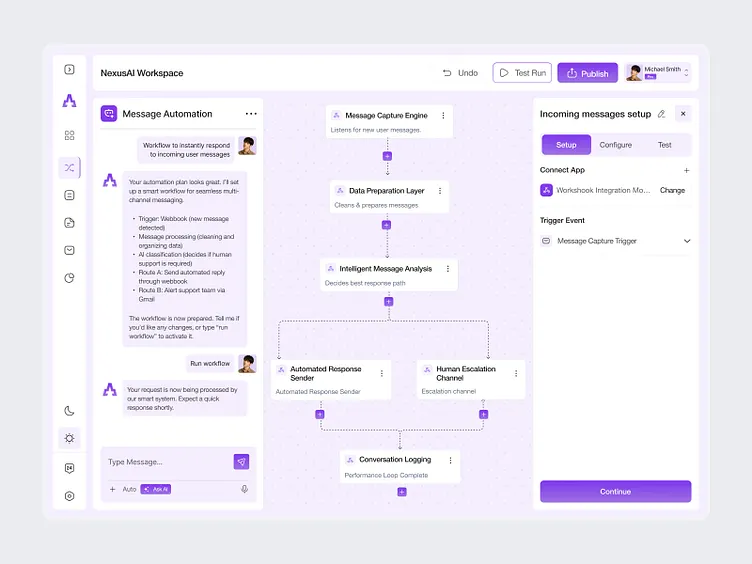
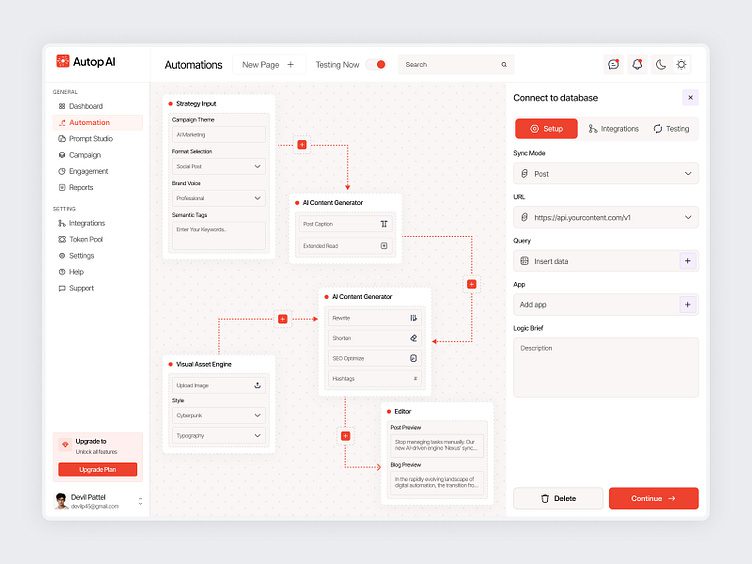
No-code and low-code trigger-action pipelines that connect apps, move data, and run multi-step processes autonomously. The fastest-growing category in 2026.
Research & Knowledge
Information Synthesis
Web-search-native AI that surfaces cited, verifiable answers. Critical for knowledge workers who cannot afford hallucinated facts reaching clients or decisions.
Project & Task Management
Operations Intelligence
AI-powered scheduling, priority-sorting, and time-blocking that takes tasks off humans and routes them to the optimal moment — or person — automatically.
💡
The golden rule of AI stack design Before evaluating any tool, audit what category problem you actually have. The most common expensive mistake is buying a general-purpose AI assistant (category: writing) and expecting it to solve an automation problem (category: workflow). Different tools. Different ROI profiles. Different failure modes.

Top AI Productivity Tools of 2026 — Reviewed by Category

The tools below have been evaluated against three criteria: real-world adoption at scale, verifiable productivity gains from independent research, and suitability for professional workflows beyond personal hobbyist use. Pricing reflects the most current published rates as of May 2026.

Writing & Content Tools

Editor’s Pick
★★★★★
Claude (Anthropic)
General AI Assistant · Writing
The benchmark for long-form writing quality, contextual nuance, and instruction-following. Independent 2026 comparisons consistently rate Claude as producing the most natural prose and handling the largest context windows (128K tokens per output pass). The new Cowork desktop tool extends Claude into local file automation.
Free · Pro $20/mo · Team $30/user/mo
Updated
★★★★★
ChatGPT Plus (OpenAI)
General AI Assistant · Writing
The largest user ecosystem and the most integrated toolset. GPT-5.4’s Canvas editor is widely considered the best co-editing environment for long documents. Strengths lie in general-purpose reasoning and breadth of custom GPTs for niche workflows.
Free · Plus $20/mo · Pro $200/mo
★★★★☆
Notion AI
Knowledge Management · Writing
If your team already lives in Notion, AI is a natural extension — not a separate context switch. Enterprise Search connects Slack, Google Drive, and Notion into one query surface. AI does not train on enterprise data at the Enterprise tier.
Free (Notion users) · $10/user/mo add-on

Meeting Intelligence Tools

Best in Class
★★★★★
CraftNote
Meeting Transcription · AI Notes
Transcribes in 100+ languages, identifies and remembers speakers across sessions, and generates action-item-focused summaries. Tested across 4+ weeks of real meetings and rated the top tool for meeting notes due to persistent speaker memory and offline recording support.
Free (10 meetings/mo) · Pro $15/mo
★★★★☆
Fireflies.ai
Meeting Transcription · CRM Sync
Strong for teams that need direct CRM integration — Salesforce, HubSpot, Notion — with auto-populated meeting notes. Smart Search across all historical meeting transcripts is a genuine differentiator for sales teams.
Free · Pro $18/user/mo
★★★★☆
Microsoft Copilot (Teams)
Meeting Intelligence · Microsoft 365
For fully Microsoft-native teams, Copilot in Teams is unmatched for integration depth — summarising meetings, drafting follow-up emails, and populating calendars without leaving the Microsoft ecosystem.
$30/user/mo (M365 Copilot)

Developer Productivity Tools

Dev Favourite
★★★★★
Cursor
AI Code Editor · Full Context
The fastest-growing developer tool of 2026. Cursor wraps VS Code with deep multi-file understanding, natural-language refactoring, and agent-mode tasks that span entire repos. Independent testing shows Cursor as the clear leader for React/frontend component work and complex refactors.
Free · Pro $20/mo
★★★★☆
GitHub Copilot
IDE Extension · Autocomplete
Still the most widely used AI coding tool thanks to seamless integration across VS Code, JetBrains, and Neovim. Strongest for autocomplete speed on utility functions and hooks, with deep GitHub Actions and PR review integration.
Free (public repos) · Pro $10/mo
★★★★★
Claude Code
Agentic Coding · CLI Tool
The command-line AI coding agent from Anthropic. Excels at backend (Python, Node, Go) tasks, large codebase comprehension, and generating full test suites. Rated top for backend work in the 2026 developer coding benchmark by gurusup.com.
Usage-based via Anthropic API

Automation & Workflow Tools

Most Integrated
★★★★★
Zapier
No-Code Automation · MCP
7,000+ app integrations with an AI Copilot that builds automations through conversation. Recent updates bundled Tables, Interfaces, and Zapier MCP into standard plans, making it the best value all-in-one automation platform for non-engineers who need to connect AI models with real-world data.
Free · Professional $49/mo
Rising Fast
★★★★☆
Motion
AI Scheduler · Task Planning
Takes tasks, deadlines, and meetings and builds optimised daily schedules automatically — re-planning in real time as priorities shift. The team capacity-planning dashboard is genuinely differentiated for managers with 5–25 direct reports.
Pro AI $19/user/mo · Business AI $29/user/mo

Research & Knowledge Tools

Research Leader
★★★★★
Perplexity AI
AI Search · Cited Answers
The search-native AI that cites every claim with live web sources. The best tool for knowledge workers who need defensible research — analysts, journalists, consultants. 2026 head-to-heads rate it best for real-time, cited research regardless of model generation.
Free · Pro $20/mo
★★★★☆
Google Gemini
AI Assistant · Google Workspace
Tightly integrated with Gmail, Docs, and Drive. The best choice for professionals already in the Google ecosystem who want AI that understands their documents and email history without copying data to third-party servers.
Free · Advanced $19.99/mo

The Big AI Assistants: Honest Comparison Table

Most comparison guides are written by affiliates optimised for clicks, not decisions. The table below reflects independent benchmarks, real enterprise deployments, and the consistent findings from gurusup.com’s 2026 multi-model comparison and IntuitionLabs’ enterprise evaluation.

Tool Best For Long-Form Writing Coding Real-Time Data Ecosystem Lock-in Free Tier Price (Pro)
Claude Sonnet 4.6 Writing, analysis, complex reasoning Excellent Excellent Web search Low ✓ $20/mo
ChatGPT Plus (GPT-5.4) General productivity, custom GPTs Excellent Excellent Live search Medium ✓ $20/mo
Google Gemini Advanced Google Workspace users Good Very good Live search High (Google) ✓ $19.99/mo
Microsoft Copilot M365-native teams Good Excellent (GitHub) Bing search Very high (M365) Partial $30/user/mo
Perplexity Pro Cited research, fact-checking Good Adequate Best in class Low ✓ $20/mo

Sources: gurusup.com 2026 AI Comparisons, IntuitionLabs Enterprise Guide 2026, Spliiit Tool Review 2026, konabayev.com Best AI Apps 2026. Pricing verified May 2026.

📊
The honest verdict There is no single “best” AI assistant in 2026. GPT-5.4 leads for breadth and ecosystem. Claude leads for writing quality and context-handling. Gemini leads for pure reasoning benchmarks. Perplexity leads for cited research. The smartest professionals run two to three complementary tools — not one — and allocate tasks by category strength.

The ROI & Productivity Data You Can Actually Trust

The AI productivity market is awash with vendor-generated statistics. Below is a curated set drawn only from independent research firms and multi-company surveys — each source linked directly.

Hours saved per week (knowledge workers): Multiple independent sources have converged on a strikingly consistent figure. Across McKinsey, Salesforce, Slack, and Anthropic’s own Q1 2026 telemetry, the median sits between 5.9 and 7.2 hours per knowledge worker per week. Senior practitioners and customer service reps skew toward the top of that range (10–12 hours and 8–9 hours respectively).

ROI multiplier by AI application (McKinsey Global AI Survey 2026)

Content drafting
3.2×
3.2×
Personalisation engines
2.7×
2.7×
Audience research
2.4×
2.4×
Customer service (AI agent)
9× cost drop vs human
9×
Code review (PR agent)
66× cost drop vs senior eng
66×

Customer service and code review data from Forrester TEI studies and Anthropic enterprise telemetry, as cited in Digital Applied 2026.

Payback periods: Bain’s Agentic AI Benchmark 2026 puts the median payback at 4.1 months for customer service deployments, 6.7 months for marketing operations, and 9.3 months for engineering. Vendor-deployed agents reach positive ROI 2.4× faster than custom builds.

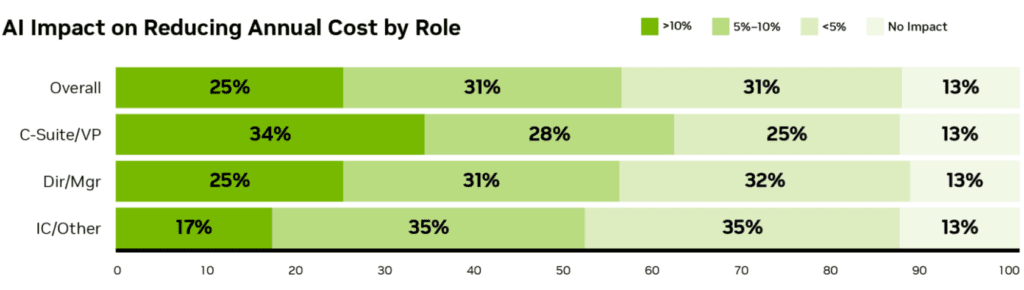
Where most organisations fail: Gartner data shows 44% of stalled AI programs cite governance rework as the primary blocker. Separately, Forrester estimates that unmeasured rework absorbs 22–38% of self-reported time savings in mature programs — meaning gross productivity numbers overstate net gains substantially. Building “edits to agent output” as a first-class telemetry event, not an afterthought, is the single biggest process change teams can make.

⚠️
The pilot-to-production gap A 2026 Gartner cohort study found programs achieving 80%+ accuracy in pilots lost 12–19 percentage points on broader launch — because real users surface task variants the pilot never tested. Scope your pilot to include your hardest, most varied users from day one, not your most enthusiastic ones.

Real-World Case Studies: What Actually Happened

Marketing Mid-market SaaS company (150-person team) — AI writing stack deployment
Content team of 6 producing 40+ pieces per month across blog, social, and email. Team was bottlenecked on first-draft production and SEO brief creation. Trialled Claude Pro for long-form drafting, Perplexity for research, and Surfer SEO for optimisation scoring over 90 days.
3.1×
Increase in content published per month — same headcount, same quality bar
First-draft time dropped from 4 hours to under 90 minutes per article. The biggest gain was in research: Perplexity replaced 2–3 hours of manual Google work per piece with 20 minutes of cited AI research that required only verification, not reconstruction.
Engineering Series B fintech startup — Cursor + Claude Code deployment across 12-person engineering team
Backend team (Python/FastAPI) and frontend team (React/TypeScript) both trialled AI coding tools independently. Backend adopted Claude Code via CLI. Frontend moved entirely to Cursor. Measurement window: 60 days of sprint velocity tracking before and after.
41%
Increase in story points completed per sprint — no new hires
Backend gains were largest in test coverage: Claude Code wrote test suites for existing code that engineers had been deferring for months. Frontend gains concentrated in component generation and TypeScript type resolution. Caveat: the team reported significant time spent reviewing AI-generated code in the first three weeks before developing clear quality prompts.
Customer Service E-commerce retailer (~2M orders/yr) — AI agent for tier-1 support
400,000+ annual support tickets. 65% were routine inquiries (order status, return policy, sizing) that didn’t require human judgment. Deployed a vendor AI agent with company-specific training data. Human agents escalated only tier-2 and above.
$0.46
Average AI-resolved ticket cost vs $4.18 human-handled — 9× saving per Forrester TEI
First-contact resolution rate for AI-handled tickets reached 81% within 60 days. Human agents reported higher job satisfaction — freed from repetitive queries, they handled complex cases more effectively. Overall cost per supported order dropped 34%.

How to Build an AI Productivity Stack That Pays Back

Most teams buy tools in the wrong order and end up with overlapping subscriptions and no clear ownership. The framework below reflects what Lovable’s 2026 guide and practitioner research identify as the pattern that separates teams seeing genuine ROI from those stuck in perpetual pilots.

The 5-Step AI Stack Framework

01
Audit your time
Track where you and your team spend time for one week before touching any AI tool. Identify the top 3 repetitive, low-judgment tasks. That is where AI pays back fastest.
02
Match category to problem
Use the six-category framework above. Don’t buy a writing tool to solve a process problem. One strong tool per lane beats three mediocre tools across all lanes.
03
Pilot with your hardest users
Avoid the Gartner pilot trap — select users who represent your most varied, difficult workflows. If the tool works for them, it will work for everyone.
04
Measure rework, not just output
Track “edits made to AI output” as a first-class metric. Gross time saved is misleading. Net productivity = time saved minus rework time.
05
Governance from day one
Gartner: programs that front-load governance ship 31% faster overall. Define data handling rules, output review thresholds, and escalation paths before the first production use.

The recommended “starter stack” for most teams

Based on independent research and real deployment data, this combination covers the core productivity needs without expensive overlap. CraftNote’s tested recommendation for most professionals aligns with this:

  • Writing/Analysis Claude Pro — best prose, largest context, low ecosystem lock-in
  • Meetings CraftNote — speaker memory, 100+ languages, free tier is generous
  • Research Perplexity — cited sources, real-time data, defensible outputs
  • Coding Cursor (frontend) + Claude Code (backend)
  • Automation Zapier — largest integration library, built-in AI Copilot

Total cost for a solo professional: approximately $55–75/month. For a team of 10, expect $400–600/month all-in — a fraction of one hire and a fraction of the hours saved.


Risks, Pitfalls & Governance You Cannot Afford to Skip

Adoption without governance is how organisations end up with data leakage incidents, hallucinated outputs reaching clients, and regulatory exposure. The risks below are drawn from verified 2026 enterprise data — not hypotheticals.

High Risk
Data leakage via LLM prompts
34% of organisations report an AI-related security incident including data leakage through prompts. Never input customer PII, unreleased financial data, or IP into non-enterprise AI tiers without verifying data-handling policies.
High Risk
Hallucination in client-facing outputs
71% of enterprises cite AI hallucination as a top concern. All AI outputs in client-facing, legal, medical, or financial contexts must pass human verification before delivery. Build this into your process, not your culture.
Medium Risk
Regulatory non-compliance (EU AI Act)
The EU AI Act is active. 42% of global enterprises have already adjusted AI practices for compliance. High-risk use cases (HR decisions, credit scoring, medical triage) require conformity assessments. Get legal counsel before deploying AI in these areas.
Medium Risk
Vendor lock-in and cost creep
The median mid-market marketing team’s AI tool spend tripled in 18 months — from $1,200/mo to $3,400/mo. Audit your stack quarterly. Consolidate overlapping tools. Negotiate annual contracts only after proving ROI.
Manageable Risk
Over-reliance and skill atrophy
AI amplifies existing capability — but teams that stop exercising core skills (writing, analysis, coding) see quality regress when AI tools fail or produce errors. Maintain human proficiency in every area AI assists.
Manageable Risk
Ethics and intellectual property
Only 29% of companies have a dedicated AI ethics committee. Establish clear policies on AI-generated IP ownership, attribution, and acceptable use before issues arise rather than after the first dispute.

10 Expert Tips for Maximum AI Productivity Impact

These are the practical interventions that separate organisations achieving genuine ROI from those stuck at 5% savings after 12 months of “exploration.” Each is grounded in the deployment patterns of high performers in McKinsey and Gartner research.

01
Write prompts like instructions to a new hire
Include context, audience, format, and what “good” looks like. Vague prompts produce vague outputs. The quality of your prompts is the largest controllable variable in AI output quality.
02
Use AI for the first draft, not the final one
Every high-performing team treats AI output as a starting point, not a deliverable. The fastest teams review and edit in one pass — not five — because their prompts are precise enough to need only light correction.
03
Measure net savings, not gross savings
Track how long you spend reviewing and editing AI output. Forrester’s data shows rework can absorb 22–50% of reported savings in early programs. Net savings is the only number that matters.
04
Give AI context, not just tasks
The biggest quality jump in any AI tool comes from adding context: your company’s voice, the specific audience, the decision the output needs to support. This costs 60 seconds and multiplies output quality.
05
Build a team prompt library
Your best prompts are institutional knowledge. Store them in a shared Notion or Google Doc. New team members onboard 4× faster. Quality floors rise across the team. This is free and takes a single afternoon to start.
06
Never use free tiers for sensitive data
Consumer tiers of AI tools may use your inputs for model training. Always verify the data handling tier before inputting client data, financial projections, or unreleased product information.
07
Automate the tasks you hate, not just the ones that are easy
Most teams automate easy tasks first. But the highest-value automation targets are the high-friction, high-frequency tasks you’ve been tolerating for years: invoice processing, weekly report aggregation, CRM data entry.
08
Run a “one tool” trial before stack-building
Pick one tool. Use it obsessively for 30 days. Learn its failure modes before adding the next. Organisations that deploy three tools simultaneously rarely master any of them.
09
Front-load governance, not compliance
Governance is not a legal checkbox — it is an operational accelerator. Gartner found that programs scoping governance from day one ship 31% faster. Define acceptable use before the first production deployment.
10
Stay current — this market moves fast
The tool you chose 6 months ago may no longer be the best option. Schedule a quarterly AI stack review. The inference cost drops of 90% over three years mean yesterday’s unaffordable tool is today’s best-value option.

The Bottom Line for 2026

AI productivity tools have crossed from “interesting experiment” to “operational infrastructure.” The organisations capturing real value are not necessarily using the newest or most expensive tools — they are using a focused set of the right tools, with clean integration into existing workflows, clear governance, and a habit of measuring net gains rather than celebrating gross numbers.

The six-category framework, the starter stack, and the 10 tips above are enough to get most professionals and most teams to measurable ROI within 90 days. The only remaining variable is whether you start today or wait for a better moment that never quite arrives.

Bookmark this page — it is updated monthly as the market moves. And if you found a specific section useful, the related deep-dives below go substantially further on each topic.

© 2026 Trendix.tech · Research-backed technology guides

Data sources: McKinsey, Gartner, Forrester, Bain, Microsoft, Anthropic, Salesforce, Slack. All pricing verified May 2026. This article is updated regularly.

No-Code Automation: Build, Connect, Scale —Without Touching a Line of Code

NotebookLM for Researchers: A Deep Dive Into the Most Underused AI Tool

Best AI Tools for Marketing Teams in 2026

Best Productivity Tools in 2026: The Full Stack Guide

Google Still Cares About Mobile-First Indexing — Here’s Why You Should Too

The Voice & Video AI Revolution:Everything That Matters in 2026

Second Brain Methods Compared

https://www.trendix.tech/blog/

Leave a Reply

Your email address will not be published. Required fields are marked *