
Obsidian vs. Notion
Productivity · Knowledge Management · Software Review
Obsidian vs. Notion:
Which PKM Tool Actually Fits Your Workflow?
A candid, data-driven breakdown of two fundamentally different tools — updated through May 2026, after both made significant changes that reshaped the comparison entirely.
The honest take upfront
Most comparisons of these two tools read like they were written by someone who tried both for a weekend. This one isn’t that. Obsidian and Notion have both changed substantially in the past 12 months — Obsidian shipped a native database layer that most people didn’t expect, and Notion quietly made full AI access significantly more expensive — and those changes affect almost every dimension of the comparison.
Here’s what I’ll say immediately: there isn’t a universally better tool. But there almost certainly is a better tool for your specific situation, and the gap between the two is wider than it’s ever been. Let me explain why.
Obsidian is built around a philosophical commitment: your notes are plain Markdown files on your own device, always. You own them. You can open them in any text editor, version-control them in Git, and they’ll still be readable decades from now. Notion is built around a different commitment: your notes are stored in a cloud workspace that enables real-time collaboration, structured databases, and an increasingly capable AI layer — but Notion holds the keys.
That’s not a small difference. It shapes everything: performance, pricing, what happens to your data if the company stumbles, and how you actually experience the tool day-to-day.
Core insight
The Obsidian vs. Notion question is ultimately a question about workflow philosophy, not features. Both tools can handle notes, organize knowledge, and connect ideas. Where they diverge is in control, collaboration, and cost — and those gaps have grown more pronounced since mid-2025.
Architecture & philosophy: where they fundamentally differ
Obsidian: local-first, Markdown-native
Every note in Obsidian is a .md file on your hard drive. This sounds like a technical detail, but it has significant practical consequences. Your notes load instantly because there’s no network round-trip. They work completely offline. You can back them up with any tool that handles files. You can search across thousands of notes with instant results using the OS’s own file indexing. And critically: Obsidian the company could shut down tomorrow, and your notes would still be exactly where they were.
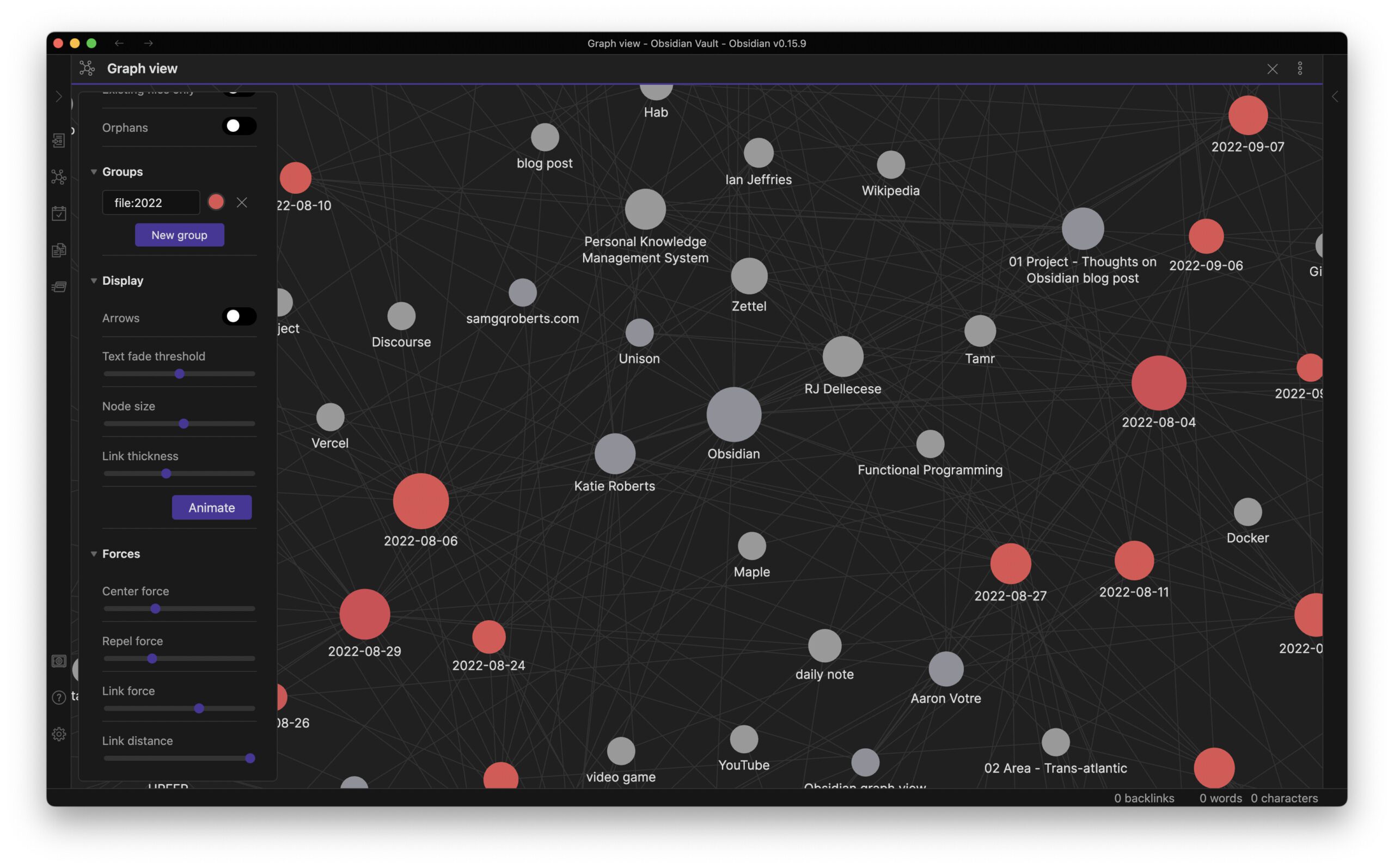
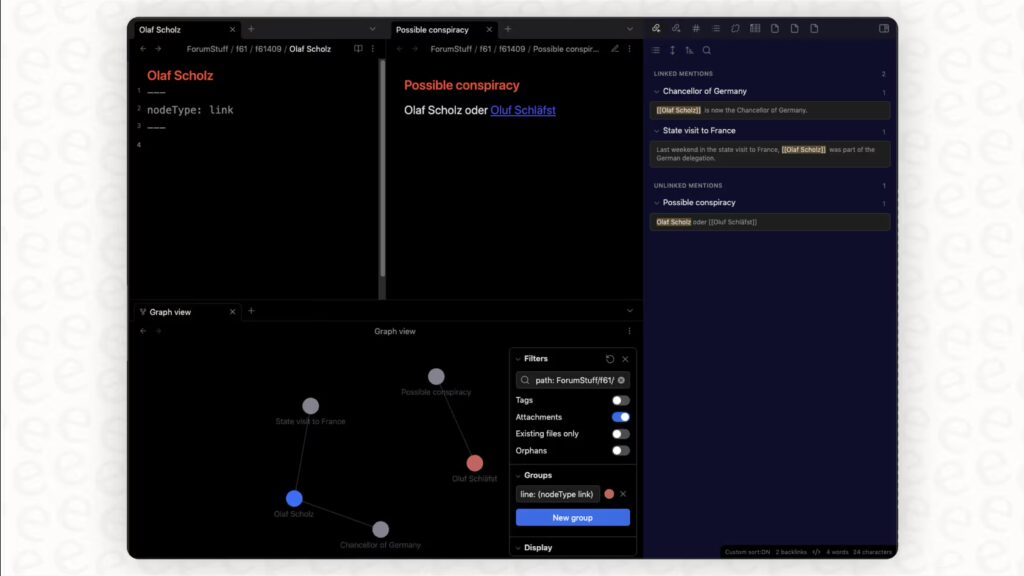
The organizing principle is bidirectional linking. You link notes to each other using [[double brackets]], and the graph view builds a visual map of those connections. For people who think non-linearly — researchers, writers, anyone synthesizing information across large domains — this is genuinely powerful. You discover relationships between ideas that you didn’t consciously create.
Obsidian’s plugin ecosystem deserves separate mention. As of early 2026, there are more than 1,400 community plugins. That’s not just impressive as a number — it means that almost any workflow someone has wanted to build on top of Obsidian, someone else has probably already built. Spaced repetition, PDF annotation, calendar integration, task management, kanban boards, code execution — all available without leaving the app.
Notion: cloud-first, database-native
Notion’s fundamental unit isn’t a file — it’s a block, and blocks live on Notion’s servers. The immediate benefit is that any device with a browser can access your workspace, multiple people can edit the same page simultaneously, and you get a single interface for notes, databases, task boards, and wikis.
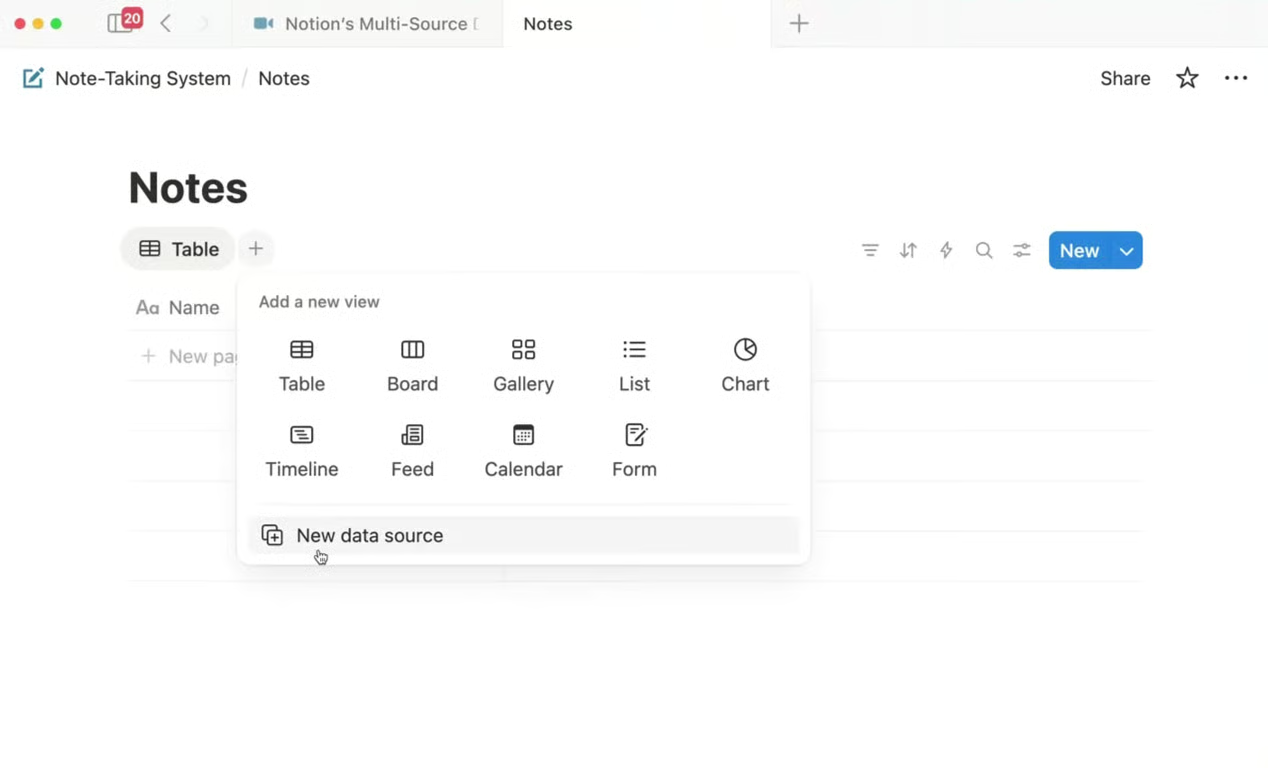
The database layer is Notion’s real differentiator. You can create a table of projects, then view the same data as a Kanban board, a calendar, a gallery, or a timeline. Properties filter across views. Relations connect different databases. For teams building operational systems — sprint planning, content calendars, hiring pipelines — this is exceptionally well-designed.
The trade-off is control. You can export your Notion content, but the export format loses most of the database structure. Notion has also made it progressively harder to leave cheaply: the best features now require higher-tier plans, and the AI capabilities that many teams now depend on are locked behind the Business tier at $20/user/month.
Pricing in 2026: big changes on both sides
This section matters more than it did a year ago, because both tools made significant pricing moves in 2025 that changed the math for a lot of users.
What changed at Notion
In May 2025, Notion eliminated the standalone AI add-on. Previously, you could add AI to any plan for roughly $8–10/user/month. That option is now gone for new subscribers. Full AI access — including AI Agents and Ask Notion — now requires the Business plan at $20/user/month (billed annually). Existing subscribers who had the add-on are grandfathered in, but if they cancel, they can’t reactivate at the old price.
⚠ Pricing trap to know about
If you’re a Notion subscriber grandfathered into the old AI add-on pricing — don’t cancel. Once you do, you’ll need the Business plan to get AI back. The gap is meaningful: old setup was around $18/user/month (Plus + AI add-on); new Business plan with AI is $20/user/month, but Plus without AI is now just $10. If AI matters to you, the jump is real.
What changed at Obsidian
Obsidian moved in the opposite direction. The commercial license requirement — previously $50/user/year for businesses — was eliminated entirely. The full application is now free for everyone, including commercial use.
Source: obsidian.md/pricing · notion.com/pricing · verified May 2026
Real-world cost scenarios
| Scenario | Obsidian / year | Notion / year | Difference |
|---|---|---|---|
| Solo user, no sync needed | $0 | $0 (Free tier) | Tie |
| Solo user, sync across devices | $48 (Sync annual) | $120 (Plus annual) | Obsidian saves $72 |
| Solo user, sync + AI access | $48 + BYOK (near zero) | $240 (Business annual) | Obsidian saves $190+ |
| Team of 5, collaboration + AI | $240 (Sync × 5) | $1,200 (Business × 5) | Obsidian saves $960/yr |
| Team of 10, enterprise features | ~$480 (Sync × 10) | $2,400–$3,600 (Enterprise est.) | Obsidian saves $2,000+/yr |
The pricing gap is stark — but it’s not the whole story. Notion’s team features (real-time editing, comments, granular permissions) have genuine value that Obsidian simply doesn’t replicate, even with Sync. If your team actually uses those features, the cost difference narrows in practical terms.
AI capabilities: Notion’s big bet vs. Obsidian’s plugin ecosystem
This is where the two tools have diverged most dramatically in the past year — and where the comparison gets genuinely complicated.
Notion AI: from writing assistant to autonomous agent
In September 2025, Notion released version 3.0 centered on autonomous AI Agents capable of multi-step work across an entire workspace. By February 2026, they shipped Custom Agents — team-wide bots that run on schedules and event-based triggers. By April 2026 (version 3.4), Custom Agents became 35–50% cheaper to run, added voice input, and gained Salesforce and Box connectors alongside access to private Slack channels.
The 2026 Notion AI suite now includes:
- Notion Agent — autonomous multi-step task execution, up to 20+ minutes of work, across hundreds of pages
- Custom Agents — scheduled/triggered team bots with model selection and MCP integrations (Linear, HubSpot, Figma, Slack)
- Enterprise Search — searches simultaneously across Notion, Slack, GitHub, Google Drive
- AI Meeting Notes — background transcription on iOS/Android even with screen locked
- Workers — custom JavaScript/Python execution inside Notion agents (launched April 2026)
- Multi-model support — GPT-5, Claude Opus 4.1, Gemini 3, and lighter models for cost efficiency
All of this requires the Business plan at $20/user/month. And Custom Agents now consume Notion Credits, billed at $10 per 1,000 credits as of May 4, 2026. Simple agents use few credits; complex ones that touch multiple databases and tools can consume them quickly.
Notion AI — real case study
Ramp (the corporate card company) is a marquee Notion AI enterprise customer. Their case study shows agents being used to compile customer feedback from Slack, email, and Notion into structured action items — a workflow that previously took hours of manual work. That’s genuine enterprise value. But Ramp operates at scale where $20/seat/month is a rounding error. For a 3-person startup, the math looks different.
Obsidian AI: powerful, but bring-your-own
Obsidian’s approach to AI is fundamentally different: there’s no native, baked-in AI layer. Instead, community plugins — most notably Smart Connections, AI Assistant, and various Ollama integrations — give you AI capabilities using your own API keys or local models.
This means a few things. First, cost: if you have a Claude or OpenAI API key, you’re paying per token, which for most personal knowledge base queries is genuinely cheap. Second, privacy: local models like Ollama + Llama 3 mean none of your notes ever leave your machine. Third, limitation: the integration isn’t as polished or seamlessly embedded as Notion’s native AI. You’re stitching things together.
Retrieval-augmented generation (RAG) over your Obsidian vault — where an AI can answer questions specifically using your own notes — is well-supported through plugins like Smart Connections. This is something a lot of Obsidian power users have built and genuinely rely on. But you have to set it up yourself.
Obsidian AI — practical reality
For a solo researcher or developer who’s comfortable with APIs, Obsidian’s AI plugin ecosystem is surprisingly capable — and significantly cheaper than Notion AI. For a team that wants AI features with zero setup, that path doesn’t exist in Obsidian.
Obsidian Bases: the feature that changed the game
If you last seriously evaluated Obsidian before mid-2025, you probably noted a major gap: no native database functionality. The community plugin Dataview filled some of that need, but required learning a query language that put off non-technical users.
In May 2025, Obsidian shipped Bases (version 1.9) to Catalyst supporters, with public release in August 2025. This is the biggest feature Obsidian has shipped in years, and it directly addresses the one area where Notion had a clear structural advantage.
What Bases actually does
A Base is a database view built over your existing notes. It reads the properties you’ve stored in YAML frontmatter — tags, dates, status fields, custom metadata — and presents them in sortable, filterable table views. The key innovation: all the data stays in your local Markdown files. There’s no separate database engine, no migration, no new file format for the underlying content. The .base file is just a view configuration.
By version 1.10 (October 2025) and 1.10.3 (November 2025), Bases had expanded significantly:
- Card view (Pinterest-style visual layout with cover images)
- Map view (geographic visualization of notes with location properties)
- Grouping and summaries within tables
- Formula-based calculated columns
- Inline image rendering
- External URL linking and sorting
- Metadata conversion from Notion (simplifying migration)
- Plugin API for custom view types (version 1.10)
Version 1.12 added search within Bases, and the roadmap shows calendar and Kanban views as upcoming additions.
How it compares to Notion’s databases
Honest assessment: Bases is impressive for a 1.0 feature, but it’s not yet on par with Notion’s database maturity. Notion has had years to refine relations between databases, rollups, complex formulas, and multiple simultaneous view types. Obsidian is catching up, but there’s a gap.
What Bases does that Notion can’t match: every view is backed by local files you own. Creating a database over your existing 2,000 notes takes seconds — there’s no migration, no import. And since it’s all just Markdown with frontmatter, any tool that reads YAML can work with your data.
Collaboration & team use
This is the clearest-cut dimension of the comparison: Notion wins, without qualification, for teams that need real-time collaboration.
Notion offers native real-time co-editing, inline comments with @mentions, page-level and database-row-level permissions, and granular guest access (10 guests on Free, up to 250 on Business). Multiple people can edit the same page simultaneously without conflict. Version history lets you roll back to any point. Suggestions mode works like tracked changes in Google Docs.
Obsidian’s Sync add-on enables vault synchronization across devices and can share vaults between users, but it does not support real-time co-editing. Two users editing the same note at the same time will encounter merge conflicts. There are no native inline comments, no @mentions, and no granular permission controls.
Teams using Obsidian for shared knowledge bases typically rely on Git — which works well for technical teams (developers, researchers who already use version control) but is genuinely impractical for most non-technical users. The idea of asking a marketing manager to resolve a Git merge conflict is not realistic.
| Collaboration feature | Obsidian | Notion |
|---|---|---|
| Real-time co-editing | ❌ Not supported | ✅ Native, all paid plans |
| Inline comments | ❌ No native support | ✅ Full comment threads |
| @mentions & notifications | ❌ Not available | ✅ Full system |
| Guest access (external) | ⚠ Via shared Sync vaults | ✅ 10–250 guests by plan |
| Page permissions | ❌ None | ✅ Granular control |
| Version history | ✅ Via Sync (30 days) | ✅ 7–unlimited days by plan |
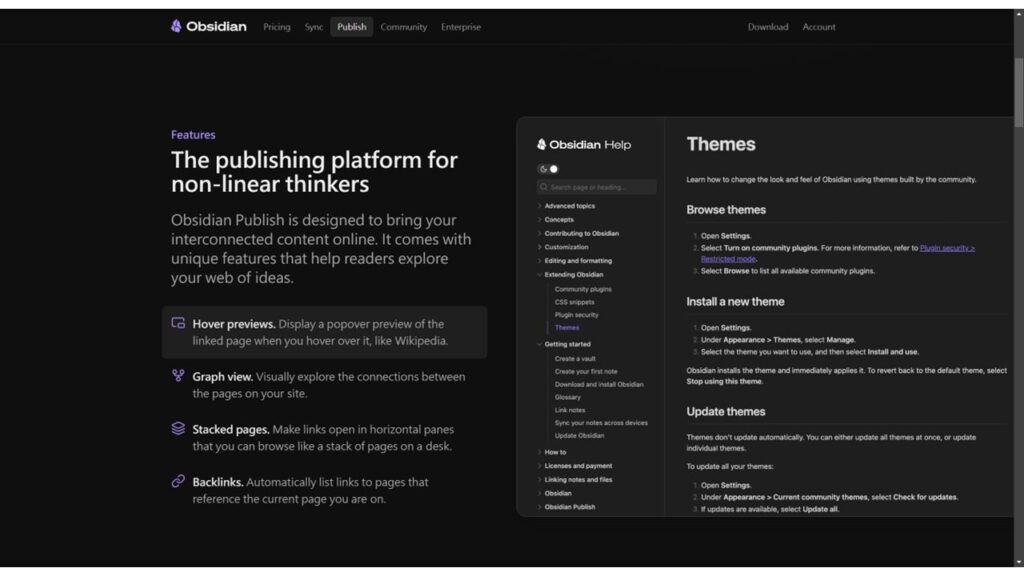
| Async note sharing | ✅ Via Obsidian Publish | ✅ Native web sharing |
| Works for non-tech teams | ⚠ Limited without Git | ✅ Designed for it |
The one genuine caveat to Notion’s collaboration advantage: the roadmap for Obsidian does list “Share notes and edit them collaboratively” as a future feature. When that ships, this section of the comparison will need to be revisited. But it’s not here yet.
Performance, reliability & offline access
Obsidian is notably faster for large knowledge bases. Because notes are local files, search is near-instant even across tens of thousands of notes. Loading a vault with 5,000 notes takes seconds. There’s no spinner while waiting for a network response.
Notion’s performance depends heavily on workspace size and internet quality. Large databases with complex views can lag. Opening a page for the first time in a session takes longer than it should. This isn’t a dealbreaker, but it’s a friction point that compounds over time if you’re opening and closing notes frequently throughout the day.
Both apps run on Electron, which means neither is a lean native application. Obsidian typically uses 200–500 MB of RAM depending on vault size and active plugins. Notion uses similar memory, plus ongoing bandwidth for sync.
Offline access is where Obsidian wins unambiguously. Everything works offline — reading, writing, searching, linking. Notion has limited offline capabilities: you can view and edit some content, but it’s unreliable for heavy work without a connection. For anyone who works on planes, in rural areas, or in environments with inconsistent WiFi, this is a real operational consideration.
Performance note
In independent testing across the productivity community, Obsidian’s search consistently returns results within milliseconds across vaults of 10,000+ notes. Notion’s search, while much improved in 2025–2026, still involves a network round-trip that’s perceptible when you’re doing rapid lookups.
Feature scorecard
Based on current capabilities as of May 2026, across the most commonly evaluated dimensions:
Scores represent editorial assessment based on current feature set, user reviews (G2, Capterra, Reddit), and hands-on testing. Not affiliated with either company.
Who wins, and for whom
Let me be direct about this rather than hedge everything into meaninglessness.
Obsidian wins for:
Researchers, academics, writers, developers, and anyone building a long-term personal knowledge base. People who value data ownership above convenience. Anyone who works frequently offline. Solo knowledge workers who want powerful customization without subscription lock-in. Technical users comfortable with Markdown and willing to invest time in setup. Anyone managing sensitive information they don’t want on a third-party server.
Notion wins for:
Teams of any size that need real-time collaboration. Product managers, startups, and companies building operational systems — sprint boards, content calendars, hiring pipelines, wikis. Anyone who wants AI-powered workflows embedded directly in their workspace without any setup. Organizations that need auditable permissions and granular access controls. People who find Markdown intimidating and want a more visual, drag-and-drop interface.
The honest nuance
Market data from Capterra (2026) puts Notion at roughly 25% of the note-taking and knowledge management market, driven heavily by enterprise adoption. Obsidian holds about 8% market share but dominates the personal PKM niche — it’s the top choice among power users, developers, and researchers. Notion’s 100 million active user milestone (Q1 2026) reflects its team-workspace positioning; Obsidian’s growth is quieter but deeply loyal.
Decision matrix: 12 workflow types
| Your situation | Recommended | Why |
|---|---|---|
| Solo researcher / academic | Obsidian | Graph view, Zettelkasten, full data ownership, offline |
| Software developer’s personal notes | Obsidian | Git-compatible, local files, plugin depth, Markdown-native |
| Non-fiction writer building source library | Obsidian | Bidirectional links surface unexpected connections across sources |
| Small product team (3–10 people) | Notion | Real-time editing, database views for sprints, no Git overhead |
| Startup building company wiki | Notion | Permissions, guest access, templates, collaborative editing |
| Student managing coursework | Notion | Templates, calendar views, easier onboarding, free tier |
| Journalist handling sensitive sources | Obsidian | Local storage, E2E encryption option, no cloud exposure |
| Content creator / newsletter writer | Either | Obsidian for idea capture; Notion for editorial calendars |
| Medical / legal professional | Obsidian | Sensitive data stays local, no third-party data processing |
| Remote-first team needing AI workflows | Notion | Custom Agents, Enterprise Search, MCP integrations |
| Zettelkasten / second-brain builder | Obsidian | Purpose-built for this; Notion’s linking is secondary, not primary |
| Non-tech solo user, just needs notes organized | Notion | Lower learning curve, better templates, no Markdown required |
Switching between them: what it actually takes
Notion → Obsidian
Notion allows export to Markdown. The basic text content transfers reasonably well. What doesn’t transfer cleanly: database structure (relations, rollups, multi-select properties), inline formulas, embedded files, and any Notion-specific block types (synced blocks, toggle headers). The Obsidian Bases update now includes a metadata converter for Notion exports, which helps with frontmatter properties — but you’ll likely spend 4–10 hours cleaning up a large workspace migration.
Migration case: research lab
Moving 800 notes from Notion to Obsidian
A computational biology lab moved their research notes (800+ pages) from Notion to Obsidian in late 2025. The markdown export took 20 minutes. Cleaning up broken internal links took about 3 days across the team. Rebuilding database views as Bases took another week. The verdict: worthwhile for them because of privacy requirements with patient-adjacent data, but they wouldn’t recommend it to a non-technical team. Their git-based sync workflow (using GitHub for vault sync) works well for a team of researchers who already use version control daily.
Obsidian → Notion
Since Obsidian notes are plain Markdown, import into Notion is fairly straightforward. Notion’s Markdown importer handles the basic content well. Internal wiki-links ([[note name]]) don’t convert to Notion’s internal links automatically — you’ll need to process those. For anyone with a deep graph of linked notes, this is the biggest friction point. The bidirectional link network you’ve built in Obsidian doesn’t transfer to Notion’s weaker linking system.
Running both in parallel
Worth noting: a meaningful number of power users run both. Obsidian for personal knowledge (reading notes, research, writing drafts), Notion for team-facing work (project management, shared docs, client wikis). This is legitimate if your workflows naturally separate along those lines — and many do.
Final verdict
Choose Obsidian if —
You’re building a personal knowledge system that’s meant to last years or decades. You care about data ownership and would rather pay once (or nothing) than subscribe indefinitely. You work offline regularly, handle sensitive information, or want deep customization through plugins. You’re a developer, researcher, or writer who thinks in terms of connected ideas rather than structured tasks.
Choose Notion if —
You’re working in a team context where real-time collaboration is essential. You want a single workspace that handles documentation, project management, and databases without any setup. You’re willing to pay $20/user/month to get powerful, well-integrated AI agents and enterprise search. You’d rather have a polished, opinionated tool than a highly customizable one that requires configuration.
The honest bottom line
Obsidian has closed the gap significantly with Bases, the commercial license removal, and a maturing plugin ecosystem. Notion has extended its lead in AI and collaboration, but at a meaningful price increase for new users. Neither is losing — they’re diverging into different categories, and the right answer depends entirely on whether you’re optimizing for individual depth or team breadth.
0 responses to “Obsidian vs. Notion: Which PKM Tool Actually Fits Your Workflow?”