

Productivity Systems
Productivity Systems:
What Actually Works
in 2025–2026
GTD, PARA, Zettelkasten, Deep Work, Time Blocking, Second Brain — a rigorous, no-hype guide to every major framework, who each one is for, and how to build a system that doesn’t fall apart after three weeks.
There’s a version of this article that opens with something like “In today’s fast-paced world…” — you’ve read it a hundred times. This isn’t that. What follows is a ground-level, data-backed examination of the productivity systems that actually move the needle for knowledge workers in 2025 and 2026, written for people who’ve already tried the basics and want to understand why some frameworks click and others don’t.
The honest answer is that no single system works for everyone. That’s not a cop-out — it’s the most important thing you can understand before spending three weeks reorganizing your Notion workspace for the fourth time this year.
Let’s get into it.
Why Most People Fail Without a System
Before comparing frameworks, it helps to understand what actually goes wrong in the absence of one. The numbers are genuinely alarming.
UC Irvine / Gloria Mark
Microsoft Work Trend Index 2025
Microsoft WorkLab 2025
Yomly Research 2025
Research from ActivTrak’s State of the Workplace 2025 report found that remote workers achieve 22.75 hours of deep focus time per week, compared to just 18.6 hours for those working primarily in-office. That gap is significant — and it’s entirely structural, not motivational.
Landmark research by Gloria Mark at the University of California, Irvine found that workers require an average of 23 minutes and 15 seconds to fully regain deep focus after being interrupted — even briefly. Multiply that by 275 daily interruptions and you start to see why so many people feel busy all day and finish nothing that matters.
A 2025 study by Microsoft found that the average knowledge worker spends 57 percent of their time on communication and coordination tasks — meetings, emails, chat messages, and status updates. Only 43 percent is spent on what Microsoft calls “focused creation” — the deep work that directly produces results. A solid productivity system is the main lever for shifting that ratio.
The case for having a system isn’t about discipline or willpower. It’s about cognitive architecture. When your tasks live in your head, your brain burns energy just keeping track of them — the same finite resource you need for actual thinking. A good system offloads that burden so your attention can go where it matters.
The Two Types of Productivity Systems
This is a distinction almost every popular listicle gets wrong, and it creates enormous confusion. At a high level, productivity systems fall into two categories. Some systems help you execute tasks and manage commitments. Others help you organise knowledge and generate ideas. Confusion happens when people expect one system to do everything.
Task & Time Management
Built to capture, prioritize, and complete work. The goal is getting things off your plate reliably.
Information & Thinking
Built to capture, organize, and connect ideas over time. The goal is building intellectual leverage.
Attention Management
Built to protect and deepen concentration. The goal is creating the conditions for high-quality work.
Combined Frameworks
Attempt to address execution, knowledge, and focus in a single integrated structure.
Understanding this taxonomy saves a lot of grief. If you’re drowning in tasks and deadlines, adopting Zettelkasten won’t fix that. If your problem is surface-level busyness masking an inability to think deeply, tighter GTD implementation won’t help either. Match the system to the problem.
Getting Things Done (GTD)
David Allen published Getting Things Done in 2001 and updated it in 2015. Twenty-five years later, it remains the most systematically complete approach to task management ever developed for individuals. That’s not hyperbole — it’s just that nothing has displaced it at the task-execution level.
Developed by productivity expert David Allen, Getting Things Done helps you achieve a state of “mind like water,” where you can respond to demands with relaxed, focused control. The fundamental idea is that your brain is for having ideas, not for holding them.
The Five Steps of GTD
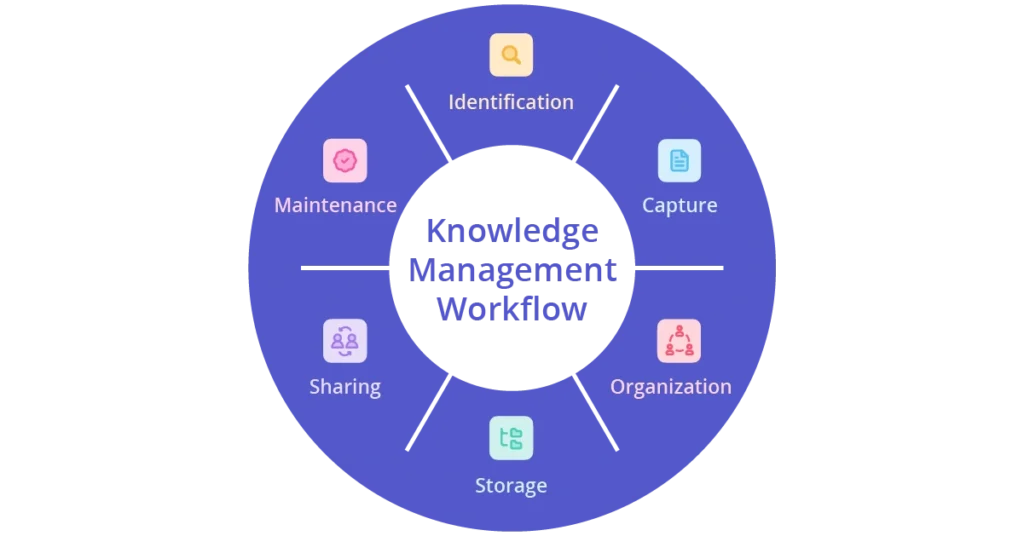
- 01Capture — Get every open loop out of your head and into an external inbox. Everything. “Buy milk” and “restructure the company” go in the same place initially.
- 02Clarify — Process each item: Is it actionable? If not, trash it, file it as reference, or put it on a someday list. If yes, define the very next physical action required.
- 03Organize — Put actionable items where they belong: calendar for date-specific items, project lists for multi-step outcomes, waiting-for lists for delegated tasks.
- 04Reflect — Review your lists regularly. The weekly review is the backbone of the system. Without it, GTD falls apart within a month.
- 05Engage — Choose what to work on based on your current context, available time, energy level, and priorities. The system does the deciding so your brain doesn’t have to.
- Eliminates the cognitive load of remembering tasks
- Works for any volume of commitments
- Tool-agnostic — works on paper or in apps
- The next-action principle alone is transformative
- Handles both personal and professional life
- High setup overhead and learning curve
- Weekly review is non-negotiable but easy to skip
- Can become bureaucratic if over-implemented
- Doesn’t address knowledge management at all
- Requires consistent maintenance to stay valuable
GTD in a High-Volume Professional Context
A strategy consultant at a Big Four firm managing 12 active client engagements simultaneously described implementing GTD in 2023 after “drowning in email.” His key adaptation: a hard rule that every item in his inbox gets clarified within 24 hours — even if the clarification is “I’ll decide on this Monday.”
Eighteen months in, his inbox consistently stays under 20 items. More importantly, he describes the weekly review as the single habit that changed everything: “On Friday afternoons I know exactly what’s unfinished and what can wait. Before, I spent every Sunday night anxious about things I couldn’t name.”
→ Inbox processing time: 45 min/day → 15 min/dayGTD is genuinely one of the most useful things you can learn if your primary challenge is task overload. That said, it’s also one of the most commonly abandoned systems — usually because people implement the capture and organize steps but skip the weekly review. Without the review, the whole thing quietly rots.
Pomodoro Technique & Time Blocking
These are simpler, more tactical tools than GTD — and sometimes that’s exactly what you need.
The Pomodoro Technique
Francesco Cirillo developed this in the late 1980s, named after a tomato-shaped kitchen timer. The mechanism is deliberately simple: work on a task for 25 minutes, known as a “Pomodoro,” and then take a short 5-minute break. After completing four Pomodoros, you take a longer break of 15–30 minutes.
What makes Pomodoro work isn’t the 25-minute interval specifically — it’s the forced commitment to a single task plus built-in recovery. Most people don’t realize how rarely they give a task undivided attention until they try it.
The 25-minute window is a starting point, not a universal. Cal Newport, among others, argues that deep cognitive tasks require much longer uninterrupted sessions — sometimes 90 minutes or more — to produce high-quality output. Pomodoro works best for task execution and less well for truly deep creative or analytical work.
Time Blocking
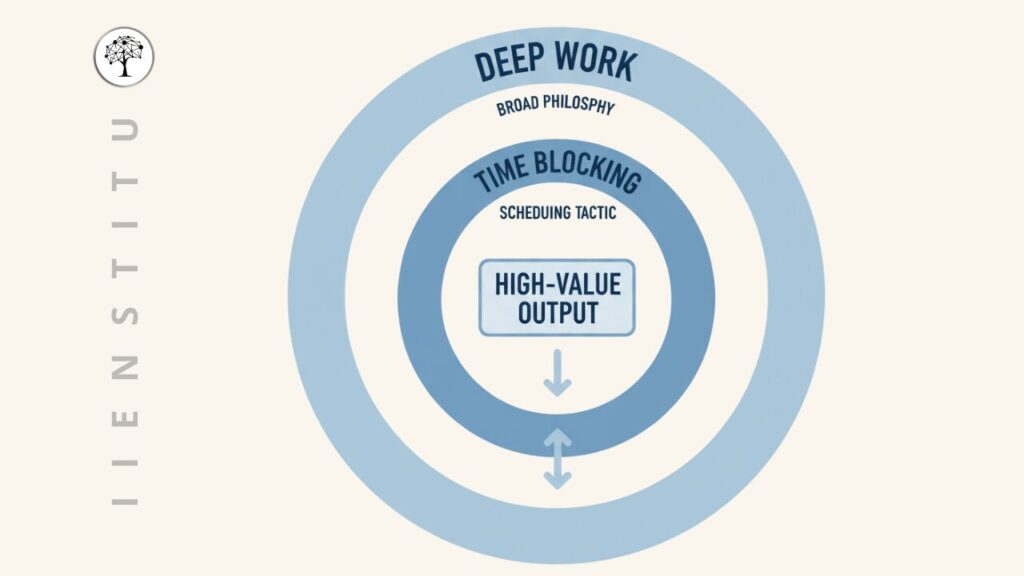
Time blocking is the practice of assigning specific tasks — or categories of tasks — to specific calendar slots, rather than maintaining a to-do list and hoping you’ll get to things. Microsoft’s 2025 Work Trend Index reveals that 50% of all meetings are scheduled during peak cognitive performance windows (9–11 AM and 1–3 PM), precisely when circadian rhythms suggest people are most capable of deep, complex work.
Time blocking forces you to defend those windows. You can’t block “deep work 9–11am” on your calendar if someone else has scheduled a status meeting there — at least not without making a deliberate choice about it.
The best-known practitioner of aggressive time blocking is Cal Newport, who reportedly schedules almost every working hour in advance. Bill Gates’ famous “Think Weeks” — periods of total isolation for reading and deep thinking — are a more extreme version of the same principle.
Eisenhower Matrix & Priority Frameworks
Dwight Eisenhower is often quoted saying: “What is important is seldom urgent, and what is urgent is seldom important.” The matrix named after him divides tasks into four quadrants by two dimensions: urgent vs. not urgent, and important vs. not important.
| Quadrant | Urgent? | Important? | Action | Examples |
|---|---|---|---|---|
| Q1 — Do First | ✓ Yes | ✓ Yes | Do immediately | Crises, deadlines, real emergencies |
| Q2 — Schedule | ✗ No | ✓ Yes | Block calendar time | Strategy, deep work, relationships, health |
| Q3 — Delegate | ✓ Yes | ✗ No | Pass to someone else | Many meetings, interruptions, most email |
| Q4 — Eliminate | ✗ No | ✗ No | Don’t do it | Mindless browsing, trivial requests, busywork |
The matrix’s real value is in Q2. Most high performers obsessively protect that quadrant — the important-but-not-urgent work that builds real leverage over time but never feels urgent enough to get done without a deliberate system.
On its own, the Eisenhower Matrix is a prioritization lens, not a full productivity system. It pairs naturally with GTD (as a filter during the clarify step) or with time blocking (to decide what gets calendar slots).
The PARA Method
Tiago Forte introduced PARA in 2017, and it became one of the most widely adopted organizational frameworks of the following decade. Unlike GTD, PARA is not about tasks. It is about information. Its main strength is simplicity. Files, notes, and documents are organised based on whether they are currently actionable.
PARA stands for:
- PProjects — Active work with a defined outcome and deadline. “Redesign the company homepage” or “Write Q3 investor report.”
- AAreas — Ongoing responsibilities without a finish line. “Health,” “Team management,” “Personal finances.” Things you maintain rather than complete.
- RResources — Topics and interests you might reference in the future. Research, articles, notes on subjects you care about.
- AArchive — Inactive items from the other three categories. Completed projects, paused areas, irrelevant resources.
The elegance of PARA is that the same four-folder structure works across every tool: Notion, Obsidian, Google Drive, your email client, your desktop. Once you understand it, you never have to think about where something goes.
“The question is never ‘what is this note about?’ It’s always ‘which active project does this note serve?’”
— Tiago Forte, The PARA Method (2023)- Works identically across every app and platform
- Low maintenance once set up
- Forces clarity about what’s active vs. archived
- Natural companion to GTD for execution
- Excellent starting point for digital organization
- Resources folder often becomes a graveyard
- Doesn’t generate new ideas — purely organizational
- Hierarchical structure can feel rigid for some
- Not designed for knowledge work or deep research
- Projects vs. Areas distinction trips people up initially
Two PARA Systems, Two Very Different Outcomes
One startup founder described building two separate PARA implementations — one for work, one for personal writing. For work, nearly everything went into a Project, and almost everything sent into an Area or Resources folder was never seen again. For the personal knowledge base, the Projects section was mostly neglected, and Resources folders took on a Zettelkasten-esque vibe as notes started linking to each other.
The lesson: PARA works differently depending on the nature of your work. Project-heavy professional environments suit it beautifully. Exploratory or research-oriented work often needs something more connected — which is where Zettelkasten comes in.
→ Takeaway: PARA + a linking layer = significantly better recall and insightBuilding a Second Brain (BASB)
Also developed by Tiago Forte, BASB is the broader framework that includes PARA as its organizational spine. Where PARA handles structure, BASB adds a CODE workflow: Capture, Organize, Distill, Express.
BASB is a hybrid of information management and project management. It is based on GTD. The important changes are the adaptations for collecting content for projects. In practical terms, that means BASB gives you a process for taking what you read, watch, and learn and turning it into material you can actually use in your work.
Forte’s concept of Progressive Summarization is the most distinctive contribution here: you highlight the most important parts of a note in layers, so that each time you return to it you spend less time extracting value. The first pass captures the note. The second bolds the key sentences. The third highlights the most critical lines. The result is a note that can be scanned in 30 seconds and still deliver its core insight.
Knowledge only becomes valuable when it moves — when it shapes ideas, decisions, and creative work. PKM isn’t an archive, it’s a launchpad. What you capture and organize should ultimately flow outward again — as writing, insight, or action. BASB is built on this principle.
BASB is particularly strong for content creators, consultants, and anyone whose work involves synthesizing information from multiple sources into something new. Its weakness is that it doesn’t go as deep on knowledge synthesis as Zettelkasten — the notes remain source-centric rather than idea-centric.
Zettelkasten — The Thinking System
Niklas Luhmann was a German sociologist who published over 70 books and 400 articles in 30 years. When researchers examined how he worked, they found a system of approximately 90,000 index cards — his Zettelkasten, or “slip-box.” Each card contained a single idea, written in his own words, linked to other cards through a numbering system.
The method revolves around creating small, atomic notes, each capturing a single idea. These notes are then linked to related ideas, forming a web of knowledge rather than a hierarchy. There are no folders in the traditional sense. Meaning emerges from connections between notes.
The modern digital implementation — most commonly in Obsidian or Roam Research — works the same way. You create a new note for each discrete idea (not each article you read or book you finish — each idea). You write it in your own words. You link it to existing notes where connections exist. Over time, the system starts suggesting connections you didn’t explicitly make, and that’s where the real magic happens.
Why Atomic Notes Matter
The difference between a Zettelkasten and a regular folder of notes comes down to granularity. Most people’s notes are organized by source: “Notes from Thinking Fast and Slow,” “Meeting notes – March 15,” “Research on cognitive bias.” Zettelkasten is organized by idea: “The availability heuristic creates systematic overestimation of dramatic risks,” linked to “How fear of flying exceeds statistically justified concern,” linked to “Media framing effects on risk perception.”
That second structure compounds. The first doesn’t.
- Generates emergent connections and new ideas
- Scales indefinitely without reorganization
- Forces genuine understanding (you write in your own words)
- Ideal for writers, researchers, academics
- Network grows more valuable over time
- High upfront effort per note
- No task management whatsoever
- Requires a different mental model — steep curve
- Results take months or years to materialize
- Easy to link compulsively without real thought
Zettelkasten is especially powerful for researchers, writers, and thinkers who want to develop original insights over time. It is less useful for daily task execution but extremely strong for long-term intellectual work.
Deep Work
Cal Newport’s 2016 book Deep Work reframed the productivity conversation in an important way. Rather than offering a new organizational system, Newport argued that the ability to perform cognitively demanding work in a state of distraction-free concentration is the differentiating skill of the knowledge economy — and that it’s systematically undermined by how most modern workplaces operate.
Newport’s concept of Deep Work — long, undistracted stretches of high-value thinking — is the natural complement to PKM. From a productivity perspective, it’s about managing your attention as a scarce resource. From a PKM perspective, it’s about activating stored knowledge — using the structure you’ve built to produce original thought.
Newport identifies four philosophical approaches to deep work:
| Philosophy | Description | Best for | Trade-off |
|---|---|---|---|
| Monastic | Eliminate or severely restrict shallow obligations permanently | Authors, researchers with minimal collaboration needs | Requires unusual professional autonomy |
| Bimodal | Deep work in multi-day blocks, shallow work in between | Academics, executives with seasonal workloads | Needs calendar control; hard in reactive jobs |
| Rhythmic | Daily deep work at a fixed time, every day | Most people — writers, developers, consultants | Requires consistent schedule protection |
| Journalistic | Shift into deep work whenever a window opens | Experienced practitioners with high mental discipline | Extremely hard; not recommended for beginners |
For most people, the Rhythmic philosophy is the place to start. Block two hours in the morning, same time every weekday, for work that requires serious thinking. Protect it like a meeting you can’t miss. That’s it. The results are often dramatic within the first month.
Head-to-Head Comparison Matrix
All eight systems side by side, scored across the dimensions that actually matter for choosing between them. These scores are deliberately opinionated — based on how well each system performs at its stated goal, not how popular it is.
| System | Task Mgmt | Knowledge | Focus | Setup Cost | Maintenance | Best For |
|---|---|---|---|---|---|---|
| GTD | ★★★★★ | ★★☆☆☆ | ★★★☆☆ | High | High | Professionals with high task volume |
| Pomodoro | ★★★☆☆ | ★☆☆☆☆ | ★★★★☆ | Very Low | Very Low | Anyone struggling with focus or procrastination |
| Time Blocking | ★★★★☆ | ★★☆☆☆ | ★★★★★ | Low | Medium | People with calendar control and varied task types |
| Eisenhower Matrix | ★★★★☆ | ★☆☆☆☆ | ★★☆☆☆ | Very Low | Very Low | Prioritization tool — pairs with other systems |
| PARA | ★★☆☆☆ | ★★★★☆ | ★★☆☆☆ | Low | Low | Digital organization; information-heavy workers |
| Second Brain | ★★★☆☆ | ★★★★☆ | ★★★☆☆ | Medium | Medium | Content creators, consultants, lifelong learners |
| Zettelkasten | ★☆☆☆☆ | ★★★★★ | ★★☆☆☆ | Very High | High | Researchers, authors, academics |
| Deep Work | ★★☆☆☆ | ★★★☆☆ | ★★★★★ | Low | Medium | Anyone who needs to do high-quality complex work |
Best Tools for Each System in 2026
The tool landscape has changed considerably in the last two years. AI integration is no longer optional in competitive tool offerings — it’s table stakes. Here’s where things stand.
| Tool | Best System Fit | Notable 2025–26 Development | Price (approx.) |
|---|---|---|---|
| Todoist | GTD, Pomodoro | AI smart views with natural language task input (“Call John tomorrow at 3pm” → auto-scheduled task) | Free / $4/mo |
| Notion | PARA, BASB, GTD | Notion’s Workers for Agents fundamentally changed what is possible inside the platform — custom automation with context-aware AI agents. | Free / $10/seat |
| Obsidian | Zettelkasten, PARA | Canvas AI assistant: interact with AI directly on canvas cards, generate content, summarize linked notes, and create visual connections between ideas. | Free / $50/yr |
| Roam Research | Zettelkasten | Still the best bidirectional linking UI; slower on AI adoption than Obsidian | $15/mo |
| Things 3 | GTD | Apple ecosystem integration; remains the cleanest GTD app on macOS/iOS | $49.99 one-time |
| Reclaim.ai | Time Blocking, Deep Work | AI scheduling that automatically protects focus blocks and reschedules when conflicts arise | $8–$18/mo |
| Logseq | Zettelkasten, PARA | Open-source Obsidian alternative with strong outliner format; growing fast | Free |
| Linear | GTD (teams) | Sub-issue workflow automation added in early 2026; strongest for engineering teams | From $8/seat |
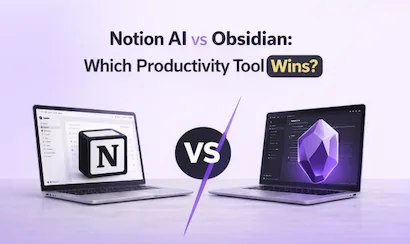
Notion has reached 100 million users, positioning itself as the flexible workspace for notes, databases, and project boards. Obsidian takes the opposite approach, doubling down on local-first privacy and personal knowledge management with commercial pricing at just $50 per year. They’re not really competing — they solve different problems for different people.
The agencies and professionals seeing the highest productivity gains in 2026 aren’t religious adherents to a single platform — they’re pragmatic tool stackers who match each tool’s strengths to specific workflow needs. Notion for collaboration and client-facing work. Obsidian for personal knowledge and deep thinking. A dedicated task manager for daily execution.
Building Your Hybrid System
The most honest thing you can say about productivity systems is that their inventors had each felt a gap in their own abilities, where their previous systems didn’t match their personalities. No framework was designed for mass consumption. Each one is someone’s personal solution to a specific problem.
That means the right approach for most people is to borrow the best ideas from multiple systems and build something that fits your actual situation. Here’s a practical starting framework:
The Three-Layer Stack
- 01Execution layer — GTD principles (capture everything, define next actions, weekly review) running through a simple app like Todoist or Things. This handles all your tasks and commitments.
- 02Knowledge layer — PARA structure for organizing information, plus progressive summarization for notes worth revisiting. Notion or Obsidian depending on your collaboration needs and privacy preferences.
- 03Focus layer — 2–3 hours of time-blocked deep work per day, usually morning, with a phone-free environment and no meetings scheduled. Newport’s shutdown ritual at day’s end.
Many people combine systems: GTD or PARA for execution, and Zettelkasten or Second Brain for thinking and creativity. BASB manages exactly what is outside the Zettelkasten. Using BASB for organizing resources and excerpts, and Zettelkasten as an integrated thinking environment, gets the best of both worlds. This is the most defensible long-term combination for knowledge workers.
Choosing Your Starting Point
| Your Main Problem | Start Here | Add Later |
|---|---|---|
| Tasks feel overwhelming; nothing gets finished | GTD (capture + clarify + weekly review) | Time blocking to protect deep work |
| Can’t focus; distracted constantly | Time Blocking + Pomodoro | Deep Work philosophy; shutdown ritual |
| Files and notes scattered everywhere | PARA (same structure in every app) | Progressive Summarization for key notes |
| Need to produce original ideas and writing | Zettelkasten (atomic notes, own words, links) | BASB for source management; Deep Work for creation |
| Overwhelmed by information overload | BASB / Second Brain | PARA for organization; Zettelkasten for synthesis |
| Everything at once — classic overachiever situation | Pick ONE thing from GTD (weekly review) | One addition per month, max |
Common Pitfalls (and How to Avoid Them)
After studying how people actually implement these systems — not how they describe implementing them in Reddit threads, but what they actually do — some failure patterns recur constantly.
1. System Tourism
Switching systems every few weeks because the new one seems better. The cost is that you never experience the compounding benefits of any single system — you just experience the setup costs over and over. Fix: Commit to any system for 90 days before evaluating it. Most systems take weeks to start feeling natural.
2. Over-Engineering the Infrastructure
Spending more time building the system than doing the work. A beautifully organized Notion database that you’ve spent 20 hours designing is not productivity — it’s procrastination with a nice interface. Fix: Start with the simplest possible implementation. Add complexity only when a specific pain point demands it.
3. Mistaking Busyness for Progress
The modern knowledge worker is currently drowning in abundance: too many inputs, too many open loops, too many context switches. The average worker switches apps 1,200 times a day. A productivity system can make you very efficient at doing the wrong things. Fix: Regularly ask whether your tasks connect to outcomes that actually matter to you.
4. Skipping the Review
Every system that works has some form of regular review built in. GTD has the weekly review. PARA has periodic archiving. Zettelkasten benefits from wandering your notes without a specific destination. The review is where you notice patterns, catch things that fell through the cracks, and realign your system with reality. It’s also the thing people skip first when they’re busy — precisely when they need it most.
5. Expecting Instant Results
GTD starts delivering within weeks. PARA’s benefits emerge over months. Zettelkasten can take a year or more before the network becomes genuinely generative. Employees get interrupted every 3 minutes and need over 23 minutes to refocus — a single distraction can steal almost half an hour of productive time. Protecting your system against interruption takes time and negotiation with your environment, not just a new app.
When Deep Work + GTD Changed Everything
A lead engineer at a Series B fintech company described being perpetually behind on her most important technical work despite working 50+ hour weeks. Her diagnosis after reading Deep Work: she was spending almost no time on Q2 work (important, non-urgent), and her Slack notifications were destroying her focus up to a dozen times per hour.
Her implementation: 8–10am is hard-blocked for deep work, no Slack, no email. All notifications paused except phone calls from her partner. GTD handles everything else — tasks flow through a weekly review every Friday at 5pm.
After four months: shipped the two most technically complex features she’d produced in three years at the company, reduced working hours to 42/week, and described feeling “in control of my work for the first time since 2020.”
→ Key lever: 2 hours of protected morning deep work + hard notification shutoffThe Honest Verdict
Productivity systems are not magic. None of them will compensate for unclear goals, an unsustainable workload, or a workplace culture that rewards visibility over output. They’re tools — valuable tools, but tools nonetheless.
That said, the gap between people who operate with a coherent system and those who don’t is genuinely large. According to a 2025 McKinsey study, organizations that deeply integrate structured work practices and AI tools see a 32% increase in employee output compared to peers who lag behind. That kind of difference doesn’t come from working harder. It comes from working smarter — which is exactly what well-chosen systems enable.
Here’s what the evidence actually supports:
- GTD’s capture + weekly review is the single most universally valuable habit you can build. Start here if you’re starting anywhere.
- Protecting two hours of morning deep work five days a week will deliver more meaningful output than most other interventions combined.
- PARA is the lowest-effort, highest-return organizational framework if your notes and files feel chaotic.
- Zettelkasten is genuinely transformative for people whose work involves generating original ideas — but it requires patience and is overkill for most.
- AI tools in 2026 are real leverage, particularly for meeting summaries, email triage, and first drafts. They don’t replace a system — they make the boring parts of your system faster.
“Your system should match you — your personality, your role, and your biggest headaches. A system that feels natural is one you’ll actually use long enough to make a real difference.”
— Fluidwave, Personal Productivity Systems Guide (2026)The best productivity system is the one you actually maintain. That sounds like a platitude, but it’s the most practically useful thing you can internalize. An imperfect system consistently applied beats a perfect system you abandon after three weeks.
Start small. Pick one framework from this guide that addresses your single biggest pain point right now. Run it for 90 days. Then, if it’s working, consider what to add. Build your system the way you’d build anything that’s meant to last — deliberately, patiently, and with an honest eye on what’s actually working.
Sources referenced: Gloria Mark / UC Irvine (attention research); Microsoft Work Trend Index 2025; ActivTrak State of the Workplace 2025; Microsoft WorkLab 2025; McKinsey AI Productivity Survey 2025; Worklytics 2025 Productivity Benchmarks; David Allen, Getting Things Done; Tiago Forte, The PARA Method & Building a Second Brain; Cal Newport, Deep Work; Sönke Ahrens, How to Take Smart Notes; Federal Reserve Bank of St. Louis (AI productivity research); Superhuman Blog productivity statistics 2025; Yomly Research 2025; Archie App 2026; Speakwise Blog 2026.
Every claim in this guide traces back to one of the sources below. Where possible, we link directly to the original research, book, or authoritative commentary.
0 responses to “Productivity Systems: What Actually Works”