

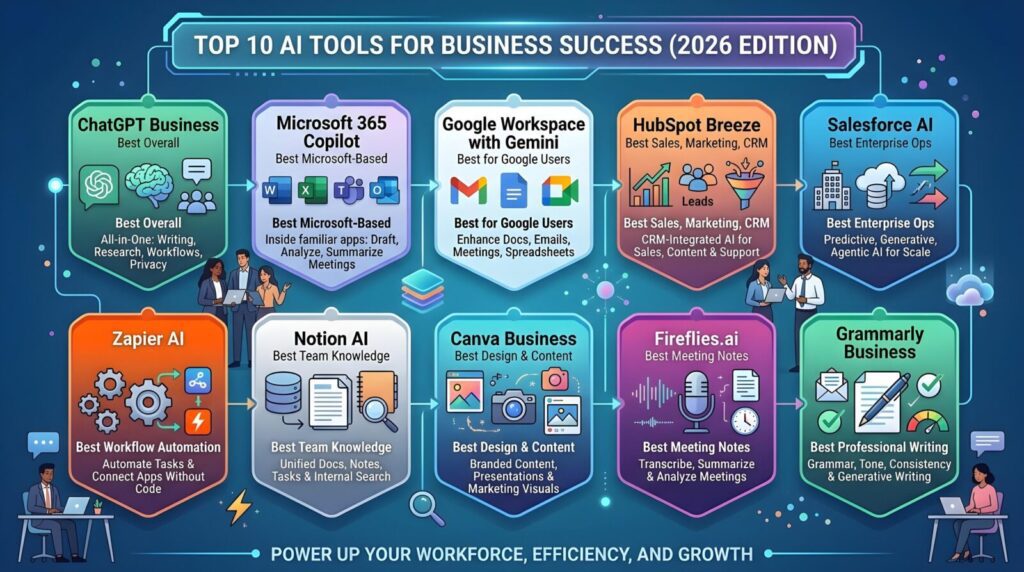
Top Business AI Platforms Worth Investing In This Year
Most AI lists tell you what to buy. This one tells you what you’re actually getting into — the real unit economics, the failure rates nobody publishes, the platforms that deliver, and the ones that will quietly drain your budget while impressing your board.
The Reality Check Nobody Is Publishing
Let me admit something up front: two years ago I was part of the problem. I helped a 40-person retail services firm spend $180,000 on an AI deployment that delivered, in year one, precisely zero measurable change to their bottom line. The tools worked. The demos were beautiful. The strategy deck looked like it was printed by McKinsey. What failed was far simpler — nobody changed how they actually worked.
I keep that experience close because the current AI market is producing exactly the same conditions at 10× the scale. The numbers are staggering, and deliberately so. Every vendor is quoting them. But behind the headline figures — $169 billion market, 88% enterprise adoption, 5.8× average ROI — there’s a second layer of data that gets quietly buried in the footnotes.
Here’s what’s actually happening: AI works beautifully for a narrow slice of workflows — high-volume, repetitive, text-adjacent tasks where the output is easy to verify and the cost of occasional errors is low. When you find those workflows and deploy smartly, the returns are real and fast. RPA-style implementations can deliver 30–200% ROI in the first year. AI-powered customer service reduces costs by 23% in measurable peer comparisons.
But when companies bolt AI onto ambiguous processes — “let’s just add AI to everything” — the math collapses. The platform fee arrives monthly whether anyone uses the thing or not.
According to Gartner, 19% of employees surveyed in Q1 2026 reported no time saved at all from AI tools their companies had deployed. Meanwhile, enterprises were paying $21–$30/user/month for those empty seats. For a 50-person team, that’s $12,600–$18,000 per year before anyone starts measuring outcomes.
This guide is built around one question: for a small business with finite budget and finite time, which AI platforms actually move the needle — and how do you run the math before you commit?
5 Novel Insights That Will Reshape How You Think About AI Investment
Insight 1: The “Replacement vs Augmentation” Framing Is Costing You Money
Almost every AI vendor conversation orbits around the same frame: AI will “help your team do more.” That framing is seductive and partially true — but it leads to a specific purchasing mistake. When you buy AI to augment an existing team, you end up paying for both the team and the AI, and the efficiency gains rarely hit the threshold that justifies the combined cost.
The businesses extracting the highest ROI from AI in 2026 aren’t augmenting — they’re redesigning specific workflows from the ground up around AI capability, then hiring fewer people into those redesigned workflows. The gain comes not from making Sarah faster at writing emails, but from rearchitecting the entire customer communication workflow so that Sarah handles only the nuanced cases that AI genuinely cannot.
The SBE Council’s March 2026 survey makes this concrete: among small businesses where AI has delivered clear ROI, the common thread isn’t which platform they chose — it’s that they reduced headcount in specific functions (often by 20–30%) while maintaining or improving output quality. That’s an uncomfortable truth in a market where every vendor talks about “empowering” your workforce.
Insight 2: The “AI Stack” Is Replacing the Platform
The median small business now uses five AI tools, not one. This is one of the most underreported strategic shifts in the market. The old model was: pick a platform (Salesforce, HubSpot, or Monday), grow within it, buy their add-ons. The new model is a deliberate stack of best-of-breed AI agents, each owning a narrow slice of workflow.
This matters for purchasing decisions because it changes the evaluation criteria entirely. You’re no longer asking “which CRM AI is best?” You’re asking “which tool is best at email outreach, which is best at lead scoring, which is best at customer support triage — and how do they connect to each other?” The platforms that win in this environment are the ones with the best API connectivity and the most transparent per-task pricing.
Insight 3: Model Commoditization Has Inverted the Value Chain
In 2023 and 2024, the AI model was the differentiator. GPT-4 vs Claude vs Gemini — which model you used mattered enormously. In 2026, that gap has largely collapsed for business use cases. Most commercial AI platforms are running the same foundational models under the hood. What differentiates them now is entirely above the model: data connectivity, workflow integration, user experience, and pricing structure.
The practical implication: stop evaluating platforms based on AI capability benchmarks. Evaluate them based on how deeply they connect to the data your business already has, and how little friction they introduce into the workflows your team already runs. A “weaker” AI that’s embedded in your team’s daily flow will outperform a “stronger” AI that requires a context switch to use.
Insight 4: The True Cost of “Free AI” Inside Your Existing Tools
One of the most important shifts of the past 18 months: every major SaaS platform has embedded AI into its existing tiers. HubSpot’s Breeze AI is included in most plans. Microsoft Copilot Chat is now included for eligible M365 subscribers. Google Workspace has Gemini baked in. This looks like a gift. It’s partly a trap.
When AI is bundled “for free,” there’s no pressure to measure its ROI — and therefore no incentive for the vendor to make it genuinely useful. These bundled AI features tend to be polished enough to survive a demo but shallow enough that most users abandon them within 30 days. The real risk: you convince yourself you’ve “done AI” because you have an AI tool, when you’ve actually just unlocked a feature nobody uses. Meanwhile, a targeted point solution at $50/month that your team uses every day delivers 10× the business value.
Insight 5: A New Mental Model — “The AI Worthiness Test”
Here’s a framework I haven’t seen articulated anywhere else. Before deploying any AI tool to any workflow, run this three-question test:
The AI Worthiness Test™
Is the output verifiable in under 60 seconds?
If a human needs more than a minute to check whether the AI did a good job, error rates will compound invisibly. Email drafts, data categorization, meeting summaries — yes. Strategic recommendations, legal analysis, custom proposals — no.
Does this workflow happen at least 10 times per week?
Below 10 repetitions weekly, the setup cost and cognitive overhead of using an AI tool exceeds the time savings for most small teams. AI earns its ROI through volume. One-off tasks are almost always faster done by a human.
Is the cost of an occasional AI error low or reversible?
AI will make mistakes. If a wrong answer causes a customer complaint that takes 20 minutes to resolve, that might still be positive ROI. If a wrong answer causes a legal exposure, regulatory breach, or irreversible customer churn, the math flips entirely.
Score 3/3 on this test? Go all-in. Score 2/3? Pilot carefully. Score 1/3 or 0/3? Don’t spend a dollar on AI for that workflow until the answer changes.
Sources: SBE Council March 2026 (n=small businesses), McKinsey State of AI 2025, Gartner 2025, MIT Gen AI Divide Report. “Survive” for agentic = projects not canceled within 24 months.
The gap in that chart is not a rounding error. It’s a structural feature of how organizations buy and deploy AI. Adoption is driven by FOMO; ROI is driven by workflow redesign. Very few companies do the second thing seriously.
Platform-by-Platform Deep Dive: The 7 Worth Your Money
What follows is not a feature comparison matrix. Those exist everywhere and are useless. What I’ve tried to build instead is an honest operational assessment — what does this platform actually do for a real 10–100 person business, what does it cost in total (not just the license), and what are the specific failure modes you should plan around before you sign anything.
HubSpot has pulled off something genuinely impressive: it has made AI invisible in the best possible way. Breeze AI — their AI suite covering copilot, prospecting agents, content agents, and customer service automation — is woven into the same interface your team uses every day. There’s no context switch, no separate login, no “now go to the AI section.”
By early 2026, HubSpot had expanded Breeze from four AI agents to over twenty. The platform now includes a Customer Agent (handles service inquiries autonomously), a Prospecting Agent (researches and outreaches to leads), a Content Agent (generates and remixes content), and a Knowledge Base Agent (builds and maintains help content). Real documented results: Agicap closed 20% more deals and freed 750 hours from customer care using Breeze. Flipsnack handled 60% fewer support chats while improving CSAT scores.
The honest limitation: HubSpot’s AI is deliberately built for usability, not power. It covers about 80% of what most small businesses need. The remaining 20% — complex multi-object data correlations, advanced territory management, sophisticated approval chains — still belongs to Salesforce. If you’re below 200 employees and don’t have dedicated sales ops, that 20% gap will never matter to you.
For a 25-person team, HubSpot Professional costs approximately $20,400/year versus $49,500/year for equivalent Salesforce — a $29,000 annual gap that compounds as you add users. That gap is also your AI implementation budget if you go the Salesforce route.
2–6 week implementation (vs months for SFDC)
95% user satisfaction for ease of use
Strong native data integration
288,706 paying customers (proven at scale)
Needs 1,000+ contacts for best AI scoring
Marketing add-ons priced separately
Enterprise tier requires 7-user minimum
Predictive scoring lags Salesforce Einstein
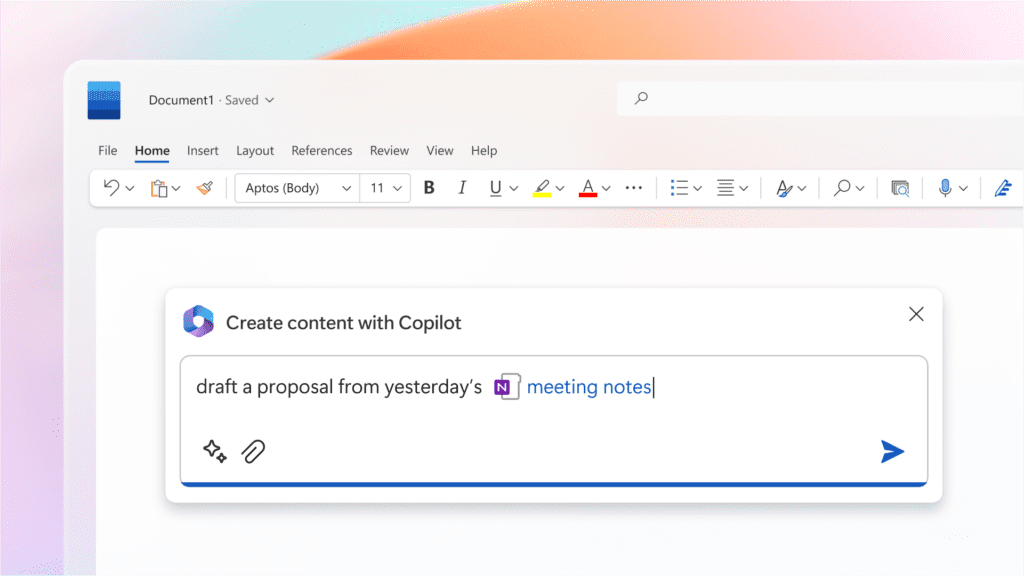
The key insight about Copilot in 2026 is that its value proposition has fundamentally changed. It’s no longer an AI product — it’s an AI-native Microsoft 365 bundle. As of July 1, 2026, Microsoft is introducing M365 Business Standard and Premium with Copilot built in rather than as an add-on, at pricing designed specifically for SMBs.
The productivity evidence is real and documented. A government pilot found users saving nearly an hour per day on summarization and drafting. The Campari Group documented two-hour weekly time savings on email and meeting preparation. Forrester’s Total Economic Impact study estimates 132–353% ROI for SMBs over three years, with a potential NPV of $19.7M for mid-size deployments. Copilot reached 15 million paid M365 seats by Q1 2026, growing 160% year-over-year.
The critical caveat — and this is where most businesses get burned: Copilot is useless without high-quality data in your Microsoft environment. Files in OneDrive, emails in Outlook, meetings in Teams — Copilot synthesizes across all of these. If your business runs on personal drives, WhatsApp groups, and PDFs stored in someone’s Downloads folder, Copilot will feel like a very expensive spell-checker. The 30–40% of licenses that go unused in large deployments (per EPC Group) are almost always teams where this data hygiene problem wasn’t solved first.
Important pricing note: the SMB promotional rate of $18/user/month was running through June 2026, with standard pricing at $21/user/month for the Business add-on. Starting April 2026, Microsoft restricted full Copilot Chat functionality in Office apps for organizations that didn’t have paid licenses, making the upgrade path effectively mandatory for consistent use.
1,000+ connectors (Shopify, PayPal, Xero etc.)
Strongest for document-heavy workflows
Copilot Studio for custom agents
Enterprise security and data privacy
Value collapses without good data hygiene
30–40% license waste in unmanaged rollouts
Not a CRM or marketing tool — separate stack needed
April 2026 changes reduced free tier functionality
I’ll say it plainly because nobody else seems to: Zoho One is the most underrated platform in the SMB market, and its AI capabilities (Zia) are closing the gap with HubSpot and Salesforce faster than the analyst community is tracking. At approximately 15% of Salesforce’s cost, it delivers 80% of the AI functionality that genuinely matters for businesses under 500 employees.
Zia’s predictive scoring is capable for the price point. AI Agent Studio, Zoho’s answer to Agentforce, allows building no-code AI agents for sales, support, and operations. The data sovereignty advantage — Zoho is one of the few major platforms with genuine on-premise options and strong GDPR compliance — makes it the right choice for regulated industries, European businesses, or any company with real data residency requirements.
The honest caveat: Zoho’s interface design has historically lagged behind HubSpot and Salesforce. Its ecosystem (apps, integrations, community) is smaller. And AI Agent Studio, while capable, requires more configuration time than HubSpot’s Breeze. You’re trading polish and ecosystem size for price and data control.
Best-in-class data sovereignty options
Zia AI closing gap at 15% of SFDC cost
Ideal for regulated industries
No per-module pricing surprises
Smaller partner/integration ecosystem
Agent Studio needs more configuration
Less community support than M365 or Salesforce
AI features less mature than top-tier competitors
Agentforce is genuinely impressive. Salesforce has signed 9,500+ paid Agentforce deals. In documented enterprise deployments, it has resolved 66% of customer inquiries autonomously, delivered 80% faster interactions, and handled 6,000+ simultaneous interactions in omnichannel scenarios. Iron Mountain hit an 80% case close rate with AI-generated replies. FPT Software boosted data quality by 90%. These numbers are real.
But here’s what those case studies don’t mention: Einstein’s predictive lead scoring requires a minimum of 1,000 leads and 120 conversions in historical data before it even activates. Salesforce Data Cloud — which Agentforce’s best features require — runs $200,000 to $400,000 per year as a separate, mandatory add-on for many enterprise deployments. A 100-person team can face a three-year total cost of ownership exceeding $2.8 million.
For small businesses — let’s define that as under 100 employees — Salesforce is almost always the wrong answer. Mid-market companies are routinely spending $200,000 per year on licenses where HubSpot or Zoho would have delivered 90% of the value at one-fifth the cost. If you’re considering Salesforce under 200 employees, you should have a very specific reason. “We want the best” is not a reason. “We have 50 complex enterprise accounts each worth $500,000+ annually, managed by a dedicated RevOps team” might be.
Unmatched cross-object intelligence
Autonomous agent capabilities at enterprise scale
9,500+ paid Agentforce deals — proven at scale
AppExchange: 7,000+ integrations
Einstein requires 1,000+ leads + 120 conversions to activate
Data Cloud add-on: $200K–$400K/year extra
2–3 month implementation timeline typical
67% adoption challenge rate — most users struggle
ClickUp occupies an important niche that HubSpot and Salesforce don’t address well: operational workflow management with AI assistance. For small businesses whose primary pain is not sales pipeline but project execution, team coordination, and process documentation, ClickUp’s embedded AI delivers one of the best cost-to-value ratios in the market.
ClickUp AI handles task creation from natural language, document summarization, progress reports, and sprint planning without requiring any separate tools. At $7–$19/user/month with AI included, it competes with tools that charge $25+ for equivalent functionality. The trade-off is that it’s not a CRM and requires significant customization to function as one — though many small service businesses successfully use it as a lightweight client management layer.
AI included in paid plans — no add-on cost
Flexible enough to serve as a lightweight CRM
Strong for agencies, consultancies, service firms
Rapid feature development cycle
AI less sophisticated than HubSpot or M365
Can become complex to maintain as customization grows
Less marketing automation capability
Interface has a steep learning curve
Tidio earns its place on this list because it represents the purest expression of what AI deployment should look like for small businesses: a narrow, clearly-defined use case (customer support automation), a verifiable output (resolved vs escalated conversations), and a pricing model tied to actual usage rather than seat count.
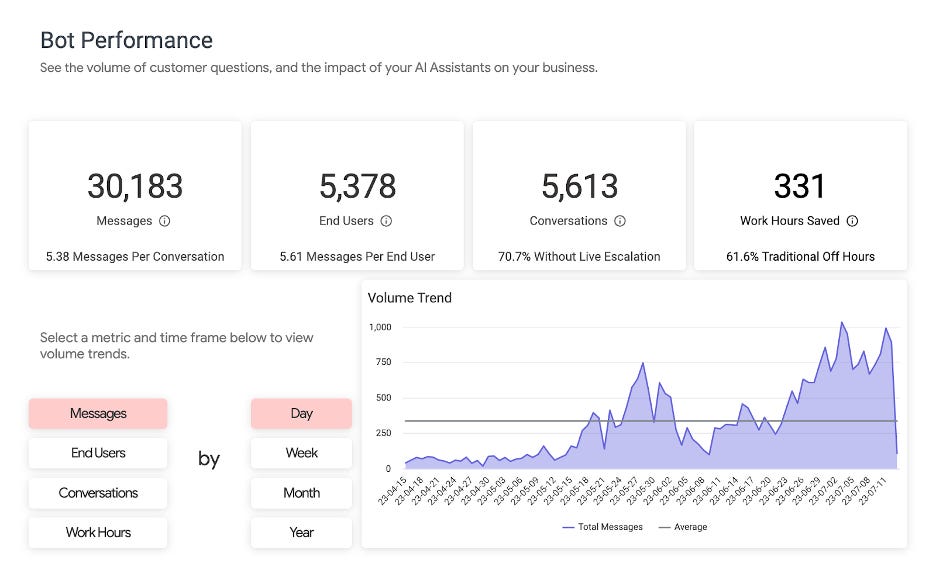
Lyro, Tidio’s AI, handles customer support by learning from a business’s existing support content. Unlike enterprise chatbots that require months of training and configuration, Lyro can be operational in hours. It handles common queries, escalates complex issues to humans, and — critically — provides clear analytics on resolution rates and escalation patterns. You know exactly whether it’s working.
For small e-commerce businesses and service companies where customer support is a significant cost center, the math is often compelling within the first month. If Lyro handles even 30% of inbound queries at $29/month, the avoided labor cost typically far exceeds the tool cost. This is the rare AI use case where the ROI is fast, visible, and unambiguous.
Verifiable ROI within 30 days
Clear resolution rate analytics
Affordable entry pricing ($29/mo)
No technical expertise required
Quality degrades if training content is poor
Enterprise tier gets expensive at scale
Not suitable for complex B2B support scenarios
Conversation limits can create cost surprises
This one surprises people. Notion AI doesn’t have the marketing budget of HubSpot or the brand recognition of Microsoft Copilot. But for small businesses where knowledge management and documentation are chronic weak points — which is almost all of them — it represents one of the highest-ROI AI investments available.
The core value proposition: Notion AI can search, summarize, and synthesize across your entire knowledge base in natural language. Every SOPs document, project note, client brief, and meeting summary becomes instantly searchable and synthesizable. For a 20-person team where 30–40% of work involves finding and re-creating information that already exists somewhere, this is transformative.
At $8/user/month as an add-on, it’s also the cheapest genuinely useful AI you can deploy. The failure mode is the same as Copilot: if your Notion workspace is a disorganized mess of half-finished pages, the AI will surface chaos. Invest two weeks in documentation hygiene before you enable the AI, and the ROI becomes one of the most defensible in your stack.
$8/user — lowest cost of any useful AI tool
Natural language search across all content
Immediate value if documentation exists
No technical setup required
Not a CRM, project manager, or marketing tool
Limited integration with external data sources
AI quality lags specialized tools
Requires team adoption of Notion as primary workspace
Note: Salesforce cost includes Enterprise licenses ($165/user/mo), typical implementation fees ($40K–$100K), and a conservative estimate for Data Cloud ($100K/yr). HubSpot cost is Professional tier ($100/seat × 25 × 12 = $20,400/yr + minimal add-ons). Actual costs vary. Sources: Published pricing as of June 2026, tech-insider.org, resonatehq.com, sfailabs.com.
Unit Economics & ROI Models for Small Business
Every AI vendor will quote you an ROI number. None of them will show you the math. Here it is.
Model A: AI Customer Support (Tidio / Similar)
Assume: 500 inbound support conversations/month. Current: one part-time support person at 20 hours/week handling all queries at $25/hr fully loaded cost.
Tidio Lyro (500 conversations plan): -$99/mo
Lyro resolution rate (documented): ~45-60%
Queries Lyro handles (conservative): 225/mo (45%)
Human hours freed: ~9 hours/mo
Freed labor value at $25/hr: $225/mo
Lyro monthly cost: -$99/mo
Net savings Year 1 (conservative): $1,512/yr
Net savings if resolution hits 60%: $3,012/yr
ROI at conservative estimate: 127%
This is a conservative model. In practice, many small businesses run customer support at higher cost (outsourced support, lost sales from slow responses) and Lyro’s documented resolution rates in low-complexity environments can reach 60–70%. The real upside is not just cost — it’s the 10pm reply that converts a hesitant buyer who would have abandoned otherwise.
Model B: AI CRM & Sales Productivity (HubSpot Breeze)
Assume: 3-person sales team, each spending 8 hours/week on administrative tasks (data entry, email writing, research). Fully loaded cost $60K/year each.
AI reduction in admin (documented): ~25-35%
Hours reclaimed/week: 7 hours
Value of reclaimed time: ~$700/week
Annual value reclaimed: $36,400/yr
HubSpot Professional (3 seats): -$3,600/yr
Additional HubSpot add-ons (est.): -$2,400/yr
Net labor savings: $30,400/yr
Net ROI Year 1: 507%
Payback period: <3 months
The 25–35% admin time reduction is grounded in real data. McKinsey finds companies with fully integrated AI see 10–15% cost reduction in affected functions. Salesforce’s SMB Trends 2025 report documents 81% of sales professionals report more time for actual selling with AI tools. The 25% figure is conservative relative to these benchmarks.
Model C: Microsoft 365 Copilot for a 20-Person Knowledge Work Team
Time saved per user (documented): 2 hrs/week
Annual time saved (20 users): 2,080 hours
Annual value of time saved: $93,600
Copilot add-on (20 users × $21/mo): -$5,040/yr
M365 base (assumed existing): $0 marginal
Training and onboarding (one-time): -$4,000
Net benefit Year 1: $84,560
Net ROI: 927%
Caveat: assumes 80% adoption rate (many orgs get 50-60%)
ROI at 50% adoption: ~400%
The Copilot ROI is extremely sensitive to adoption rate. This is the variable vendors never model for you. Gartner found that 19% of employees report zero time savings from AI — which means in a 20-person team, 4 people’s licenses are potentially wasted. Budget for change management, not just licenses.
Modeled from unit economics in section above, Forrester TEI reports, SBE Council data, and analyst benchmarks. Enterprise platform curve reflects typical SMB deployment costs vs ROI — at enterprise scale (>500 employees, complex workflows), the enterprise curve is significantly better. Mileage varies substantially based on adoption quality.
The Failure Probability Model: What Kills AI Projects
Gartner’s finding that 40% of agentic AI projects will be canceled by end of 2027 is the most useful number in this entire market. Not because it’s scary, but because if you understand why they fail, you can build a meaningful probability model for your own deployment.
After analyzing dozens of SMB AI deployments, these are the five failure factors that account for the vast majority of abandoned projects:
Note: percentages are not additive — multiple factors can apply to a single failed project. These represent the probability that a given factor was a primary contributor to project failure, based on analyst research and practitioner synthesis. Not primary research.
The Failure Probability Calculator
Here’s a practical model. Score your planned AI deployment on each dimension (1 = major risk, 5 = strong position):
| Dimension | Red Flag (Score 1) | Green Flag (Score 5) |
|---|---|---|
| Champion presence | No internal owner assigned | Named champion with 4+ hrs/week dedicated |
| ROI metric clarity | “We’ll figure it out later” | Specific metric defined before purchase |
| Data readiness | Data scattered, inconsistent, unclean | Single source of truth, structured, current |
| Workflow fit | AI requires major workflow changes | AI slots into existing workflow with minimal friction |
| Team tech comfort | Team struggles with existing software | Team is already power-users of tech tools |
Score 20–25: high probability of success. Deploy. Score 15–19: proceed with a small pilot. Score 10–14: fix the red flags before spending money. Score below 10: wait. Your organization is not ready, and the platform won’t fix that.
The Decision Matrix: Which Platform for Which Business
The Unpopular Take: Why Doing Less AI Might Beat Doing More
There’s a version of this article that ends with “the future is agentic AI, go all-in, the winners will separate from the losers in the next 18 months.” That version gets shared on LinkedIn. CEOs forward it to their teams. It’s also mostly wrong, or at minimum, dangerously premature for the vast majority of small businesses.
“Most agentic AI propositions lack significant value or return on investment, as current models don’t have the maturity and agency to autonomously achieve complex business goals or follow nuanced instructions over time.”— Gartner, June 2025
Here’s the uncomfortable arithmetic. The average small business using a median of five AI tools is spending somewhere between $500 and $2,000/month on those tools. That’s $6,000–$24,000/year in software costs alone, before implementation time, training time, and the productivity losses that come with juggling five different platforms with five different data models that don’t talk to each other cleanly.
In many cases, two tools deployed deeply will massively outperform five tools deployed shallowly. The productivity gains from AI come from depth of integration, not breadth of deployment. A sales team that has HubSpot Breeze woven into their daily workflow will outperform a team that has HubSpot, Copilot, ClickUp AI, Notion AI, and Tidio but uses each of them for 20 minutes a day when they remember.
I realize this contradicts the “stack” model I described earlier. Both things are true simultaneously: building a deliberate stack is the right long-term strategy, but the most common mistake in 2026 is building that stack too fast, before each tool has proven its value. The right sequence is: one tool, deep deployment, measured ROI, then add the next tool when the first is running on autopilot.
The businesses getting the strongest AI ROI in 2026 are not the ones with the most sophisticated AI strategy. They’re the ones with the most boring, narrow, deeply embedded use case — and they’ve been running it for 18+ months while everyone else was buying new platforms.
Your 90-Day Action Plan
No article about AI platforms should end without a concrete next step. Here’s the framework I’d apply if I were advising a 20-person business starting from scratch today.
Days 1–14: Audit Before You Buy
List every workflow in your business that involves repetitive, text-adjacent tasks. Map each one against the AI Worthiness Test. Rank by frequency × time cost. The top three items on that list are your AI deployment sequence. Do not buy anything until this list exists.
Use this period to do a data hygiene audit. If you’re going to deploy HubSpot or M365 Copilot, the quality of their AI output is entirely dependent on the quality of your existing data. Spend two weeks cleaning contact records, organizing shared drives, and documenting standard processes before you enable a single AI feature.
Days 15–45: Deploy One Tool, One Use Case
Pick the single highest-frequency, highest-cost workflow from your audit. Deploy the most purpose-built tool for that use case. Do not deploy anything else during this period. Resist the urge. Measure obsessively: conversations resolved, hours saved, conversion rate change. Document the before state in week one. You’ll need it to calculate the real ROI.
If you have customer support volume — start with Tidio or a comparable point solution. If your team’s biggest pain is email and document work and you run M365 — start with Copilot for that team only. If your sales team is the bottleneck — start with HubSpot’s free tier and upgrade when you’ve proved the workflow.
Days 46–90: Measure, Iterate, Then Decide What’s Next
At day 45, you have 30 days of data. Calculate the real ROI using the unit economics models above. If it’s positive, you have a business case to expand. If it’s negative or flat, you have a critical question to answer: was the tool wrong, or was the implementation wrong? These require very different responses.
Only after you have measured positive ROI from your first deployment should you look at the next item on your workflow list. This is not how the industry wants you to operate — every vendor wants you to buy everything now. It is how you actually build a competitive AI capability that compounds over time rather than a collection of monthly fees that compounds your costs.
The SBE Council’s 2026 data is the most important validation in this space: 93% of small businesses using AI plan to continue investing in it, and 62% plan to increase spending. The selection pressure here is real — if you’re not building AI competency now, your competitors who are will have a compounding structural advantage within 24 months. But those 93% who plan to continue? The ones that will actually sustain it are the ones that started narrow, proved the ROI, and expanded deliberately.
The Bottom Line
The AI platform market in 2026 is simultaneously more capable and more treacherous than at any point in its history. The tools are genuinely remarkable. The failure rate for deployments is genuinely alarming. Both things are true.
For small businesses, the winning strategy is not the boldest AI strategy. It’s the most disciplined one. Identify one workflow. Apply the AI Worthiness Test. Choose the most purpose-built tool for that workflow, not the most prestigious platform. Deploy deeply, not broadly. Measure obsessively. Expand what works.
HubSpot with Breeze AI is where most small businesses should start if CRM and marketing are their bottleneck. Microsoft 365 Copilot is where you go if your team already runs on M365 and document work is the pain. Tidio Lyro is where you go if customer support is draining your team. Notion AI is where you go if institutional knowledge and documentation are the hidden cost. ClickUp AI is where you go if operations and project delivery are the constraint.
What you probably shouldn’t do is spend $285,000 a year on Salesforce Agentforce when you have 40 employees, no dedicated RevOps team, and the real problem is that nobody updated the CRM in three months because they hated using it.
The AI opportunity is real. The discipline to capture it is the rare thing.
Sources & Further Reading
- SBE Council 2026 Small Business Tech Use Survey — Small Business & Entrepreneurship Council, April 2026
- Gartner: Over 40% of Agentic AI Projects Will Be Canceled by 2027 — Gartner, June 2025
- Gartner: 40% of Enterprise Apps Will Feature Task-Specific AI Agents by 2026 — Gartner, August 2025
- 60+ Verified AI Automation Statistics 2026 — Aristral (sourcing ONS, McKinsey, Gartner)
- 90+ Generative AI Statistics 2026 — AmplifAI
- HubSpot vs Salesforce 2026: 3.4x Cost Gap [Tested] — Tech Insider
- Salesforce Einstein vs Competitors: 2026 Analysis — SFAI Labs
- Microsoft Copilot Pricing Guide 2026 — Copilot Experts
- Introducing Microsoft 365 Business with Copilot — Microsoft Blog, May 2026
- 18 Best AI Tools for Small Business Growth in 2026 — Salesforce
- 25 AI Automation Statistics 2026 — OrbilonTech (sourcing McKinsey, Gartner, Deloitte)
- AI in Business Statistics 2026 — AMW Group