


Cursor vs Claude Code:
Developer Workflow Deep Dive
Two tools that couldn’t be more philosophically different are now competing for the same desk. One lives in your terminal and thinks across your entire codebase. The other rebuilt the IDE itself. Here’s what actually happens when you put them to work.
- Different philosophical DNA. Cursor is an AI-first IDE forked from VS Code. Claude Code is a terminal-native agentic shell. They’re converging in features but diverging in how you actually use them daily.
- Cursor wins on immediate, iterative coding — autocomplete, inline edits, visual diff review — inside a familiar GUI that 64% of Fortune 500 companies now use.
- Claude Code wins on autonomous depth — multi-file reasoning, 1M token context (GA since March 2026), agent teams, and headless CI/CD integration.
- Productivity data is genuinely murky. METR’s July 2025 RCT found AI tools made experienced developers 19% slower, though later acknowledged serious selection issues. The picture is complicated, not clean.
- Many pros use both. Cursor for daily coding; Claude Code for complex refactors, migrations, and autonomous tasks that benefit from a full codebase view.
The Philosophy Gap — And Why It Matters
Pick up any comparison written before 2025 and you’ll see the same framing: Cursor is “the AI IDE” and Claude Code is “the terminal tool.” That split still exists, but it’s become less useful as a decision framework. Both tools now run agents, spawn background tasks, handle multi-file rewrites, and integrate with MCP servers. What hasn’t converged is the underlying philosophy of where a developer should sit while the work happens.
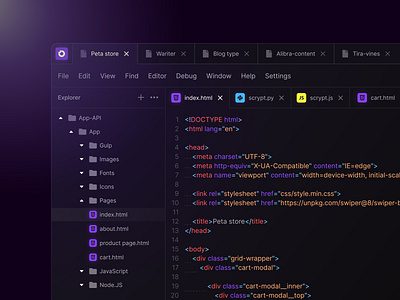
Cursor was built on a conviction that developers want to stay in their editor. Its founders at Anysphere — four MIT graduates who started the company in 2022 — designed from the ground up with the assumption that code lives inside a GUI, that you want to see diffs before accepting them, and that the AI should be a collaborator you direct, not an agent you supervise from afar. By early 2026, that bet had paid off: Cursor reached $2B in annual recurring revenue, reportedly sits inside 64% of Fortune 500 engineering orgs, and crossed 1 million active users in roughly 16 months.
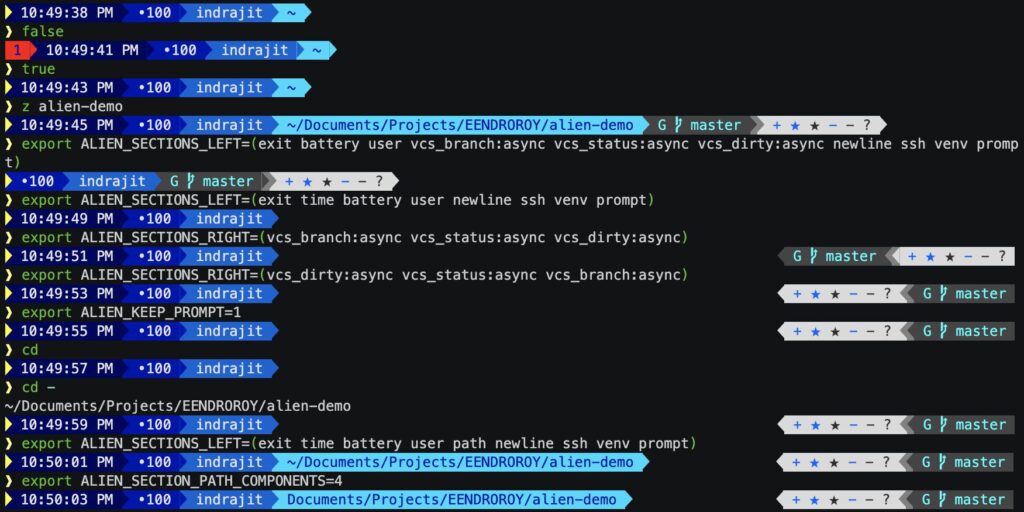
Anthropic’s approach with Claude Code is almost the opposite. The product, launched in general availability in 2025, starts from the terminal. You point it at a codebase, describe what you want, and it reads files, edits code, runs commands, interacts with git, and — increasingly — spawns sub-agents to work in parallel. The philosophy is maximum autonomy: you’re less of a pilot and more of a mission controller. Anthropic describes it as a tool that “lives in your terminal, understands your codebase, and helps you code faster through natural language commands.”
The practical implication: if you want to watch code get written and steer it in real time, Cursor fits your brain. If you want to describe a complex task, go do something else, and come back to a working implementation, Claude Code is closer to what you’re after. Neither is strictly better. It genuinely depends on how you work.
Cursor 3.0, released April 2, 2026, added an “Agents Window” for parallel agent execution. Claude Code has supported agent teams since early 2026. The old terminal-vs-IDE binary is dissolving at the edges, but it still describes where each product puts its engineering investment.
Feature-by-Feature Breakdown
Setting aside pricing and philosophy for a moment, here’s how the two tools compare across the dimensions developers actually care about when choosing a daily driver.
| Dimension | Cursor (May 2026) | Claude Code (May 2026) | Edge |
|---|---|---|---|
| Interface | VS Code–based GUI; also has a CLI (Jan 2026) | Terminal-first; VS Code extension, JetBrains, desktop app, browser IDE | Tie |
| Context window | Varies by model chosen; no unified 1M window | 1M tokens with Opus 4.6+ (GA March 2026); no surcharge | Claude Code |
| Autocomplete | Supermaven engine — multi-line, project-aware, fastest in class | Not an autocomplete tool; designed for agentic tasks | Cursor |
| Model choice | Claude Opus 4.7, GPT-5.5, Gemini, DeepSeek, others | Anthropic models only (Sonnet 4.6, Opus 4.7) | Cursor |
| Agentic planning | Agents Window (Cursor 3), background agents, Bugbot | Agent Teams, sub-agent spawning, headless CI/CD mode | Claude Code |
| Diff review UI | Inline accept/reject with visual diff; excellent | Diff review via terminal or connected editor | Cursor |
| Multi-file refactoring | Composer mode; strong for bounded rewrites | Reads entire codebases; better for massive cross-file operations | Claude Code |
| Git integration | Built-in Git panel (Cursor 3); PR review with Bugbot | Reads history, writes commits, generates PRs natively | Tie |
| MCP support | Yes; up to 40 tools per session | Yes; broad server support | Tie |
| Token efficiency | Standard; credit pool depletes with frontier models | 5.5× more token-efficient than Cursor per independent testing | Claude Code |
| Offline / air-gapped | No; requires cloud API calls for all AI features | No; same constraint | Neither |
| Enterprise controls | RBAC, SSO, SAML/OIDC, centralized billing | SSO/SAML, SCIM, audit logs, compliance APIs (Enterprise tier) | Comparable |
A few notes on this table. The “5.5× more token-efficient” figure for Claude Code comes from independent testing reported by Morph and is the most cited figure floating around developer communities — but I’d treat it as directionally correct rather than a precise measurement. Different tasks will produce different ratios. The more important practical point: Claude Code’s subscription model bundles token costs in ways that make the comparison non-trivial.
Context Windows: Why the 1M Token Number Matters
Context window size looks like a spec-sheet number until you try to refactor a 50,000-line monorepo. That’s where it becomes real.
Claude Code’s 1 million token context window with Opus 4.6 — which reached general availability in March 2026, with no premium surcharge per Anthropic’s docs — means the agent can hold an entire mid-sized codebase, relevant documentation, and the full history of a multi-hour session simultaneously. A 900,000-token request costs the same per-token rate as a 9,000-token one.
Cursor handles context differently. It indexes your project and uses that index to inform suggestions, but when you manually select frontier models like Claude Opus, you’re drawing from a credit pool tied to actual token consumption. MAX mode adds a premium on top of standard token rates. There’s no equivalent to a single 1M-token native session; Cursor manages context across model calls rather than holding it in one window.
For most coding tasks — fixing bugs, writing functions, explaining code — this difference is invisible. You won’t notice it until you’re asking an AI to understand a Django app with twenty interconnected models, or trying to migrate a large legacy codebase where the relevant context is spread across hundreds of files. At that scale, Claude Code’s architecture starts to matter more.
Agentic Capabilities in Practice
Both tools call themselves agentic. That word is doing a lot of work in 2026, so it’s worth being specific about what each tool actually does autonomously versus what still needs human steering.
What Cursor’s Agents Do
Cursor 3’s Agents Window, released April 2026, lets you run multiple agents in parallel across isolated git worktrees. You can give each agent a task, let them execute concurrently, and pull whichever result looks best. Bugbot — which graduated from beta to a general feature in February 2026 — reviews pull requests and, when it finds a genuine bug, spins up its own agent to test and propose a fix. Anysphere reports an 80% resolution rate for Bugbot-identified issues, which is a meaningful number if accurate. Background agents run long tasks in the cloud without tying up your local machine.
The key characteristic of Cursor’s agentic approach: it stays visual. You see what the agent is doing, you review diffs, you accept or reject. This is intentional design, not a limitation.
What Claude Code’s Agents Do
Claude Code’s agent model is more autonomous by default. You can run claude -p "Refactor the authentication module to use JWT" and the agent will read relevant files, plan the changes, execute them, run tests, and commit — without pausing for approval unless it hits something ambiguous. Agent Teams spawn multiple Claude instances working in parallel, each with its own context window. A three-agent team uses roughly 7× more tokens than a single-agent session because each agent maintains independent context.
Claude Code’s headless mode is genuinely different from anything Cursor offers: you can embed it in CI/CD pipelines, run it as part of automated build processes, or trigger it from GitHub Actions. That makes it useful beyond the individual developer workflow.
As of early 2026, approximately 4% of all GitHub commits are authored by Claude Code, according to METR’s February 2026 research update. That’s a meaningful signal about production adoption, not just developer experimentation.
Pricing, Honestly
Both tools have had billing dramas. Understanding what you’re actually signing up for matters more than the marketing page number.
Cursor Pricing (as of May 2026)
Cursor moved from fixed request quotas to a credit-based system in June 2025. The rollout was poorly communicated — some users reported significant surprise charges — and Cursor issued a public apology and offered refunds in July 2025. The current structure has six tiers:
Limited agent requests, basic tab completions
$20 credit pool, unlimited Auto mode tab completions
3× credit pool, background agents
20× credit pool, priority access
RBAC, SSO, centralized billing
Custom; compliance features
The crucial detail: Auto mode is unlimited on all paid plans. If you manually select Claude Opus 4.7 or GPT-5.5, that draws from your credit pool. Heavy agentic use in Cursor can still produce surprises — one developer reported $350 in overages in a single week at the time of the June 2025 transition. Enable spend limits immediately if you’re new to the platform.
Claude Code Pricing (as of May 2026)
Claude Code doesn’t have standalone pricing — it runs through your Claude subscription or API account. Current tiers that include Claude Code access:
Limited Sonnet access; no Claude Code
Claude Code included; rolling 5-hour window limits
5× Pro usage, priority routing, Opus access
20× Pro usage; no-rate-limit tier for heavy users
Full Claude Code; SSO, admin controls
From ~$60/user; HIPAA readiness, 500K context
Standard Claude Team seats at $25/user only include Claude chat, not full Claude Code agent access. Full Claude Code requires Premium seats at $100–$125/user. A 10-person engineering team needing full Claude Code access runs $1,000–$1,500/month — significantly more expensive than Cursor Teams at $400/month. You’re getting more capability per dollar for complex agentic tasks, but the gap is real.
Real Costs for Real Developers
Anthropic’s own data states 90% of Claude Code users spend under $12/day. One publicly documented case involved a developer using Claude Code daily for eight months who consumed approximately 10 billion tokens — equivalent to over $15,000 at API rates, but $100/month on the Max plan. That’s a 93% saving, but also tells you how token-hungry intensive agentic work gets.
For Cursor, one developer documented $7,000 in annual subscription costs that depleted in a single day’s heavy agent use during the credit transition. Edge case? Probably. But it illustrates why spend limits matter on any usage-based billing system.
Does It Actually Make You More Productive?
This is where any honest comparison has to get uncomfortable.
Marketing from every AI coding tool — Cursor, Anthropic, GitHub, OpenAI — points to headline numbers: 20% faster, 55% faster, 46% time savings. These claims aren’t fabricated, but they come from settings very different from complex, long-running production development.
The METR Study
In July 2025, METR — a nonprofit focused on AI evaluation — published what is currently the most methodologically rigorous study on AI coding tool productivity: a randomized controlled trial (the same design as drug trials) with 16 experienced open-source developers completing 246 real tasks from large repositories they’d contributed to for an average of five years. When developers were allowed to use AI tools (primarily Cursor Pro with Claude 3.5/3.7 Sonnet), they took 19% longer to complete tasks than when they worked without AI.
More unsettling: those same developers estimated they were 20% faster with AI. A 39-point gap between perceived and actual performance.
METR acknowledged serious limitations. In February 2026, they reported that a follow-up study had become methodologically compromised because 30–50% of developers were refusing to participate in the no-AI control condition — they simply wouldn’t work without AI assistance anymore. Their revised statement: they “believe it is likely that developers are more sped up from AI tools now — in early 2026 — compared to our estimates from early 2025.” They couldn’t quantify by how much. The follow-up study is referenced at metr.org/blog/2026-02-24-uplift-update.
“My head’s going to explode if I try to do too much the old fashioned way because it’s like trying to get across the city walking when all of a sudden I was more used to taking an Uber.” — Developer in METR’s expanded 2026 study, explaining why they couldn’t participate in no-AI control conditions
Other Data Points
The broader data landscape is legitimately contradictory. A February 2026 McKinsey survey of 4,500+ developers reported 46% time savings on routine tasks. GitHub’s enterprise study with Accenture found measurable code acceptance rates and task completion improvements. But GitClear’s 2024–2025 data showed code churn rising from a 3.3% baseline in 2021 to 5.7–7.1% in 2024–2025 as AI adoption increased, and a 2026 analysis found AI-generated code containing 2.74× more security vulnerabilities than human-written code.
These studies measure different things over different time horizons. Short-term line-writing speed versus long-term maintenance cost. Experienced specialists versus junior developers. New features versus debugging legacy code. The honest answer in mid-2026 is that AI coding tools demonstrably help some people with some tasks, and the net productivity picture at team and organizational level is still unclear.
Neither Cursor nor Claude Code gets a clean “makes you X% more productive” verdict. What matters is fit: the right tool for the right workflow produces real leverage; the wrong tool adds overhead. That’s less satisfying than a headline number, but it’s more useful.
Benchmarks Worth Knowing
SWE-bench Verified — which measures whether an AI agent can resolve real GitHub issues from open-source repositories — is the closest thing to a standard benchmark for AI coding capability. It’s not a perfect proxy for real development work, and top labs have been accused of overfitting to it, but it’s the best publicly available signal.
Claude Code, powered by Opus 4.6, scored 80.8% on SWE-bench Verified, the highest reported score for a production coding agent as of early 2026, according to NxCode’s AI Coding Rankings. Cursor doesn’t publish a standalone SWE-bench score because it’s an IDE, not a model — its scores depend on which underlying model you select.
Note: Cursor Auto mode scores are estimated from community testing and model composition; not a direct Anysphere benchmark. SWE-bench scores should be read as capability signals, not direct predictors of real-world productivity. Source: NxCode AI Coding Rankings, METR arXiv 2507.09089.
A caveat that’s worth stating plainly: METR’s decontamination research found that benchmark scores can be inflated by 10–20 percentage points when models train on benchmark-adjacent data. SWE-bench Verified uses a fixed set of ~500 GitHub issues, most created before late 2023. The frontier models from 2025–2026 have plausibly seen related training data. The real-world gap between Claude Code and Cursor when using the same model is likely small; the gap between native Claude Code and Cursor on Auto mode is more meaningful but task-dependent.
Real-World Use Cases: When Each Tool Wins
Daily iterative coding sessions
Writing new features, refactoring a function, fixing a type error. Supermaven autocomplete is genuinely the fastest in the market. You stay in flow without switching context.
Large-scale codebase refactoring
Migrating from one framework to another, updating a REST API to GraphQL, changing authentication systems. The 1M context window holds an entire codebase at once.
Code review and diff inspection
Inline accept/reject with visual diffs, Bugbot’s PR analysis. If you want a human-in-the-loop at every change, Cursor’s GUI is built for that workflow.
CI/CD and automated workflows
Headless mode lets Claude Code run inside build pipelines, GitHub Actions, or custom automation. Cursor doesn’t have an equivalent autonomous background mode.
Multi-model flexibility
Need GPT-5.5 for one task and DeepSeek V4 for cost-sensitive work? Cursor’s model picker lets you switch. Claude Code runs Anthropic models only.
Long-running autonomous tasks
Generating comprehensive test suites, writing detailed API documentation, analyzing a codebase for security issues. Set it running, step away, review results.
Onboarding to an existing codebase
Cursor’s indexed codebase chat — ask “where is the authentication middleware?” and get a direct answer — is excellent for ramping up on unfamiliar code.
Remote / server development
One developer’s Reddit comment resonated widely: “Claude Code’s CLI flexibility for remote setups and real-world tasks beyond IDE scope” makes it the better fit for SSH sessions and headless environments.
The pattern that emerges: Cursor is strongest when the human and the AI are working together interactively. Claude Code is strongest when the AI needs to work independently across a large, complex problem. Both are genuinely capable tools; the gap shows up at the edges of what each was designed to do.
Security, Privacy, and Code Quality Concerns
Both tools send code to remote API servers. That’s worth saying clearly before anything else. Neither offers an offline or air-gapped mode on standard plans. If you’re working with regulated data, trade secrets, or code that can’t leave your environment, verify each vendor’s data handling policies — ideally with legal review — before adopting either tool at scale.
Cursor’s Privacy Mode disables code retention on their servers. Claude Code’s API calls go through Anthropic’s infrastructure; enterprise plans include audit logs and enhanced compliance controls.
The code quality concern is real and not specific to either tool. The research cited earlier — CodeRabbit’s finding that AI-generated code contains 2.74× more security vulnerabilities, Black Duck’s 2026 OSSRA data showing a 107% year-over-year increase in vulnerabilities per codebase — points to a pattern across all AI coding tools, not a Cursor or Claude Code specific issue. The advice that follows from this data: treat AI-generated code like code from a capable but hasty contractor. It often works; it needs review.
“Treat every slice as a PR from a rather dodgy collaborator who’s very productive in the lines-of-code sense, but you can’t trust a thing they’re doing.” — Martin Fowler, software design consultant
Choosing For Teams
Individual developer choice and team adoption are genuinely different decisions. A solo developer can run experiments cheaply. A team of twenty needs consistency, billing visibility, and administrative controls.
Cursor for Teams
Cursor Teams at $40/user/month includes shared rules, centralized billing, RBAC, SAML/OIDC SSO, and usage analytics. Cursor Rules — project-scoped guidelines that influence how the AI responds — are shareable across the team, which matters for maintaining coding standards at scale. The reported Salesforce statistic (over 90% of their 20,000 developers using Cursor) suggests large engineering organizations have found it manageable to standardize on, though that figure comes from industry reporting rather than Salesforce directly.
Claude Code for Teams
Teams pricing splits awkwardly: Standard seats at $25/user cover Claude chat but not full Claude Code. Premium seats at $100–$125/user include full agent access. For a team where not everyone needs agentic coding — product managers, designers, data scientists using Claude for writing — mixing seat types makes financial sense. For a pure engineering team that wants full Claude Code access, it’s the most expensive option among major tools at the team tier.
Claude Code’s headless and API-based architecture is the differentiator for enterprise engineering workflows: you can build Claude Code into your toolchain in ways that Cursor — which is fundamentally an IDE product — doesn’t support.
The Verdict — No Handwaving
After going through the data, the honest answer is that the tool that fits your existing workflow wins. That’s not a cop-out. It’s the actual finding.
Choose Cursor if: you spend most of your day inside an editor, you want inline suggestions and visual diffs, you need model flexibility (switching between Claude, GPT, Gemini), and you value the VS Code ecosystem of extensions and familiarity. The $20/month Pro tier is genuinely good value for most developers. Cursor 3’s Agents Window makes it a serious agentic tool, not just a smart autocomplete.
Choose Claude Code if: you work heavily in the terminal, you regularly tackle large-scale refactors or multi-file autonomous tasks, you need CI/CD integration, or you’re the type of developer who’d rather describe a problem and review the result than watch code being written line by line. The 1M context window is the real differentiator for large codebases.
Use both if: your budget allows it and your work spans both iterative daily coding and complex autonomous tasks. A growing number of professional developers run Cursor for their everyday editor and reach for Claude Code when the task calls for deep, autonomous codebase work. At roughly $40–$120/month combined depending on plan choices, it’s not cheap, but it’s not irrational either.
What to Watch in the Next Six Months
Cursor is clearly investing in the agentic direction — Cursor 3 is the most credible signal of that yet. If Cursor’s parallel agents continue improving and its context handling catches up to Claude Code’s native 1M window, the case for using both tools weakens. On Anthropic’s side, the pricing experiment that briefly tested moving Claude Code to Max-only access (affecting roughly 2% of new users before being rolled back) signals where the business is heading. Advanced agentic coding is expensive to serve; expect pricing to drift upward for heavy users across both platforms over the next 12–18 months.
The productivity research picture should clarify too. METR’s redesigned study methodology and McKinsey’s enterprise-level data collection will eventually produce better signal than we have now. The 19% slowdown finding from the July 2025 RCT — methodological issues acknowledged — is still the most rigorous data point we have. The gap between benchmark scores and real-world impact remains wider than the tools’ marketing suggests, and that’s worth holding in mind when evaluating any AI coding tool.
Sources & References
- Becker J., Rush N., Barnes B., Rein D. (2025). Measuring the Impact of Early-2025 AI on Experienced Open-Source Developer Productivity. METR. arxiv.org/abs/2507.09089
- METR. (February 2026). We are Changing our Developer Productivity Experiment Design. metr.org/blog/2026-02-24-uplift-update
- Anthropic. (2026). Claude Code Overview. docs.anthropic.com
- Anthropic. (2026). Claude Pricing. anthropic.com/pricing
- Anysphere. (2026). Cursor Pricing. cursor.com/pricing
- Vantage. (2026). Cursor Pricing Explained. vantage.sh/blog/cursor-pricing-explained
- NxCode. (2026). Best AI Coding Tools 2026: Complete Ranking. nxcode.io
- Morph. (2026). The Real Cost of AI Coding in 2026. morphllm.com/ai-coding-costs
- Builder.io. (2026). Claude Code vs Cursor: What to Choose in 2026. builder.io/blog/cursor-vs-claude-code
- DECODE. (2025). Cursor vs. Claude Code: in-depth comparison for dev teams. decode.agency
- CloudZero. (2026). Claude Pricing In 2026: Every Plan, API Cost, and Optimization Strategy Explained. cloudzero.com/blog/claude-pricing
- Larridin. (2026). Developer Productivity Benchmarks 2026. larridin.com
- Sitepoint. (2026). Claude Code vs Cursor vs Copilot: The 2026 Developer Comparison. sitepoint.com
- DevToolPicks. (2026). Cursor 3 Review: Agents Window, Pricing, Worth It? devtoolpicks.com
- PhilippDubach.com. (2026). AI Coding Productivity Paradox: 93% Adoption, 10% Gains. philippdubach.com
More From Trendix.tech
https://www.trendix.tech/blog/
Emerging AI Tools in: The Intelligence Stack Has Arrived
DeepSeek V4 Deep Dive: Architecture, Pricing & What It Means
AI Coding Agents: The Complete Guide for 2026
AI for Developers & Indie Hackers: The 2026 Reality Check
AI Coding Assistants: The Complete 2026 Guide
Claude vs ChatGPT: Full 2026 Head-to-Head
AI-Generated Code Is Riskier Than You Think — Here’s Why