

9 AI Tools for Qualitative Researchers: Transcription, Coding, and Analysis Strategies That Actually Work
Ranked by real performance data, peer-reviewed benchmarks, and what researchers actually report — not vendor marketing sheets.
Anyone who has spent three weeks manually coding 40 interview transcripts knows the particular misery of it. The coffee, the highlighters, the spreadsheet that grows wider than your screen. So when AI tools started promising to do that work in minutes, qualitative researchers understandably went looking. Some found genuine help. Others got burned by accuracy numbers that were tested under ideal conditions nobody actually works in.
This piece cuts through that. What follows is a ranked assessment of nine tools — transcription engines, dedicated qualitative analysis platforms, and general-purpose LLMs repurposed for coding — based on published benchmarks, peer-reviewed accuracy studies, and the texture of what real research teams report using them at scale. Where the data is messy or contested, I’ll say so plainly.
The landscape has shifted hard in the last eighteen months. Stanford’s AI Index 2025 noted that tasks which were only 4.4% solvable by AI in 2023 jumped to 71.7% solvable by 2024 — a trajectory that has real implications for what these tools can and can’t do with unstructured qualitative data. That said, benchmark performance and research-context performance are not the same thing, and the gap between them is where most researchers get surprised.
In this review
- The current landscape — what’s actually changed
- Before you adopt anything: four caveats worth knowing
- 1. ATLAS.ti 25 — Best traditional QDA with serious AI investment
- 2. MAXQDA Analytics Pro — Best for mixed methods
- 3. Dovetail — Best for UX/product research teams
- 4. Looppanel — Best purpose-built for moderated interviews
- 5. Sonix — Best standalone transcription accuracy
- 6. Fireflies.ai — Best for meeting-heavy research workflows
- 7. ChatGPT / GPT-4o — Best LLM for inductive coding assistance
- 8. OpenAI Whisper (self-hosted) — Best cost-efficiency for technical teams
- 9. NVivo (Lumivero) — The established name, now at a crossroads
- Coding strategies that actually work with AI
- Full comparison table
- Recommended workflows by researcher type
The Current Landscape — What’s Actually Changed
Three years ago, the conversation about AI and qualitative research was mostly hypothetical. Now it’s operational. LLM adoption in survey and interview research exploded from 1.6% in 2023 to 59% in 2024, which is a remarkable shift for a methodological community that tends to move slowly and deliberately.
What drove this wasn’t just the tools getting better. It was time pressure. A single focus group that once required 30-plus hours of human analysis — transcription, initial coding, cross-referencing themes across sessions — can now be processed in a fraction of that. Whether “processed” and “analysed” mean the same thing is a question worth sitting with, but the efficiency case is real.
There’s also a structural shift happening at the software level. Lumivero’s 2024 acquisition of ATLAS.ti means NVivo, ATLAS.ti, and Citavi now share a single private equity parent — which matters for pricing trajectories and development priorities. MAXQDA remains independently held by VERBI GmbH in Berlin. The consolidation has already made some academic institutions reconsider their software contracts; the University of Oregon Libraries dropped its QDA software subscriptions entirely in 2024 and redirected students to free alternatives.
Meanwhile, AI-native platforms designed from scratch around LLM capabilities are pulling researchers away from the traditional desktop paradigm. The old model — researcher manually codes, software organises — is under genuine competitive pressure for the first time in decades.
Four Things Researchers Should Know Before Adopting Any AI Tool
Vendor accuracy claims (often “up to 99%”) are measured on clean, studio-quality English audio. Real research recordings — focus groups with multiple voices, field interviews with background noise, non-native English speakers — perform 10–20 percentage points worse. The audio quality factor alone is the single largest driver of transcription reliability, not which model you’re using.
A study presented at the 2024 ACM Conference on Fairness, Accountability, and Transparency found that approximately 1% of Whisper’s transcription segments contained outright hallucinations — fabricated phrases with no basis in the audio. For medical and social science research, that 1% can contain the exact kind of nuanced participant language that carries interpretive weight. OpenAI itself warns against using Whisper “in high-risk domains” or “decision-making contexts.” Many downstream tools (including widely used meeting bots) run on Whisper under the hood.
GDPR and IRB requirements create real complications for cloud-based AI tools. Before uploading participant transcripts to any platform, de-identification is essential — replacing names with codes, removing location markers. Check whether the platform trains on your data; many free tiers do. NYU Libraries’ guidance on AI transcription tools is worth reading in full before making institutional commitments.
A 2024 healthcare workforce study found that ChatGPT completed qualitative analysis in minutes versus several days for human researchers — but missed 18% of sub-themes that human coders identified. ChatGPT also struggled to produce hierarchical coding schemes. Speed is real. Completeness is not guaranteed. The research question determines which tradeoff is acceptable.
The 9 Tools, Ranked by Practical Research Value
This ranking weighs transcription accuracy (where applicable), coding reliability benchmarks, privacy architecture, real-world usability at research scale, and pricing transparency. It’s biased — deliberately — toward working researchers over demo-mode impressions.
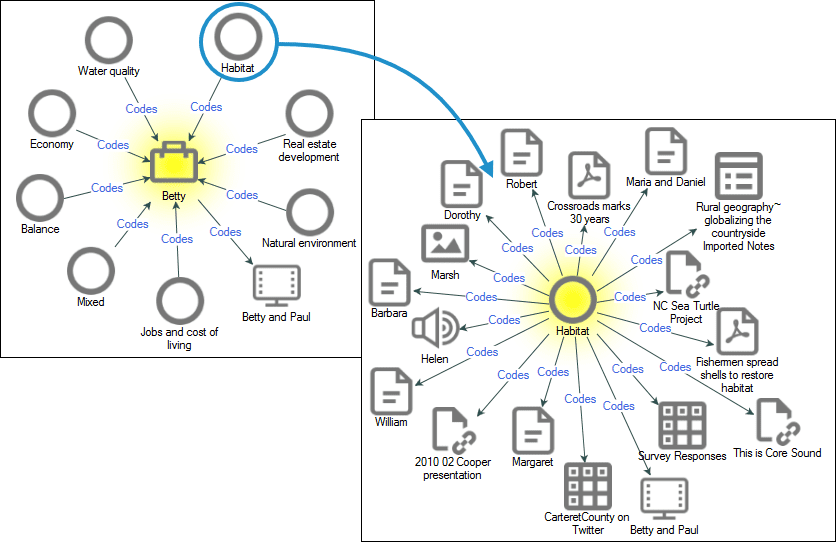
ATLAS.ti has invested more deliberately in AI than any other traditional QDA platform. Their AI Lab has shipped GPT-powered code suggestions, semantic search across documents, sentiment detection, and automatic concept clustering — all within the familiar project environment that academic researchers have used for decades. The web-based version enables real-time collaborative coding across teams, which was historically ATLAS.ti’s weak point relative to MAXQDA.
The AI code suggestions work best as prompts, not conclusions. They surface candidate codes that an experienced researcher then accepts, rejects, or refines. This is the right model — it keeps the interpretive work with the researcher while reducing the mechanical labour of going through 200-page transcripts looking for the fourth mention of “trust” in a different syntactic form. The AI doesn’t understand your theoretical framework; you do.
One thing worth noting: ATLAS.ti is now under Lumivero’s ownership alongside NVivo, following the 2024 acquisition. Commercial licences run around $1,200/year, with student licences closer to $100. The concern some researchers have raised is what happens to pricing and development priorities as private equity looks for returns from a consolidated portfolio.
What works
- GPT-powered code suggestions genuinely speed up first-pass coding
- Cross-document semantic search is excellent
- Supports grounded theory, TA, IPA, discourse analysis
- Strong team collaboration on the web platform
- REFI-QDA standard support for tool interoperability
What doesn’t
- Private equity ownership introduces long-term pricing uncertainty
- AI features still require researcher verification at each step
- Less intuitive UI than MAXQDA for first-time users
- No built-in transcription engine
MAXQDA’s clearest differentiator in 2026 is what it isn’t: it’s not owned by private equity, not racing to bolt on AI for marketing purposes, and not abandoning its desktop-first architecture under pressure. VERBI GmbH has been building qualitative software since the 1980s, and the conservatism shows — mostly in good ways. It’s the only traditional QDA software with genuinely identical feature sets on Windows and Mac, which sounds mundane until you’re on a mixed-OS research team.
The AI Assist feature — available in Analytics Pro — handles document summarisation, code suggestions, and paraphrasing with reasonable quality. It can propose codes for highlighted text segments, which is useful for the first pass. The Tailwind add-on is a separate program, priced separately, which is a bit frustrating if you want integrated AI throughout your workflow. This modular approach feels like a company being careful rather than one fully committed to AI-native workflows.
Where MAXQDA genuinely excels is mixed-methods integration. If your study combines structured survey data with open-ended responses or interview transcripts, the statistical-qualitative bridge is better here than anywhere else. MAXMaps for visual concept mapping is also notably good — researchers who need to show their analytical process to stakeholders or thesis committees find it invaluable.
What works
- Strongest mixed-methods integration on the market
- Identical Mac/Windows experience — rare in this space
- MAXMaps for relationship visualisation
- Stable, independent ownership with academic pricing from ~$250/yr
- Excellent documentation and community forums
What doesn’t
- AI Assist is thin compared to ATLAS.ti’s investment
- Tailwind AI tool is separate — fragmented experience
- Cloud collaboration costs extra
- AI features lag behind AI-native competitors significantly
Dovetail is honest about what it is: a research repository and insight platform for product and UX teams, not an academic qualitative analysis tool. Understanding that distinction saves a lot of frustration. If you’re running continuous discovery research, testing concepts with users, or synthesising feedback across dozens of weekly interviews, Dovetail is genuinely well-designed for that workflow. If you’re conducting a PhD study on grounded theory, it isn’t.
The transcription handles over 40 languages and produces clean, readable output. The AI features — sentiment analysis, automatic theme detection, summary generation — are real, though hands-on reviews have consistently noted the need to verify auto-highlighting and tags carefully. The important limitation: Dovetail’s AI theme suggestions activate based on segments you manually highlight first. It’s AI-assisted, not AI-automated. At high session volumes, that manual highlighting step becomes a bottleneck.
Dovetail’s repository function — where insights from multiple studies accumulate over time and remain searchable — is probably its most distinctive value. For organisations running ongoing research programs, that accumulated institutional knowledge is real.
What works
- Clean, modern interface — low barrier for non-researchers to engage with insights
- Multilingual transcription across 40+ languages
- Excellent insight repository for continuous research programs
- Strong stakeholder-facing reporting features
- Solid team collaboration without requiring QDA expertise
What doesn’t
- AI themes require manual highlighting first — limited true automation
- Not suited for academic qualitative methods (GT, IPA, discourse analysis)
- Per-seat pricing becomes expensive as teams scale
- Mixed G2 reviews on AI feature reliability
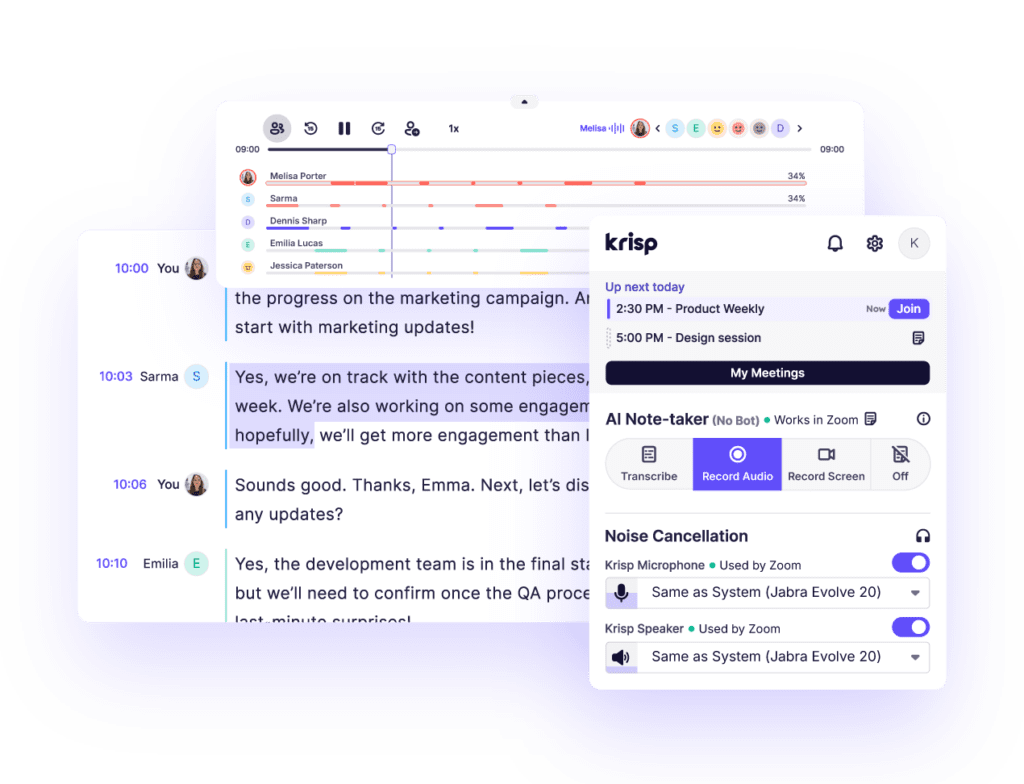
Looppanel sits in an interesting niche — it was purpose-built for the moderated interview context, which means it handles the specific challenges of user research calls better than general-purpose tools. It transcribes calls with speaker differentiation and allows researchers to highlight key transcript moments, after which the AI recommends themes from those highlights and generates summaries for stakeholder playback.
The video and audio-native support matters more than it sounds. Many qualitative researchers need to work with the recording alongside the transcript — checking tone, non-verbal cues, or the exact moment a participant hesitated. Looppanel’s interface keeps all of this connected, which ATLAS.ti and MAXQDA do less gracefully.
The theme suggestion limitation is the same as Dovetail’s: you need to highlight before the AI activates. This isn’t a bug so much as a design choice that keeps the researcher in control, but it does limit the time savings at scale. Looppanel also doesn’t attempt to replace the methodological depth of traditional QDA tools — it’s a research operations platform, not a theory-building environment.
What works
- Native video/audio support with synchronized transcripts
- Speaker diarisation handles multi-participant calls well
- Good for usability testing and concept validation studies
- Accessible pricing with a free trial
What doesn’t
- AI themes require manual highlighting — not fully automated
- Not built for academic analysis frameworks
- Less depth than ATLAS.ti or MAXQDA for complex coding schemes
Sonix earns its reputation in one specific area: getting a clean transcript out of good-quality audio, quickly. The AI analysis layer — thematic identification, sentiment scoring, entity detection with timestamps — gives it some analytical capability beyond raw transcription, but the real value proposition is transcript quality and editing efficiency.
The editor is genuinely good. Clicking a word in the transcript jumps the audio to that moment; editing errors is a matter of typing over them. For qualitative researchers who need clean, corrected transcripts as the starting point for their own analysis in ATLAS.ti or MAXQDA, Sonix as a dedicated transcription step makes sense. The 49+ language support is meaningful for cross-national research programs.
The caveat on accuracy: “up to 99%” refers to ideal-condition performance. Accented speech, overlapping dialogue, technical vocabulary, and background noise all push real-world accuracy down. Budget for some manual correction time — how much depends heavily on your recording conditions.
What works
- Excellent transcript editing interface
- 49+ language support
- Good export options for downstream QDA tools
- Academic pricing available
What doesn’t
- Per-minute pricing adds up for large datasets
- Thematic analysis is surface-level — not a substitute for QDA
- Accuracy drops significantly on non-ideal audio
Fireflies.ai is built primarily as a meeting assistant — it joins calls automatically, records, transcribes, and generates summaries. For qualitative researchers who conduct many interviews through Zoom, Google Meet, or Teams, the workflow is genuinely seamless. Its estimated 90–92% transcription accuracy outperforms Otter.ai’s 85–90%, particularly on accented speech and fast-paced dialogue — and the 100+ language support is substantial for international research.
The conversation analytics are a useful extra layer: speaker time ratios, topic tracking across meetings, sentiment analysis at the utterance level. None of this substitutes for qualitative coding, but it’s useful for getting a fast orientation to a large set of interview recordings before diving into detailed analysis.
The privacy caution is real. NYU Libraries notes explicitly that tools like Fireflies.ai “often lack transparency in their privacy policy and data use.” Before using Fireflies with participant data, review the terms of service and confirm your IRB protocol covers cloud-based AI processing. Explicit informed consent for recording and transcription is non-negotiable.
What works
- Seamless auto-join for Zoom, Meet, Teams interviews
- Better accent and noise handling than Otter.ai
- 100+ languages — genuinely useful for multilingual research
- Generous free tier for testing
- Strong CRM and productivity integrations
What doesn’t
- Privacy policy transparency is a legitimate concern
- Not designed for academic qualitative analysis
- Summaries can miss nuance in complex interview content
- Requires explicit participant consent protocol
This is probably the most practically interesting tool on this list, because nearly every qualitative researcher already has access to it. The research literature on ChatGPT for qualitative coding is now substantial enough to draw real conclusions.
A 2024 study published in JMIR applied ChatGPT to 539 forum posts for qualitative content analysis, finding Cohen’s kappa of 0.72–0.82 for inductive coding schemes — which falls in the “substantial agreement” range by conventional standards. Importantly, ChatGPT performed markedly better on inductive (data-driven) coding than on deductive (theory-driven) approaches: kappa dropped to 0.58–0.73 for unconstrained deductive analysis, with some category-specific scores as low as 0.13.
A separate 2025 preprint testing four prompting strategies found that “Step-by-Step Task Decomposition” achieved the strongest deductive coding reliability (accuracy = 0.775, κ = 0.744) — significantly outperforming zero-shot prompting. The prompting strategy matters enormously, more than most researchers realise when they first try to use an LLM for coding.
The time savings are dramatic — studies report approximately 97% reduction in analysis time. But that same literature shows ChatGPT missed 18% of sub-themes that human researchers identified and struggles to produce hierarchical coding structures. The recommendation from multiple research teams: use ChatGPT as a triangulation tool and secondary coder, not as the primary analytical engine.
Step-by-step task decomposition significantly outperforms zero-shot prompting for deductive coding. Define the coding framework explicitly, provide two or three examples (few-shot), ask the model to explain its reasoning before assigning a code, and run each data segment through multiple conversation instances rather than one large batch — then check intercoder agreement across runs.
What works
- Substantial agreement on inductive coding (κ = 0.72–0.82)
- ~97% time savings on mechanical coding work
- Useful as a triangulation / secondary coder
- Highly flexible — adapt to any framework with careful prompting
What doesn’t
- Misses ~18% of sub-themes vs. human coders
- Deductive coding reliability is notably weaker
- Cannot produce hierarchical coding schemes
- Sensitive participant data must not go into the consumer interface without data processing agreements
Whisper Large-v3 achieves 97.3% word error rate on clean audio and supports 97+ languages at $0.36 per hour via API — figures that make it look like an obvious choice. Then you read the ACM FAccT research and the picture gets more complicated.
The hallucination problem with Whisper is documented and real. Of 13,140 ten-second audio segments tested at Carnegie Mellon’s AphasiaBank, 187 (roughly 1%) contained hallucinations — fabricated phrases not present in any form in the audio. OpenAI’s own documentation warns against using Whisper in “high-risk domains” and “decision-making contexts.” In qualitative research, a 1% hallucination rate on 200 pages of transcripts means potentially two pages of invented participant speech — exactly the kind of thing that could distort a theme if it goes undetected.
That said, the self-hosted version offers something no other tool here can: complete local data control. For research involving sensitive health data, vulnerable populations, or legal constraints on data residency, running Whisper on your own infrastructure means participant data never touches a third-party cloud. That’s a genuinely significant privacy architecture advantage. The technical barrier is real — you need someone comfortable with Python and model deployment — but for institutions with that capability, it’s worth considering.
What works
- Best-in-class accuracy on clean audio (97.3%)
- Complete data privacy when self-hosted
- Lowest cost per audio hour in the market
- 97+ language support
- Open-source — extensible for custom workflows
What doesn’t
- ~1% hallucination rate — a verified research risk
- OpenAI explicitly warns against high-risk domain use
- High technical barrier for setup and maintenance
- No built-in analysis features
- Accuracy degrades significantly on accented/noisy audio
Ranking NVivo ninth is not a decision made lightly — it’s still the most frequently cited QDA software in published academic literature, and there are real reasons for that legacy. For structural mixed-methods analysis, cross-tabulation queries, and the kind of rigorous coding documentation that survives PhD examination, NVivo remains capable.
But the trajectory matters. Since QSR International was absorbed into Lumivero, which then acquired ATLAS.ti, NVivo has lost significant community goodwill. The most concrete institutional signal: the University of Oregon Libraries dropped its QDA software subscriptions in 2024 and redirected students to free tools — an unusually public statement from a major research university. Researchers on Mac report a consistently inferior experience to the Windows version.
The AI features added in recent versions are described charitably in the industry as “rudimentary” — auto-coding and sentiment analysis that lag well behind what ATLAS.ti has shipped through its AI Lab. Lumivero needs to demonstrate a credible AI development roadmap, and the acquisition-driven consolidation makes that harder to trust.
“NVivo and MAXQDA have added rudimentary AI-assisted features in recent versions, but the architecture underneath remains the same: researchers code text, and the software organises and visualises.”
Skimle QDA Software Comparison, April 2026What works
- Most cited QDA software in academic literature
- Strong query and matrix analysis tools
- Excellent documentation and academic training resources
- Good mixed-methods integration
What doesn’t
- AI features significantly behind ATLAS.ti
- Private equity ownership raises long-term concerns
- Declining community confidence since Lumivero consolidation
- Mac version markedly inferior to Windows
- High commercial pricing for features that haven’t kept pace
Full Comparison Table
| Tool | Primary Use | AI Coding | Transcription | Privacy Architecture | Academic Rigor Fit | Starting Price |
|---|---|---|---|---|---|---|
| ATLAS.ti 25 | Full QDA | Strong (AI Lab) | Via integrations | Cloud + local | High | ~$1,200/yr commercial |
| MAXQDA Analytics Pro | Mixed methods QDA | Moderate (Tailwind add-on) | Via integrations | Local-first | High | ~$250/yr academic |
| Dovetail | UX research repository | Requires highlights first | 40+ languages | Cloud (GDPR review needed) | Low | Per-seat subscription |
| Looppanel | Moderated interviews | Requires highlights first | >90% clean audio | Cloud | Moderate | Free trial; paid plans |
| Sonix | Dedicated transcription | Basic (thematic/sentiment) | Up to 99%; 49 languages | Cloud | Moderate (as input layer) | Per-minute + subscription |
| Fireflies.ai | Meeting/interview capture | Conversation analytics | 90–92%; 100+ languages | Cloud (review TOS) | Low | Free tier; paid from ~$10/mo |
| ChatGPT / GPT-4o | LLM coding assistant | κ 0.72–0.82 inductive | No native transcription | API = data agreement; consumer = no | High potential, needs expertise | API usage-based; Plus $20/mo |
| Whisper (self-hosted) | Open-source transcription | None | 97.3% clean; ~1% hallucination risk | Complete local control | Good transcription input only | $0.36/hr (API); free (self-hosted) |
| NVivo (Lumivero) | Full QDA | Rudimentary | Via integrations | Local + cloud | High (legacy methods) | ~$1,200+/yr commercial |
Coding Strategies That Actually Work with AI
The tool is only part of the equation. How you structure your interaction with it determines whether you get reliable output or plausible-looking noise. Based on the benchmarked research, these approaches consistently produce better results.
Inductive First, Deductive Second
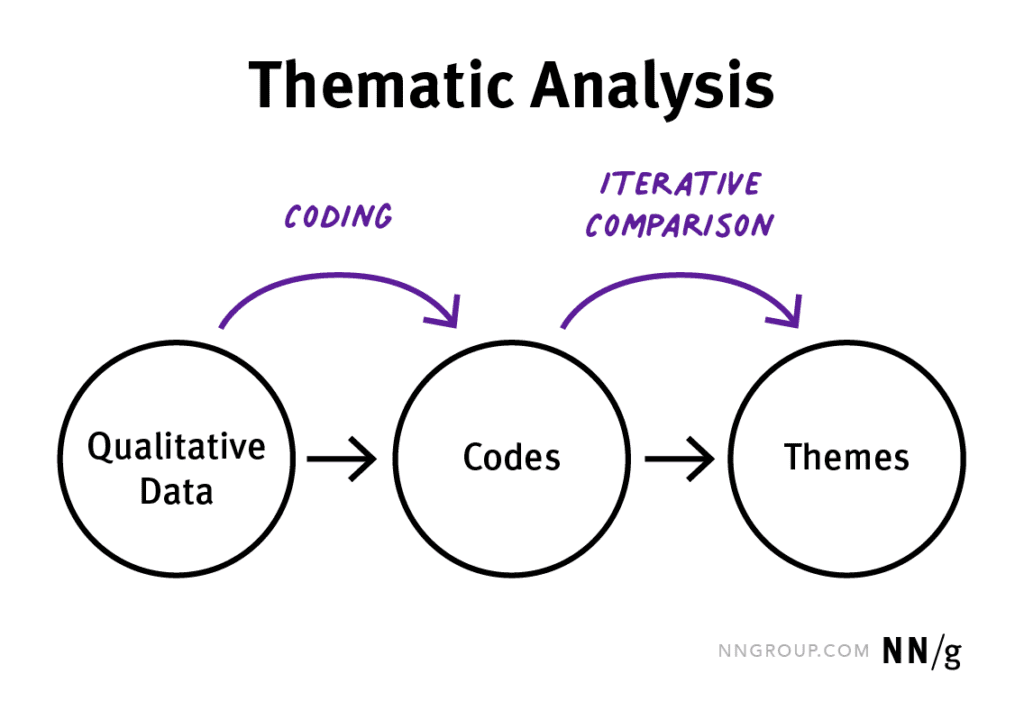
AI performs measurably better (κ 0.72–0.82) on inductive coding — letting codes emerge from the data — than on fitting data to pre-existing frameworks (κ 0.58–0.73). Use AI for the first inductive pass, then apply your theoretical framework manually to what emerges.
Step-by-Step Task Decomposition
Ask the LLM to explain its reasoning before assigning a code. This “chain of thought” prompting consistently produces higher reliability than single-step instruction. The 2025 benchmark study found this alone raised deductive coding accuracy to 0.775 versus significantly lower zero-shot performance.
Multi-Run Intercoder Reliability
Run the same data through multiple separate LLM sessions and measure agreement between them. Researchers at UNM found ChatGPT’s value is partly in serving as a non-human triangulation coder — but this requires treating each run as an independent coder, not one run as ground truth.
De-identify Before Any Cloud Upload
Replace participant names with codes, remove location markers and identifiable details before uploading transcripts to any cloud AI tool. This is not optional. Many IRB protocols written before 2022 do not contemplate AI processing — check with your ethics board before proceeding.
Spot-Check Transcripts Systematically
Given Whisper’s documented ~1% hallucination rate, spot-checking against the original audio on a sample of segments is necessary, not optional. Build this into your workflow time estimate — it adds hours but protects against invented participant data corrupting your analysis.
Treat AI Codes as Candidate, Not Final
Every AI-suggested code is a hypothesis. The researcher’s job is to confirm, reject, or refine. Building explicit review steps into the workflow — not just a final check but a deliberate per-segment review — maintains methodological integrity and typically catches the 18% of sub-themes AI misses.
Recommended Workflows by Researcher Type
Academic researchers (PhD / postdoc / faculty)
The methodological documentation requirements of academic research — reproducible coding procedures, intercoder reliability reporting, clear audit trails — point toward ATLAS.ti 25 or MAXQDA as the primary environment. Use Sonix or a carefully vetted Whisper implementation for transcription, import into your QDA tool, and use ChatGPT via API (with a Data Processing Agreement) as a triangulation coder. Document every AI interaction as part of your methods.
UX and product researchers
Dovetail or Looppanel as the central platform, with Fireflies.ai handling interview capture and initial transcription. The speed-to-insight priority in commercial UX contexts favours these tools’ workflow integration over methodological depth. Build in human review checkpoints — the insight quality drops fast if AI theme suggestions go unchecked across a large research program.
Independent researchers and consultants
Budget and infrastructure constraints make this more variable. MAXQDA’s academic pricing (~$250/year) offers genuine QDA capability without enterprise costs. ChatGPT Plus as a coding assistant for inductive work adds meaningful capacity. Fireflies.ai handles interview transcription affordably. The key discipline: don’t skip the verification steps just because you’re working alone.
Research teams processing sensitive data
The self-hosted Whisper route becomes attractive here, despite the technical overhead, because it keeps participant data entirely off third-party infrastructure. Pair with MAXQDA (local installation) for analysis. Avoid consumer-grade AI interfaces entirely — use APIs with signed data processing agreements.
Taguette and QDA Miner Lite are free, functional, and worth knowing about — particularly for NGOs, educators, and researchers in under-resourced contexts. They lack AI features, but they’re methodologically sound for manual qualitative coding and have no licensing costs. The University of Oregon’s 2024 move toward free tools reflects a broader institutional reality about QDA software pricing that shouldn’t be ignored.
The Honest Bottom Line
AI has genuinely changed what’s possible in qualitative research — the efficiency gains are real, the capability improvements are real, and the tools are good enough now that dismissing them outright looks increasingly like methodological conservatism rather than rigor.
But the limits are equally real. An 18% sub-theme miss rate, a 1% hallucination rate in transcription, documented weaknesses in deductive coding and hierarchical schemes — none of these are fatal if you know about them and design your workflow accordingly. They are fatal if you assume the output is ground truth.
The most useful frame: AI handles the mechanical labour of qualitative analysis better than humans do. Humans handle the interpretive labour better than AI does. The research teams getting the best results are the ones who’ve figured out exactly where that boundary sits in their specific methodological context — and who’ve built workflows that keep each in its lane.
That boundary will move as models improve. What looks like AI’s ceiling in 2025 won’t be its ceiling in 2027. But right now, the researchers treating these tools as powerful assistants rather than autonomous analysts are getting better results than those going all-in on automation or those refusing to engage at all.
More from Trendix
Related Research & Guides — trendix.techCost Analysis: The Complete 2026 Guide
The Underrated AI Tools Nobody Hypes — But Practitioners Actually Use
AI for Developers & Indie Hackers: The 2026 Reality Check
AI Research Agents: The Definitive Guide for 2025–2026
ATLAS.ti 25 Review: Testing the AI Lab Features in Practice
NVivo Alternatives: What to Switch To and When
Claude vs ChatGPT: Full 2026 Head-to-Head
AI Transcription Software Compared: Accuracy, Privacy, Price (2026)
Qualitative Research Software in 2025: A Field Guide