

AI Tools for Small Business in 2026: What Actually Works (Verified Data Inside)
Adoption figures for small-business AI range from 40% to 89% depending on who you ask and how they define “using AI” — and almost nobody publishing a “best tools” list tells you why. This guide checks every headline stat against its primary source, drops the ones that don’t hold up, and replaces the usual tool-dump with a sequencing framework, a real illustrative ROI model, and the one EU regulation that just became enforceable four days ago and affects any small business with EU customers.
- The “89% of small businesses use AI” stat you’ve seen everywhere doesn’t trace back to any report we could find. The most rigorous current number is 82% (SBE Council, March 2026, n=517); the U.S. Chamber’s stricter “generative AI specifically” definition puts it at 58%. Both are real. They’re measuring different things — see the callout below.
- Adoption and value are two different numbers. MIT’s Project NANDA found roughly 95% of generative-AI pilots show no measurable P&L return — but the same report found back-office automation delivering the clearest ROI, while half of AI budgets go to sales and marketing, which delivers the least. That mismatch is the whole story of this guide.
- A modest, real AI stack (roughly $100–$200/month) can plausibly recover $2,000+/month in staff time, based on SBE Council’s and Business.com’s published national time-savings medians — if that saved time is actually redirected into billable or revenue-generating work, not just absorbed into a quieter afternoon.
- This guide introduces the PIVOT framework: a sequencing model for which category of AI tool to deploy first, based on where your business actually leaks time or money — not on what’s trending.
- Article 50 of the EU AI Act became enforceable on August 2, 2026 — four days before this update. If your chatbot talks to anyone in the EU, this now applies to you. Details below.
The Uncomfortable Truth About AI Adoption in 2026
Start with a number that should recalibrate how you read every “AI tools for small business” article you’ve bookmarked this year: RAND Corporation’s research on why AI projects fail — built on interviews with 65 experienced data scientists and engineers — puts the general AI project failure rate at more than 80%, roughly twice the failure rate of non-AI IT projects. That’s a qualitative estimate from practitioner interviews, not a count of thousands of audited projects, and RAND is upfront about that. It’s still the most-cited failure-rate figure in the field for a reason: nobody has published a number that contradicts the direction it points.
For generative AI specifically, MIT’s Project NANDA went further. Their July 2025 report, The GenAI Divide: State of AI in Business 2025 — a preliminary, not-yet-peer-reviewed study built on a review of 300-plus public AI initiatives plus leadership interviews and surveys — found that roughly 95% of generative AI pilots showed no measurable effect on profit and loss. Only about 5% were extracting real, scaled value. The report’s most useful finding isn’t the headline number, though — it’s this: roughly half of enterprise generative-AI budgets went to sales and marketing, while some of the clearest, most measurable returns showed up in unglamorous back-office automation instead. Companies spent where the excitement was, not where the payoff was. Hold onto that sentence — it’s the argument this entire guide is built around.
None of this means AI doesn’t work for small businesses. SBE Council’s March 2026 Small Business Technology Use Survey — 517 employers, fielded by TechnoMetrica, ±4.4 percentage points — found 82% of small business employers investing in AI tools, with 66% reporting revenue increases linked to AI and 93% planning to keep investing. What it means is that the gap between “using AI” and “getting measurable value from AI” is real, well-documented, and almost never addressed in the listicles currently saturating page one of Google.
You’ll see small-business AI adoption reported anywhere from 40% to 89%. Both extremes can be true at once, because surveys define “using AI” differently. The U.S. Chamber’s August 2025 report asked specifically about generative AI tools and got 58%. SBE Council’s broader definition — any AI tool, for any purpose — got 82%. Government surveys using a strict “AI used to produce goods or services” test have put adoption in the single digits. None of these are wrong. They’re answering different questions, and any article citing a single adoption percentage without saying which question it’s answering is a sign the author didn’t check the primary source.
SBE Council, March 2026
RAND Corporation
MIT Project NANDA, 2025
SBE Council, July 2026
The adoption-to-value gap matters because it changes what a genuinely useful guide should look like. Most “Top 10 AI Tools” roundups function as lightly-curated product pages: features, vendor pricing, an ROI claim lifted from a press release. What they leave out is that sequencing predicts success better than tool selection does. A dental practice running three AI subscriptions it doesn’t fully use is worse off than one running a single chatbot that handles appointment questions at midnight — and no amount of switching tools fixes that if the sequencing is wrong.
The PIVOT Framework: Sequence Before You Subscribe
MIT NANDA’s own data makes the case better than any anecdote could: roughly half of generative-AI spend chases sales and marketing use cases, yet the report’s clearest, best-documented returns — in some cited cases $2–10 million in annual savings from replacing outsourced support and document review, and around a 30% cut in external agency spend — showed up in back-office and operational automation instead. Budgets and payoffs are pointing in different directions. That mismatch is exactly what a sequencing framework is for.
The PIVOT framework below isn’t a list of tools. It’s a decision order: it asks where your business is actually leaking time or money right now, and uses that answer to decide which category of AI tool to deploy first — before spending anywhere else.
PIVOT: Priority-Based AI Tool Sequencing
- P — Process leaks first. Map a real week. Where does time disappear into repetitive, high-volume tasks — email triage, appointment confirmations, invoice follow-ups, review replies? These are the first deployment, because their ROI is fast and easy to measure. Fix these before touching anything else.
- I — Integrate before adding. Before subscribing to tool #3, check whether tool #1 actually talks to tool #2. A stack of disconnected apps forces someone to manually shuttle data between them, which quietly cancels out the time savings. Connective infrastructure — Zapier, Make, n8n — is not an optional extra; it’s what turns separate tools into one system.
- V — Validate with a spreadsheet. Every deployment needs one simple tracker: task name, hours per week before, hours per week after. If you can’t fill that in after 30 days, the tool isn’t working yet — or isn’t the priority. Fix it or cut it before adding another.
- O — Only then optimize revenue. Once the operational and communication base is automated, move to marketing and content tools. Content AI layered on top of a broken operational base just multiplies output without multiplying value — you’ll produce more drafts that sit in an inbox nobody has time to review.
- T — Track compounding, not snapshots. The real return on an AI stack shows up at 6–12 months, not week two, because usage compounds as staff get faster with the tools and as more categories come online. Business.com’s 2026 research found the average small-business worker saves 5.6 hours a week — worth roughly $10,600–$11,000 a year per employee at a $38/hour blended rate. Model the compounding curve, not the week-two demo.
- Time-track one real week before touching any tool. Write down where the hours actually go — not where you assume they go.
- Pick exactly one process-layer tool from the “P” step. Not three. One.
- Set a 30-day calendar reminder to fill in the before/after hours spreadsheet from the “V” step.
- If the tool touches customer-facing communication, budget real time to build its knowledge base before it goes live — see the customer-support section below.
- Only after that first tool shows a measurable before/after number, add the next one — and connect it to the first with Zapier, Make, or a native integration.
- Revisit the spreadsheet monthly. A tool that stops earning its place gets cut, not defended.
What the Math Actually Looks Like: An Illustrative Stack
Vague ROI claims are useless, so let’s build one out properly — and be honest about what kind of number this is. This is not a specific company’s audited results. It’s an illustrative model for a 6-person service business (a small consultancy, a boutique agency, a two-partner law office), built by applying SBE Council’s and Business.com’s real, published national median time-savings figures to a plausible small team, so you can see how the arithmetic works before you run it on your own numbers.
Tool stack: roughly $105–$150/month
| Tool | Category | Approx. monthly cost | Primary use |
|---|---|---|---|
| Claude Pro | AI assistant | $20 | Drafting, research, analysis summaries |
| Zapier (Starter tier) | Automation | ~$20 | Lead routing, CRM sync, email triggers |
| Tidio | Customer support | ~$29 | Website chat, FAQ automation |
| Otter.ai (Pro) | Meeting intelligence | ~$8 | Transcription, action-item capture |
| Notion AI add-on | Knowledge / ops | ~$10 | SOPs, meeting notes, internal wiki |
| Buffer (AI captions) | Social scheduling | ~$18 | Content scheduling, caption drafts |
| Total | — | ~$105 | Full operational + light content layer |
Prices are approximate as of mid-2026 and change often — confirm current rates on each vendor’s site before budgeting.
Value recovered: anchored to real national medians
SBE Council’s July 2026 analysis put the national median at 5 hours/week saved by the owner personally and 11.5 hours/week saved across employees — 16.5 hours/week combined, which SBE Council estimates works out to $243.6 billion in aggregate annual savings across U.S. small businesses. Applying that same 16.5 hours/week to our illustrative 6-person shop, split across functions, at a $38/hour blended rate:
| Function | Hours saved/week (team-wide) | Monthly value at $38/hr |
|---|---|---|
| Drafting & inbox triage (AI assistant) | 4.5 | ~$741 |
| Customer FAQ handling (chatbot) | 4.0 | ~$658 |
| Meeting notes & action items | 2.5 | ~$412 |
| Lead routing & CRM hygiene (automation) | 2.5 | ~$412 |
| Content scheduling & captions | 1.5 | ~$247 |
| SOP & documentation upkeep | 1.5 | ~$247 |
| Total | 16.5 hrs/wk | ~$2,717/mo |
Net monthly gain: ~$2,612 on a ~$105/month stack — roughly a 25x return on tool spend alone. That multiple looks aggressive until you remember the denominator: AI subscriptions are cheap relative to labor cost, which is the actual structural reason this category can post high ROI multiples even under conservative assumptions.
Two honest caveats belong right here, because they’re the difference between a useful model and a hype number. First, saved time is not automatically saved money or earned revenue — it only becomes value if that freed-up time gets redirected into billable work, sales activity, or genuine headcount avoidance, rather than just absorbed into a quieter afternoon. Second, usage intensity swings the outcome enormously: Business.com’s 2026 survey found managers save more than twice the hours of individual contributors (7.2 vs. 3.4 hours/week), and other industry surveys have found spending under $100/month on AI tools correlates with under two hours saved weekly, versus 6–10 hours for businesses spending $1,000+/month. The tool doesn’t do the work. Configuration and actual usage do.
The Tool-by-Category Breakdown
This isn’t a list of everything on Product Hunt. It’s the categories with demonstrated, checkable ROI in real small-business use, cross-referenced against vendor documentation, G2/Capterra pattern data, and the primary research cited throughout this guide.
Category 1: AI Assistants — The Foundation Layer
Your daily-driver tools for thinking, drafting, research and analysis. Don’t get precious about any single one — they’re good at slightly different things and the pricing landscape shifts often.
Category 2: Automation & Integration — The Connective Tissue
The most underinvested category on this list. Without it, your AI tools are isolated islands; with it, output from one tool feeds directly into the next. This is the “I” step in the PIVOT framework, and it’s where a fragmented stack quietly loses most of its value.
Category 3: Customer Communication & Support
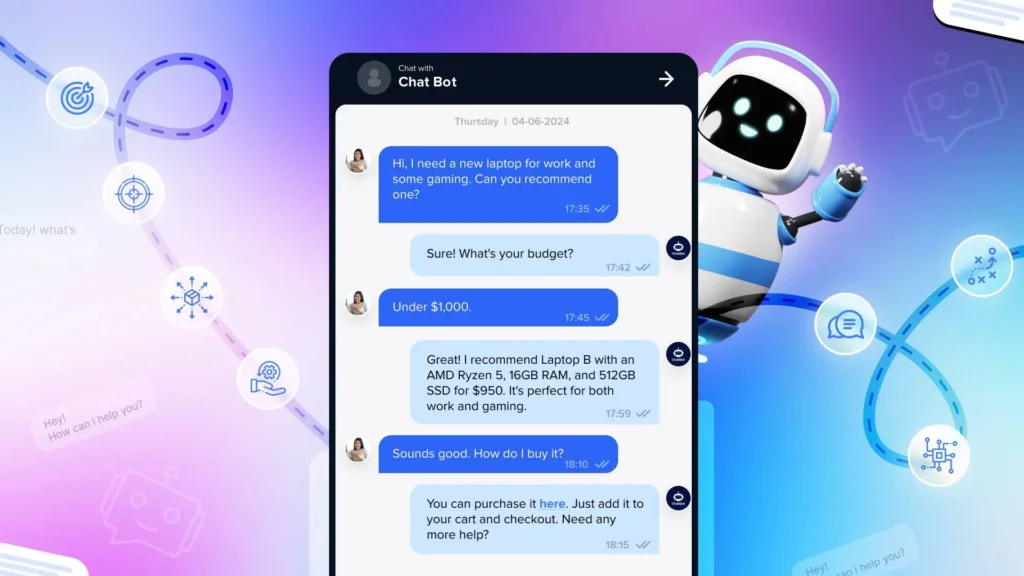
This is where the ROI data is cleanest and fastest to see. Independent industry benchmarking on AI-assisted support puts typical automated resolution rates at 20–40% of inquiries, with well-optimized setups reaching 60–80% — a wide range that depends heavily on knowledge-base quality, which is exactly the trap covered in the box below. Importantly, “deflection” (the conversation ended without escalating to a human) and “resolution” (the customer’s actual problem got solved) are not the same metric, and vendor-published headline numbers usually report the more flattering of the two.
| Tool | Starting price | Best for | Key limitation |
|---|---|---|---|
| Tidio | ~$29/mo | E-commerce, service sites with high FAQ volume | AI quality degrades fast without real knowledge-base setup |
| Intercom | ~$39/mo (Starter) | SaaS, subscription, B2B | Costs climb quickly with scale |
| Freshdesk | ~$18/user/mo | Multi-channel teams (email + chat) | Real setup time — budget 2–3 days |
| Voiceflow | Free tier available | Custom chatbot builds, agencies | Requires real design work, not plug-and-play |
Nearly every guide tells you to deploy a chatbot. Here’s what most of them skip: a poorly configured one damages your brand more than having no chatbot at all. A support bot trained on three FAQ articles will answer confidently and wrongly on anything outside that narrow range, and customers remember confident wrongness far longer than they remember “sorry, let me get a human.” Budget as much time for knowledge-base construction as for the chatbot setup itself, and add a “talk to a human” option that’s impossible to miss. People forgive a tool’s limitations. They don’t forgive feeling trapped in a loop with one.
Category 4: Marketing & Content AI
The most saturated category, and the one most prone to hype — “10x your content output” shows up in nearly every vendor’s own marketing copy. The honest version: AI meaningfully speeds up content production, but the output ceiling is set by the person briefing it, not the tool. A weak brief produces weak content from a $500/month platform. A skilled brief produces solid content from a $20/month assistant.
Category 5: Operations, Finance & Scheduling
Low glamour, high ROI — and the category where small businesses leave the most money on the table. A firm using AI to pre-summarize documents before a professional’s review saves real hours every month. A business capturing bookings or inquiries at 2 a.m. captures revenue a competitor without that coverage doesn’t. These gains compound quietly.
Why 80%+ Get No Return: The Failure Patterns
Both RAND’s and MIT NANDA’s research point the same direction: failure is overwhelmingly organizational, not technical. RAND’s interviews found the single most common root cause was a disconnect between what the AI project was supposed to achieve and what the organization actually needed — teams optimized a technical metric that didn’t map to any business outcome anyone cared about. Here’s a synthesis of the recurring patterns, ranked by how often they show up:
Tool tourism. Subscribing to five tools in two weeks, running each for ten days, then declaring “AI doesn’t work for us.” AI tools need two to four weeks of active calibration before they produce meaningful output — the first week is orientation, the second is finding the edges, and results tend to start compounding from the third week on.
Content AI before operational AI. Writing blog posts faster isn’t the same as making more money. The MIT NANDA data above shows exactly why: back-office automation delivered the clearest documented returns in that research, while sales-and-marketing use cases absorbed roughly half the spend for a smaller, less-consistent payoff.
Delegating without calibrating. Handing a team member an AI subscription and saying “use this for everything” produces inconsistent output. The businesses seeing strong results tend to have documented prompt templates for recurring tasks, not fresh free-form experimentation every time.
Ignoring the knowledge base. Covered above in the customer-support callout, and worth repeating: an AI tool is only as good as what it’s been given to work from.
No measurement loop. A meaningful share of small businesses using AI have no formal way of tracking whether it’s actually helping — just a general sense that it is. Without a before/after number, you can’t tell what to scale and what to cut.
Buying enterprise tools at SMB scale. Full Salesforce AI or Microsoft Viva suites are genuinely powerful — and built for organizations with dedicated IT staff and months for implementation. A six-person shop running enterprise-tier tooling is often paying for capability it will never touch. Size the tool to the operation.
Which AI Category Wins for Your Business Type
A restaurant and a law firm have different bottlenecks, and “the best AI tool” genuinely depends on which one you have.
| Business type | Highest-ROI category | Start here | Typical time to first ROI |
|---|---|---|---|
| E-commerce / retail | Support chatbot + product descriptions | Tidio → ChatGPT for copy | 2–4 weeks |
| Professional services (law, accounting, consulting) | Document analysis + meeting intelligence | Claude Pro + Otter.ai | 1 week |
| Restaurant / hospitality | Reservation chatbot + review responses | Tidio + ChatGPT for replies | 3–6 weeks |
| Healthcare / dental clinic | Appointment scheduling + documentation | Reclaim.ai + Otter.ai | 1–2 weeks |
| Marketing / creative agency | AI assistant + content scheduling | Claude Pro + Buffer | 2 weeks |
| Trades / home services | Lead-response automation + quoting | Zapier + an AI assistant | 3–5 weeks |
| SaaS / tech startup | Customer support + internal docs | Intercom + Notion AI | 2–3 weeks |
The Sequencing Mistake Most Guides Still Make
Most “best AI tools” advice — including earlier content on this exact topic — tends to lead with writing assistants and content generators. It’s an easy thing to demo: show someone a blog draft written in four minutes and they light up immediately. It photographs well. It doesn’t necessarily pay off.
Look again at what MIT NANDA’s actual research found: the clearest, most-cited wins in that report came from back-office and operational automation — cited examples include multi-million-dollar annual savings from automating outsourced support and document review, and meaningful cuts to external agency spend — while sales-and-marketing use cases, which absorbed roughly half the total budget studied, produced a smaller and far less consistent return. That’s not a personal anecdote. It’s the headline finding of the most-cited AI-adoption study of 2025, and it’s the entire rationale behind the PIVOT framework’s insistence on process automation before content generation.
If you take one thing from this guide, take the order, not the tool list: fix the boring, repetitive, high-volume process first. Content tools are genuinely useful — but they’re an amplifier, and amplifying a broken operational base just produces more output that nobody has time to use.
Data Privacy, Security, and the EU AI Act Deadline That Just Passed
Three risks matter most for small businesses using AI, and this section stays tight on purpose because it’s easy to skip and expensive to ignore.
Confidential data in public AI tools. Pasting a client contract into a free-tier consumer AI tool can mean that data is eligible for model training, depending on the platform’s settings. Most major providers, including Anthropic and OpenAI, offer explicit opt-outs and exclude training by default on paid business/enterprise tiers — but know which mode you’re in before processing client or patient information. For HIPAA-covered healthcare businesses, this is non-negotiable: use enterprise-tier or purpose-built healthcare AI tools only.
Hallucination in customer-facing output. Every major AI model still hallucinates sometimes. Any output that reaches a customer directly — a chatbot answer, a quoted price, a stated policy — needs either a human review step or a knowledge base tight enough to keep the model from speculating past its actual data. A support bot that invents a return policy is a legal and reputational problem, not just an inconvenience.
EU AI Act Article 50 — now in force. This is genuinely new: Article 50 of the EU AI Act (Regulation (EU) 2024/1689) became enforceable on August 2, 2026 — four days before this guide’s most recent update. It requires clear disclosure whenever a person is interacting with an AI system (chatbots, voice assistants), whenever content is AI-generated, and around emotion-recognition or biometric-categorization systems and certain deepfakes. Non-compliance can trigger fines of up to €15 million or 3% of worldwide annual turnover — and the Act applies extraterritorially, meaning a U.S. small business is in scope if its chatbot or AI-generated content reaches EU users at all, regardless of where the business is based. There is a narrower grace period, running to December 2, 2026, specifically for the technical machine-readable content-marking sub-requirement on systems already on the market — but the core disclosure duty is live now. If your website chat, voice assistant, or content tools reach anyone in the EU, this is worth an actual compliance review this month, not a someday task. The EU AI Act’s official implementation portal has the current guidance.
The 12-Month Compounding Model
Almost no AI tool comparison models the compounding effect across a full year — most stop at a week-two demo. Month one’s gains are the smallest because tools are still being configured; month six is when the real numbers show up. Continuing the same illustrative 6-person service business from Section 3, ramping tools onto the stack gradually per the PIVOT framework:
| Month | Tools active | Hours saved/week (team-wide) | Cumulative value recovered | Cumulative tool spend |
|---|---|---|---|---|
| 1 | Claude + Otter.ai | 4 | ~$658 | ~$28 |
| 2 | + Zapier + Tidio | 9 | ~$2,140 | ~$105 |
| 3 | Stack calibrated | 13 | ~$4,280 | ~$182 |
| 6 | + Buffer + Notion (full stack) | 16.5 | ~$11,930 | ~$440 |
| 12 | Full stack, steady state | 16.5 | ~$28,230 | ~$1,070 |
12-month net value: roughly $27,000 on about $1,070 in tool spend. These figures use the same conservative, real-anchor assumptions as Section 3 — a $38/hour blended rate and SBE Council’s and Business.com’s published national time-savings medians, not an aspirational best case. The number that should drive an AI budgeting decision is this 12-month compounding curve, not the underwhelming results of a week-two pilot — which is exactly the mistake the “V — Validate” step in the PIVOT framework is designed to catch before you give up too early.
Myth vs. Fact: Five Claims Worth Checking
| Myth | What the evidence actually shows |
|---|---|
| “89% of small businesses use AI” | We could not verify this exact figure against any primary source. The most rigorous current number is 82% (SBE Council, March 2026, broad definition) or 58% (U.S. Chamber, August 2025, generative-AI-specific definition). |
| “AI is replacing small business staff” | Only 12% of SMBs describe themselves as very likely to reduce staff due to AI in the next year (Business.com, 2026); most current investment goes toward augmenting existing roles, not eliminating them. |
| “More AI tools = more productivity” | Fragmented, disconnected tools cancel out much of their own time savings. The PIVOT framework’s “Integrate” step exists specifically because of this. |
| “A chatbot will cut support costs immediately” | Automated resolution rates typically run 20–40% out of the gate and require real knowledge-base investment to reach the 60–80% range vendors advertise. |
| “AI search will make traditional SEO irrelevant this year” | Gartner’s widely-cited 2024 prediction of a 25% drop in traditional search volume by 2026 hasn’t materialized at that scale as of mid-2026 — Google still holds roughly 90%+ of search share. The shift toward AI answer engines is real, but slower than the headline forecast suggested. |
What’s Already Changing in the Second Half of 2026
Agentic AI is moving from enterprise pilots to real SMB tools — and the revenue is starting to show it. Agents that take multi-step action (qualify a lead, draft a reply, book the appointment, log it to a CRM) without a human re-prompting at each step were largely enterprise-only through 2025. That’s changing: Salesforce disclosed roughly $440 million in combined Agentforce and Data-and-AI annual recurring revenue in a single recent quarter, growing 120% year over year — real commercial evidence the underlying category is scaling fast, not just a demo trend. Gartner has forecast that 40% of enterprise applications will include task-specific AI agents by the end of 2026, alongside a separate, more cautious Gartner forecast that over 40% of agentic AI projects will be cancelled by 2027 — both can be true at once; the technology is real and the execution discipline required to use it well is still catching up.
Answer Engine Optimization (AEO) is a real discipline now, but pace yourself on the hype. Gartner’s widely-repeated 2024 forecast predicted a 25% drop in traditional search engine volume by 2026 as AI chatbots absorb queries that used to go to Google. As of mid-2026, independent tracking shows that hasn’t happened at that scale — Google still controls roughly 90%+ of search share. What has changed is more subtle: AI Overviews and answer engines are measurably affecting click-through rates on certain query types, which is a real reason to structure content for clear extraction by AI systems (direct answers, defined terms, clean tables) — just not a reason to abandon traditional SEO for a collapse that hasn’t arrived.
AI literacy is becoming a real hiring differentiator. LinkedIn’s 2026 workforce research, highlighted in the U.S. Chamber of Commerce’s own coverage, identifies AI upskilling as a leading competitive differentiator among small businesses reporting above-average growth. That tracks with SBE Council’s finding that the typical small business already runs a median of five AI tools — “can you use AI tools well” is becoming as ordinary a hiring question as “can you use a spreadsheet.”
Glossary
- Agentic AI
- AI systems that can take multi-step action — searching, drafting, sending, updating a CRM — after a single instruction, rather than responding once per prompt.
- AEO (Answer Engine Optimization)
- Structuring content so AI systems (ChatGPT, Perplexity, Google AI Overviews) can extract and cite it directly, alongside traditional SEO rather than instead of it.
- Blended hourly rate
- An average dollar value assigned to an hour of staff time across a team, used to translate “hours saved” into a dollar figure for ROI modeling.
- Deflection rate vs. resolution rate
- Deflection means a support conversation ended without escalating to a human. Resolution means the customer’s actual problem got solved. The two are frequently conflated in vendor marketing.
- GenAI Divide
- MIT Project NANDA’s term for the gap between near-universal generative-AI adoption and the small minority of deployments that show measurable business return.
- Knowledge base
- The documented information (FAQs, policies, product data) an AI tool draws on to answer questions — the single biggest lever on output quality for customer-facing AI.
- TEI (Total Economic Impact)
- A Forrester Consulting methodology for modeling a technology’s projected ROI, benefits, and costs — often commissioned by the vendor being studied, which is worth noting when reading the results.
The Uncomfortable Truth Before You Subscribe to Anything
The AI tools market in 2026 is confusing by design. Every vendor has an incentive to make their product sound like the answer to everything, obscure the real implementation work, and lead with the most flattering customer quote on the pricing page.
What the actual data says is quieter than that: the single biggest predictor of whether AI creates value for your business isn’t which tool you pick. It’s whether you define a specific, measurable outcome before you subscribe to anything. “Use AI to be more efficient” isn’t a goal. “Cut post-meeting cleanup from two hours to twenty minutes using automated action-item extraction” is a goal. The first produces subscriptions. The second produces a number you can actually check in 30 days.
The businesses reporting real returns aren’t the ones who tried everything at once. SBE Council’s own data backs this up plainly: 66% of small businesses using AI report a revenue increase linked to it, and 93% plan to keep investing — not because they subscribed to every tool on this page, but because they deployed something specific, measured it, and expanded deliberately from there.
Frequently Asked Questions
What’s the best first AI tool for a small business with no technical background?
Claude Pro or ChatGPT Plus, at $20/month, with a free tier to try first. Use it for 30 days on exactly one repetitive text-based task — email drafting, meeting summaries, or review replies — before adding anything else. Both require zero technical setup.
How long until an AI tool shows real ROI?
Communication and documentation tools (AI assistants, meeting transcription): 1–2 weeks. Customer-support chatbots: 3–6 weeks, including knowledge-base setup. Content and marketing tools: 4–8 weeks minimum, depending on volume. Automation (Zapier-style) typically shows results within a month if it’s solving a genuine, specific pain point.
Should I worry about AI replacing my employees?
Current data says that’s not the dominant pattern. Only 12% of small businesses describe themselves as very likely to reduce staff because of AI in the next 12 months (Business.com, 2026), and most small-business AI investment is aimed at augmenting existing roles — repetitive, high-volume tasks — rather than replacing the judgment and relationship management that actually drive small-business value.
How much should a small business budget for AI tools?
A functional, integrated stack runs roughly $65–$300/month for most businesses with 5–15 employees. The illustrative model in this guide uses about $105–$150/month against several thousand dollars a month in recovered staff time — but that ratio only holds if the tools are actually configured and used, not just subscribed to. Start with one tool in the $20–$40/month range and expand only after it earns its place.
What are the real data-privacy risks with AI tools?
Three, covered in detail above: using free-tier AI tools for confidential client or patient data without checking the training-data policy; AI hallucinations reaching customers directly without a review step; and, as of August 2, 2026, EU AI Act Article 50 transparency obligations, which apply to any business whose AI-generated content or chatbot reaches EU users — regardless of where the business itself is based.
What is the PIVOT framework?
A sequencing model for small-business AI adoption: automate Process leaks first, Integrate tools before adding more, Validate every deployment with a simple before/after spreadsheet, Only then move to revenue-optimization tools like content and marketing AI, and Track the compounding return over 6–12 months rather than judging a tool by its first week. The core claim, grounded in MIT NANDA’s own published findings: sequencing predicts ROI better than tool selection does.
Is mid-2026 too late to start using AI for a small business?
No — 82% of small business employers are already investing in AI tools as of SBE Council’s March 2026 survey, and 66% of those report a revenue increase linked to it, so the ceiling clearly hasn’t been reached. The advantage at this point in the adoption curve goes to businesses that sequence deliberately, not to businesses that started earliest.
Sources Cited in This Guide
- RAND Corporation — “Why AI Projects Fail”
- MIT Project NANDA — “The GenAI Divide: State of AI in Business 2025”
- SBE Council — Small Business Technology Use Survey, March 2026
- SBE Council — “AI Optimism Meets Entrepreneurial Reality,” July 2026
- SBE Council — “The AI Tools Small Businesses Are Using”
- U.S. Chamber of Commerce — “AI Is Powering Small Business Growth in 2026”
- Business.com — 2026 Small Business AI Outlook Report
- Salesforce — SMB AI Trends Research
- Forrester (commissioned by Microsoft) — TEI of Microsoft 365 Copilot for SMB
- Gartner — Search Engine Volume Prediction, 2024
- EU AI Act — Article 50 Transparency Obligations
- Anthropic — Claude Pricing