
Your output didn’t double with AI. Here’s why — and how to fix it.
Every productivity article promises AI will give you back hours a day. Some knowledge workers get that. Most get something different: a faster treadmill and a shorter average focus session. This piece explains the gap — and what the working system actually looks like.
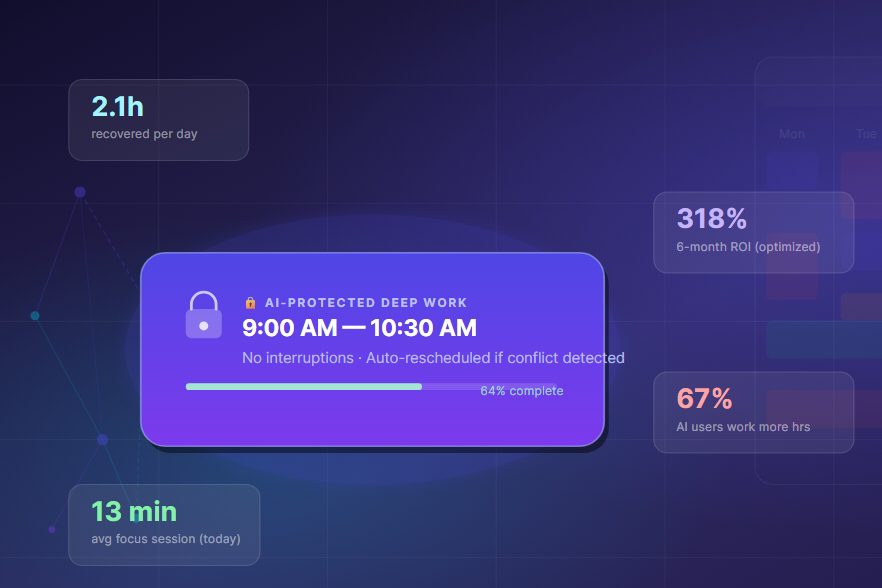
The average focused work session in 2026 is 13 minutes and 7 seconds — down 9% from 2023, according to ActivTrak’s State of the Workplace report. Not up. Down. This happened during the same two-year window when AI productivity tools went from early adopter status to mainstream default. The correlation isn’t conclusive. The irony is worth staring at.
I don’t say this to argue against using AI for time management. The tools are real, the gains are real for people using them right. What I’m arguing is that the mechanism most productivity content describes — “let AI handle the scheduling, free yourself for deep work” — is about half the story, and the missing half is where most people are currently getting hurt.
The full picture requires understanding three things that almost nobody explains together: why default AI tool adoption often adds cognitive overhead rather than removing it, which specific workflows genuinely create time leverage, and what the actual implementation looks like for someone who has to do real work inside a real week.
The BCG finding is worth slowing down on: productivity peaks at three AI tools simultaneously; adding a fourth or more reverses the gains even as raw output appears to rise. This is the measurable cost of tool-switching overhead, context fragmentation, and the cognitive tax of monitoring AI outputs rather than doing the work yourself.
The core problemWhy AI doesn’t automatically give you more time
The pitch was always clean: automate the boring tasks, humans focus on the creative work, everyone finishes earlier. The Harvard Business Review’s February 2026 research found something more complicated. AI tool adoption correlates with increased work intensity, not decreased workload. UC Berkeley’s longitudinal study showed that 67% of workers who adopted AI tools in 2025 were working more hours by year-end, not fewer. The productivity gains were real — they just went directly into more output at the same pace, not into recovery time.
This is what the AI Magicx research team in April 2026 named the AI Productivity Paradox: when a task that took 20 minutes now takes 90 seconds, you don’t get 18.5 minutes back. You get handed the next task immediately. The buffer zones that used to exist between demands — the two-minute walk to the printer, the minute of reformatting before you could think about content — those were often the moments where your brain was actually processing the last problem. AI eliminates the white space.
AI tools compress task execution time. Most organizations respond by filling the recovered time with additional tasks rather than protective thinking space. Net result: the same exhaustion, faster. The workers who escape this are the ones who deliberately capture the time savings as protected capacity before their calendar or manager refills it.
The second mechanism is cognitive load transfer. Research published in Frontiers in Psychology (December 2025) on outsourced cognition found that when you use AI to do the thinking, you shift from cognitive production to cognitive supervision — a less creative but not less tiring mode of mental work. You’re reading, evaluating, approving, correcting. Every one of those approvals is a micro-decision, and Roy Baumeister’s research on decision fatigue (and the BCG data confirming a 33% increase in decision fatigue among heavy AI users) shows that decision quality degrades with volume regardless of decision size.
None of this means the tools don’t work. It means they work in a specific way that requires a specific response. The workers pulling 2+ daily hours back from AI time management are doing something the rest aren’t: they’re treating the recovered time as protected by default, not available for refilling.
The actual leverage pointsWhere AI genuinely moves the needle on time
Not all time recovered from AI tools is equal. Reclaim.ai’s internal data (corroborated by similar figures from Clockwise and Motion) puts user-reported savings at 2+ hours per day — but that headline obscures where those hours come from. When you break it down, three categories account for roughly 80% of the real-world gains:
Scheduling overhead is the biggest bucket and the one where AI acts most mechanically — meaning the gains are reliable and don’t require trust in AI judgment. Automated conflict resolution, timezone handling, buffer insertion between meetings: these are rule-based operations that AI scheduling tools do without fail. Reclaim.ai’s free tier handles most of this for individual contributors. Motion handles it at a team level.
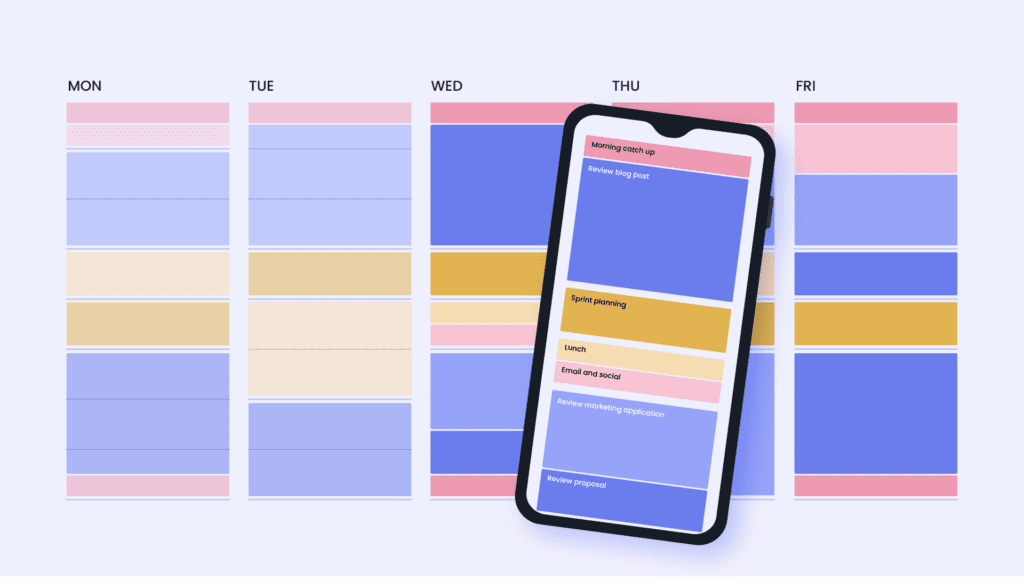
Context-switching cost is the less-discussed gain. Sophie Leroy’s 2009 attention residue research showed that task-switching leaves residual cognitive threads running from the previous task, degrading performance on the new one. A 2026 Reclaim.ai analysis found that teams with 15.8 meeting hours per week still reported a 27.4% deep work gap — because the issue wasn’t meeting count, it was meeting placement. Fragmented calendar blocks of 20–40 minutes between meetings are cognitively useless for complex work. AI scheduling that clusters meetings and defends 90-minute minimum deep work blocks can reclaim that lost capacity without reducing meeting count at all.
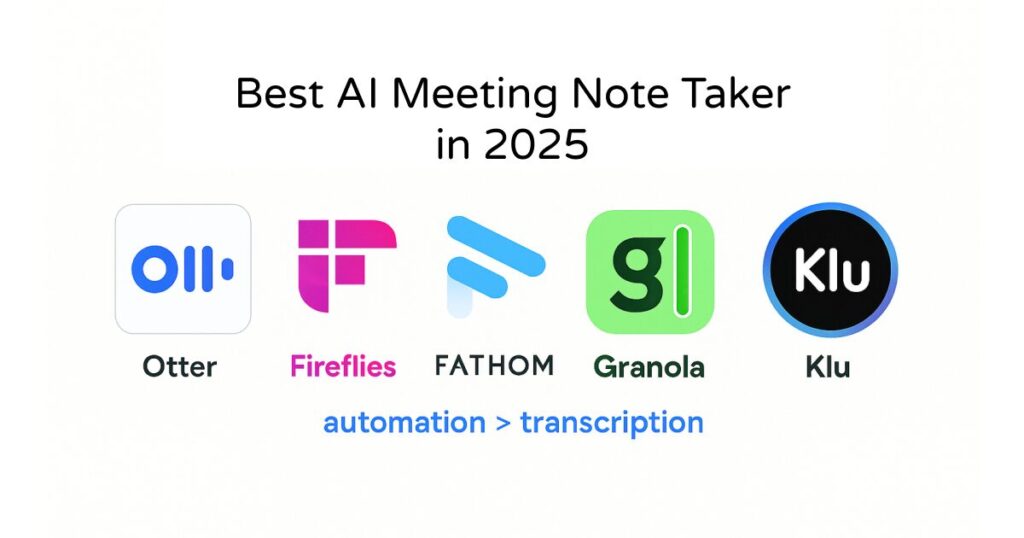
Meeting prep and follow-up is where AI writing tools like Granola, Otter, and similar transcription-plus-summary tools create real hours. The average knowledge worker spends 4–6 minutes preparing agenda context before a meeting and 8–12 minutes processing notes afterward. Multiply by the average 8.5 meetings per week and you have roughly 100 minutes of recoverable time per week.
The tool stackWhat actually works in 2026 — with honest tradeoffs
The BCG peak at three tools is a real constraint to design around. Here are the four categories that cover the meaningful leverage points, followed by the honest evaluation of the leading options in each.
Motion
Best all-in-one for small teamsAuto-schedules tasks around meetings using priority and deadline logic. The real value is re-scheduling: when a meeting moves, Motion recalculates the entire day automatically rather than leaving you to manually patch the damage. For solopreneurs and teams under 10, it handles meeting coordination and task management in one place — which matters for the three-tool ceiling.
$19/month individual · $12/user teamReclaim.ai
Best for deep work defenseSpecifically designed to protect focus blocks from meeting creep. Creates and defends “habits” (recurring blocks that automatically move when something else takes priority), manages scheduling links, and has team-level analytics showing aggregate meeting load. The free tier covers most individual needs — a rare genuine free option in this space.
Free tier available · Paid from $10/monthGranola
Best for meeting captureLocal-first AI note-taker — processes audio on-device rather than sending to a server. For anyone dealing with NDAs or sensitive client calls, this is the reason it made the Best Productivity Tools 2026 guide over bot-join alternatives. Quality of summaries is high enough that the 8–12 minutes of post-meeting processing time actually goes away, not just gets shorter.
From $10/monthSaner.AI
Best for information consolidationIntegrates notes, tasks, emails, and calendar into a single AI-surfaced priority view. Particularly useful for ADHD-pattern users and knowledge workers with scattered input channels. The AI doesn’t just surface tasks — it adds context from notes and emails to explain why something is prioritized, which reduces the re-orientation cost when you return to interrupted work.
From $12/monthThe BCG constraint in practice: Most people reading this already have a calendar app and a task manager. Adding Motion or Reclaim for scheduling is tool two. Adding Granola for meetings is tool three. That’s the stack ceiling. Resist adding a fourth tool until you can demonstrate that the first three have genuinely reduced, not redirected, your cognitive overhead.
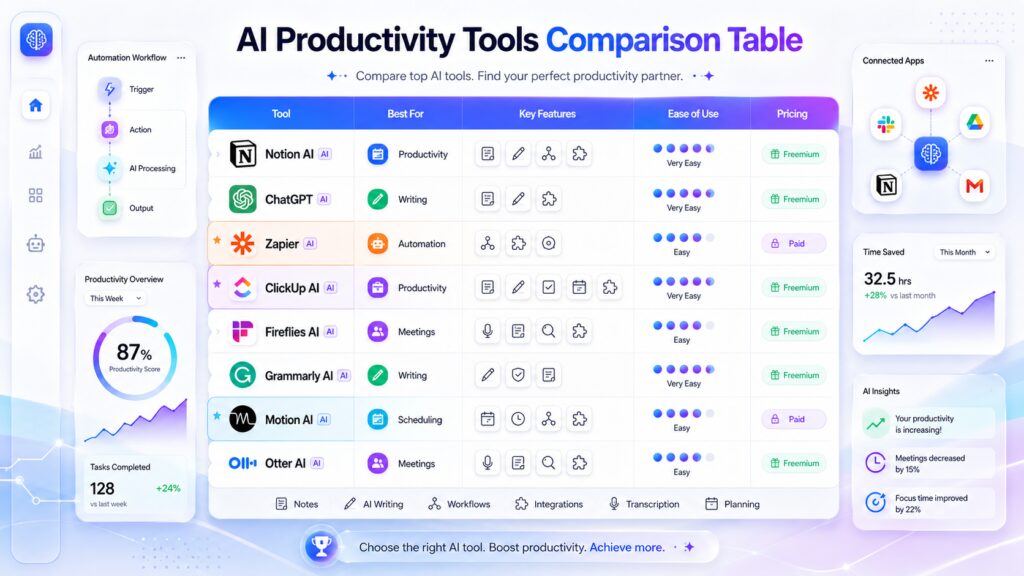
| Tool | Best for | Deep work? | Free tier? | Team-ready? | Verdict |
|---|---|---|---|---|---|
| Motion | All-in-one scheduling + tasks | Yes | No | Yes | Start here if budget allows |
| Reclaim.ai | Protecting focus time | Strong | Yes | Yes | Best free option, period |
| Clockwise | Team calendar optimization | Moderate | Yes | Yes | Strong for meetings-heavy teams |
| Granola | Meeting notes & summaries | No | No | Partial | Best at its specific job |
| Saner.AI | Priority surfacing | Indirect | Limited | Growing | Underrated for scattered workers |
| Todoist AI | Fast task capture | No | Yes | Basic | Best NLP task input in class |
The implementation gapWhat week one actually looks like
Most implementations fail between day 3 and day 12. Not because the tools don’t work — because the calendar doesn’t get restructured before the tools go in. Here’s what the architecture needs to look like first, and then how the tools layer on top.
Audit where your time actually goes (day 1, 90 minutes)
Before connecting any AI tool to your calendar, export the last 3 weeks of calendar data and categorize every block: deep work, meetings, admin, buffer, personal. Most people discover that “admin” is running 25–35% of their week in forms they hadn’t consciously accounted for — scheduling back-and-forth, format conversion, email triage. That’s your target. You cannot reduce what you haven’t measured.
Build the non-negotiable deep work blocks first (day 1–2)
Cal Newport’s ceiling of 3–4 hours of maximum cognitive output per day is not motivational advice — it’s the empirically supported limit from multiple studies on sustained attention. Before you enable any AI scheduling tool, manually block 2 × 90-minute deep work slots in your calendar, marked as busy/private. These are the slots the AI will be defending, not filling. If you let the AI place them, it will schedule around your existing meetings and leave you with the 20–40 minute fragments that are cognitively useless.
Common mistake: Letting the AI scheduling tool decide where your deep work goes. The AI optimizes for meeting accommodation. You need to optimize for cognitive quality first, and let meetings fit around that.
Connect the scheduling layer (day 3)
Now connect Reclaim.ai or Motion — whichever matches your budget. Mark your deep work blocks as protected habits. Set buffer minimums: 10 minutes before every meeting (for context-switching), 15 minutes after (for note capture and mental closure). These buffers feel wasteful. They will recover more than their cost in faster re-entry on complex tasks.
Add the meeting capture layer (week 2)
Add Granola or your transcription tool of choice only after the scheduling layer has been running for 5+ working days and you can confirm the deep work blocks are being defended. The common mistake is implementing everything at once, which floods you with new workflows to learn simultaneously and produces exactly the kind of context-switching overhead you’re trying to eliminate.
Run the ROI check at 4 weeks
Export calendar data again at week 4. Compare average deep work block completion rate and average focused session length. If deep work completion rate isn’t above 70%, the problem is meeting pressure breaking through the protection — and more tools won’t fix it. That requires a conversation about meeting culture, not another productivity app. If completion rate is above 70%, you’ve found your baseline. Then and only then consider whether a third tool (task management or information consolidation) adds genuine value.
The uncomfortable partWhat AI time management can’t fix
There’s a category of time loss that no scheduling tool touches: work that exists because of organizational dysfunction rather than individual inefficiency. Meetings held because managers need visibility rather than because decisions need to be made. Status updates that could be async documents but are calendared calls. Approval chains with four layers for decisions that one person could make.
The Reclaim.ai analysis found that teams with 15.8 weekly meeting hours had a 27.4% deep work gap — but that gap existed because meeting culture was fragmenting the calendar, not because the scheduling tool was failing. If your organization schedules meetings by the social pattern of “let’s align on this” rather than by the operational question “what decision requires this call,” you’re working with a structural problem. AI will optimize around it. It won’t resolve it.
❌ AI can’t fix this
- Meeting culture requiring synchronous presence
- Management visibility needs expressed as calendar blocks
- Approval chains with redundant layers
- Unclear ownership of decisions
- Always-on chat expectations
✅ AI genuinely fixes this
- Scheduling back-and-forth with external parties
- Calendar conflict resolution and re-routing
- Meeting summary and action item capture
- Task priority surfacing from cluttered inputs
- Buffer insertion and deep work block defense
I said in March to a client: “Get Motion, it’ll fix the scheduling chaos.” By June they’d spent $300 on the tool, and the scheduling chaos was gone, but they were somehow busier. The cleared scheduling friction had revealed the layer underneath it — a team that defaulted to synchronous communication and felt anxious without real-time check-ins. No productivity tool resolves that. That’s a conversation between people about how they want to work.
The most efficient imaginable use of AI time management tools will still leave you overwhelmed if the underlying meeting culture demands constant availability. The tools protect time. They don’t change what people expect of that time.
The actual mathWhat 318% ROI really means — and when it doesn’t apply to you
You’ve probably seen the figure cited in multiple AI productivity contexts: 318% ROI within six months on AI time management tools. It appears in the max-productive.ai 2026 analysis and is worth examining precisely because it’s real for some users and meaningless for others.
The calculation comes from a cohort of knowledge workers who were:
- Individually scheduling 30–45 minutes of meeting logistics per day before automation
- Losing an additional 45–60 minutes to context switching from calendar fragmentation
- Handling primarily autonomous work — not dependent on synchronous team collaboration
- Billing or creating at a per-hour rate that made recovered hours directly monetizable
If you match that profile — solopreneur, consultant, developer, writer — the math holds. Recovering 90+ minutes per day at $75/hour is $112/day, $2,247/month. Against Motion’s $19/month, you hit 318% ROI fast.
If you’re an employee in a meeting-heavy corporate environment whose recovered time goes into more Slack messages, the ROI is different. Not zero — reduced cognitive fragmentation has real quality-of-output effects that are harder to quantify but genuine — but the headline number doesn’t transfer directly.
Leverage estimate based on synthesis of ActivTrak, Reclaim.ai, and BCG data. Not a precise measurement — but a useful directional guide before you invest in implementation.
The longer-term riskThe skill you’re trading away and whether that trade is acceptable
A 2025 review in MDPI’s Societies journal traced cognitive offloading in AI-mediated work and found a consistent negative correlation between heavy AI use and measured critical thinking — strongest among younger workers who had fewer established mental models to draw on before adopting the tools. The Metaintro analysis of 2026 workforce data put it plainly: AI reduces the effort spent on the cognitive tasks that build and maintain skill, and the loss shows up in unexpected places years later.
For time management specifically, this surfaces as reduced ability to estimate how long tasks take, because the AI handles scheduling. It surfaces as reduced calendar judgment, because the AI resolves conflicts. These are not profound cognitive losses in isolation. But they compound.
The working answer — and I don’t have a cleaner one — is what Metaintro described as being “fluent and deliberate”: using the tools at the level your role requires while deliberately maintaining the underlying skill. For time management, that means running the AI-assisted schedule during the week and doing a manual 15-minute weekly review where you look at your calendar without any AI interpretation and make your own judgment about what went right and wrong. The skill atrophies if you never exercise it. It doesn’t atrophy much if you exercise it once a week.
The one-sentence rule for 2026
Use AI to execute your time management system. Don’t use AI to design it. The design — what matters, what gets protected, what gets declined — requires judgment that is still yours to make, and the more you delegate it, the harder it becomes to reclaim.
The tools that make this line clearest are the scheduling-layer tools (Motion, Reclaim) where the AI executes rules you set, rather than the tools that analyze your behavior and tell you what your priorities should be. The latter is more cognitively convenient and carries more risk of judgment atrophy.
The systemA condensed implementation checklist
If I were starting from scratch in June 2026, this is the sequence I’d use:
- Week 1, day 1: Export 3 weeks of calendar data. Categorize every block. Identify the top three categories by total time. This takes 90 minutes and is not skippable.
- Week 1, day 2: Block two 90-minute deep work slots manually before touching any AI tool. Mark them busy. Set them as recurring.
- Week 1, day 3: Connect Reclaim.ai (free tier) or Motion to your calendar. Set buffer minimums of 10 minutes before meetings, 15 after. Turn on deep work habit protection.
- Week 1–2: Use the scheduling tool and nothing else. Let it run. Don’t add Granola, Saner, or anything else yet.
- End of week 2: Check your deep work block completion rate. If above 70%, proceed. If below 70%, identify whether it’s tool failure or meeting pressure — these have different solutions.
- Week 3: Add meeting capture (Granola or equivalent) if you have 5+ meetings weekly. Add task/priority layer (Saner.AI or Todoist) only if context-switching between inputs is your remaining bottleneck.
- Month 2 onward: Do a weekly 15-minute manual calendar review. Don’t let the AI be the only thing that ever looks at your schedule. This is not inefficiency — it’s maintenance of your own judgment.
The constraint that makes this work fail most of the time
You won’t do the week-one audit. That’s the honest version of this. The audit takes 90 minutes, produces information that is sometimes uncomfortable (I didn’t realize I was spending 2.5 hours a week on scheduling logistics until I measured it), and doesn’t feel like action. Adding a new productivity app feels like action. So people skip the audit and go straight to the tool.
The tools work better with the audit because the audit tells you what you’re actually optimizing for. Without it, you’re letting an AI optimize a system whose goals you haven’t stated. Motion doesn’t know whether protecting your deep work or accommodating your team’s meeting preferences should win when they conflict. That’s a values question, not a scheduling question, and you’re the only one who can answer it.
What happens when this kind of personal-values-informed AI time management meets agentic AI systems that can book, decline, and reschedule on your behalf without asking? I don’t know yet. The first production-grade calendar agents started appearing in Q1 2026 and the research on how people interact with them over six-month periods doesn’t exist yet. That’s the next piece of this story, and it’s one I’m watching more carefully than anything else in the productivity space right now.
Research & further reading
- Reclaim.ai: Deep Work vs Shallow Work — data on the 27.4% deep work gap
- Frontiers in Psychology (2025): Outsourcing Cognition — the psychological costs of AI-era convenience
- AI Magicx: The AI Productivity Paradox (April 2026) — HBR & Berkeley data on intensity vs. output
- Mindful Leader: BCG Henderson Institute’s cognitive fatigue research (March 2026)
- max-productive.ai: AI Time Management Tools — ROI analysis and head-to-head comparisons
- Metaintro: Cognitive workforce analysis — the fluent-and-deliberate approach to AI tool adoption (2026)
Stay current on AI tools that actually work
Trendix tracks what’s changing in AI productivity — tool updates, new research, practical guides — without the hype filter.
Explore Trendix.tech →
0 responses to “Your output didn’t double with AI. Here’s why — and how to fix it.”